SoilTest PRO Auto Soils Consolidator (ASC)
25-0500
Original Instructions 16 9901X0275 Issue 2
Tools/Settings Menu
General Settings
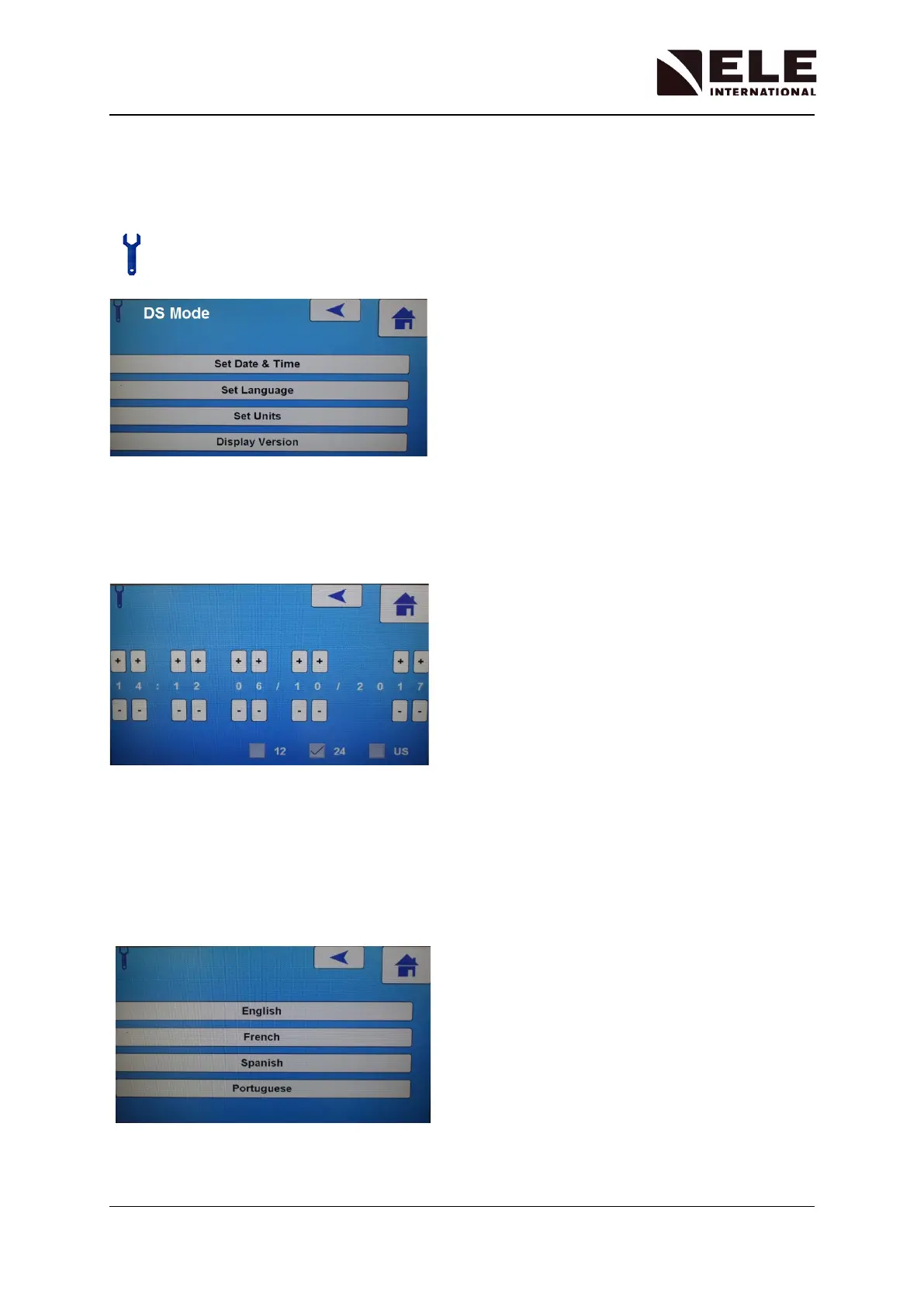
General display settings and test units can be changed by selecting the Tools/Settings icon
from the Initial screen.
Setting the Time and Date
To set the date and time, select Set Date & Time and use the various + and - buttons to
adjust to the format shown on the screen.
The time can be displayed in 12 or 24 hour format. Selecting the US format box will change
the date format to MM/DD/YYYY.
Setting the Language
The operating language can be changed by selecting Set Language and choosing from one
of the pre-programmed language options available:



 To Next Page