Step 4
Outdoor Panel
VPM/APM
2
Adding
the
access
tag codes
Deleting
the
tag codes
Step 5
Outdoor Panel
VPM/APM
3
Changing
the
address
of the
panel
Step 6
Outdoor Panel
VPM/APM
4
Inactive
Installer
code
Step 7
Outdoor Panel
VPM/APM
5
Changing
the
language
BEEEEP
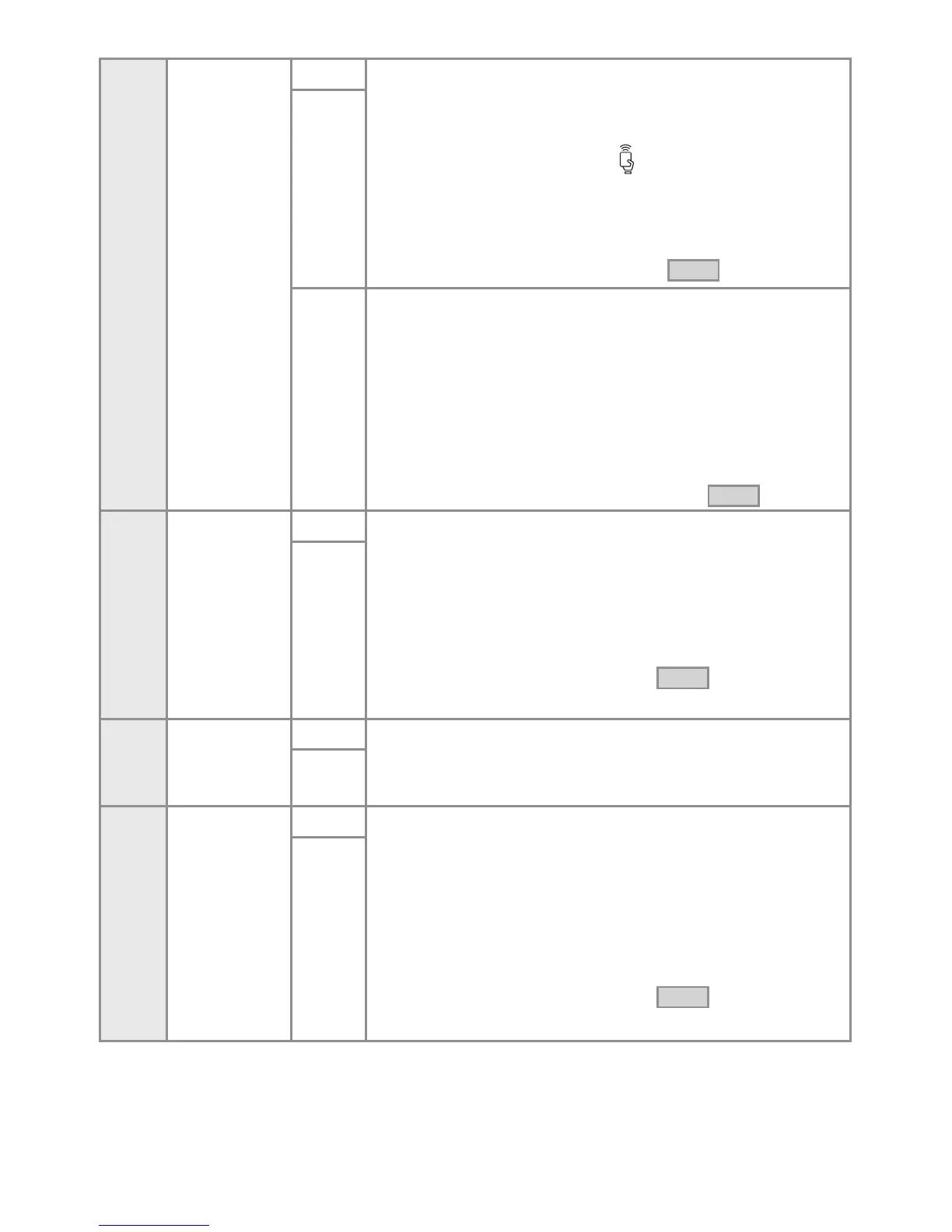
Press key 2 for adding the codes. A 1x[ ] confirmation is issued.
The following message is displayed:
Insert tag
X / 46080
Touch the tags, one by one, to the icon until all the tags
necessary for the access of the inhabitants in the building are
memorised.
BEEEEP
Each memorised tag is confirmed by 2x[ ].
BEEEEP
If the code is already memorised, it is confirmed with 3x[ ].
Press key 0 and return to the menu from Step 2 .
BEEEEP
Long press key 5. 1x[ ] is issued. The following message is
displayed:
Delete all the tags?
1. yes 0. no
Short key 1 to delete the tags.
Short key 0 to cancel deleting the tags
The screen returns to:
Insert tag
X / 46080
Long press key 0 and return to the menu from Step 2 .
Long press key 3 for changing the address of the panel.
BEEEEP
1x[ ] is issued.
The following message is displayed:
Insert the new address: _
After inserting the address, the following message is displayed:
The new address is: _
Automatically return to the menu from Step 2 .
BEEEEP
Press key 5 for changing the language. 1x[ ] is issued.
The following message is displayed:
1. romanian
2. english
Press the desired key and the following message is displayed:
The new language is:
[selected language]
Automatically return to the menu from Step 2 .
38



 To Next Page