EasyManua.ls Logo

Electra evolution - User Manual

Electra evolution
18 pages
Print Icon
To Next Page IconTo Next Page
Loading...
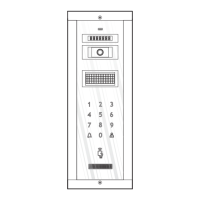
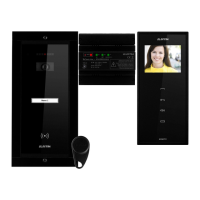
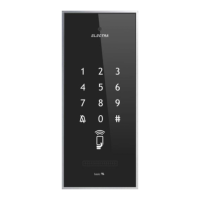
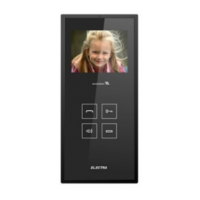
KIT VIDEO DOOR PHONE evolution
2 families
Call from the Outdoor panel keys;
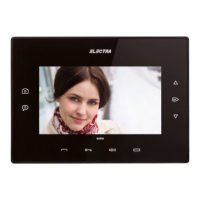
Possibility to see on the Terminal's display the person calling ;
Full duplex hands-free audio communication;
Command of the access gate/door opening from the indoor Terminal ;
Video and audio monitoring of the entrance of the property, by the inhabitant;
Optional connection of up to 4 additional video cameras;
Optional auxiliary command: auto-access, garage door, etc.;
Optional 1 video Terminal or up to 3 audio Terminals in parallel, for each family;
Optional maximum 3 Outdoor panels in parallel;
.UTP CAT 5e (AWG 24) cable required
Harry Johnston
Oliver Thompson
USER MANUAL
EN

Questions and Answers

Summary

Technical Features of the System

Outdoor Video Panel Features

Details on supply tension, camera, and illumination for the outdoor panel.

Video Terminal Features

Technical specifications for the video terminal, including display and keyboard.

Supply Control Unit Features

Technical specifications for the supply control unit, including power and case.

Video Connection Box Features

Technical specifications for the video connection box, including inputs and outputs.

Access Tag Features

Technical specifications for the access tag, including functioning frequency.

Block Diagrams of the System

Main System Block Diagram

Illustrates the overall system layout and component connections.

Parallel Terminals Connection Diagram

Shows how to connect multiple video terminals in parallel.

Video Selection Box and Additional Panels Diagrams

Diagrams for video selection box with cameras and connection of additional outdoor panels.

Installation

Recommended Cables

Specifies UTP CAT5e (AWG24) cable types and distances for connections.

Installation Safety Instructions

Important safety guidelines for installing the supply control unit and connecting power.

Supply Control Unit Installation

Details DIN rail and wall mounting procedures for the supply control unit.

Video Connection Box Installation

Details DIN rail and wall mounting procedures for the video connection box.

Video Terminal Installation

Guidelines for terminal placement height, cable preparation, and mounting.

Outdoor Panel Installation Details

Covers positioning, antitheft, camera adjustment, and name display customization.

Connection Diagram

Electrical Panel and Accumulator Connections

Diagrams showing connections to the electrical panel and optional accumulator.

Panel, Video Connection Box, and Terminals Connections

Diagrams illustrating connections to the outdoor panel, video box, and terminals.

Optional Device Connections

Diagrams for connecting optional external cameras, locks, and auxiliary commands.

System Commissioning and Troubleshooting

Supply Control Unit Description

Details the components and indicators of the supply control unit.

Connection Checks and Tension Verification

Verifies system connections, accumulator, and supply tensions.

Function and Adjustment Checks

Checks system functions and guides adjustment of audition level and image characteristics.

Troubleshooting Common Issues

Addresses common problems, possible causes, and solutions for system malfunctions.

System Use

User Safety Instructions

Safety precautions regarding the terminal's glass screen.

Video Terminal Operation

Guides on stand-by, call/communication, access, and auxiliary command usage.

Outdoor Panel and Access Tag Operation

Instructions for using the outdoor panel for calls and managing access tags.

Tag Programming and Deletion

Procedures for programming and deleting RFID access tags.

Maintenance, Warranty, and Representative

Maintenance Guidelines

Recommendations for cleaning and maintaining system components.

Warranty Information

Details warranty terms, duration, and exclusions.

Authorized Representative Details

Contact information for the ELECTRA S.R.L. authorized representative.

Summary

Technical Features of the System

Outdoor Video Panel Features

Details on supply tension, camera, and illumination for the outdoor panel.

Video Terminal Features

Technical specifications for the video terminal, including display and keyboard.

Supply Control Unit Features

Technical specifications for the supply control unit, including power and case.

Video Connection Box Features

Technical specifications for the video connection box, including inputs and outputs.

Access Tag Features

Technical specifications for the access tag, including functioning frequency.

Block Diagrams of the System

Main System Block Diagram

Illustrates the overall system layout and component connections.

Parallel Terminals Connection Diagram

Shows how to connect multiple video terminals in parallel.

Video Selection Box and Additional Panels Diagrams

Diagrams for video selection box with cameras and connection of additional outdoor panels.

Installation

Recommended Cables

Specifies UTP CAT5e (AWG24) cable types and distances for connections.

Installation Safety Instructions

Important safety guidelines for installing the supply control unit and connecting power.

Supply Control Unit Installation

Details DIN rail and wall mounting procedures for the supply control unit.

Video Connection Box Installation

Details DIN rail and wall mounting procedures for the video connection box.

Video Terminal Installation

Guidelines for terminal placement height, cable preparation, and mounting.

Outdoor Panel Installation Details

Covers positioning, antitheft, camera adjustment, and name display customization.

Connection Diagram

Electrical Panel and Accumulator Connections

Diagrams showing connections to the electrical panel and optional accumulator.

Panel, Video Connection Box, and Terminals Connections

Diagrams illustrating connections to the outdoor panel, video box, and terminals.

Optional Device Connections

Diagrams for connecting optional external cameras, locks, and auxiliary commands.

System Commissioning and Troubleshooting

Supply Control Unit Description

Details the components and indicators of the supply control unit.

Connection Checks and Tension Verification

Verifies system connections, accumulator, and supply tensions.

Function and Adjustment Checks

Checks system functions and guides adjustment of audition level and image characteristics.

Troubleshooting Common Issues

Addresses common problems, possible causes, and solutions for system malfunctions.

System Use

User Safety Instructions

Safety precautions regarding the terminal's glass screen.

Video Terminal Operation

Guides on stand-by, call/communication, access, and auxiliary command usage.

Outdoor Panel and Access Tag Operation

Instructions for using the outdoor panel for calls and managing access tags.

Tag Programming and Deletion

Procedures for programming and deleting RFID access tags.

Maintenance, Warranty, and Representative

Maintenance Guidelines

Recommendations for cleaning and maintaining system components.

Warranty Information

Details warranty terms, duration, and exclusions.

Authorized Representative Details

Contact information for the ELECTRA S.R.L. authorized representative.

Electra evolution Specifications

General IconGeneral
BrandElectra
Modelevolution
CategoryIntercom System
LanguageEnglish

Related product manuals