Need help?
Do you have a question about the Electra SMART+ and is the answer not in the manual?
Details specific to the SCU.VDR02 video central unit.
Details specific to the SCU.ADN02 audio central unit.
Important safety guidelines for operating the door phone system.
Explanation of audio feedback and key functions.
Overview of the features and indicators of the central units.
Meaning of the LED indicators for central units.
Meaning of the LED indicators for the SCU.ADN audio unit.
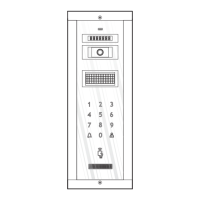
Step-by-step guide to programming VPM/APM outdoor panels.
Description of key functions during panel programming.
How control unit buttons behave during programming.
Audio feedback provided during panel programming.
Detailed sequence for programming outdoor panels.
Procedure for adding access tag codes to the panel.
Procedure for deleting programmed access tag codes.
Instructions for modifying the panel's address.
Using a PC to manage databases and inhabitant lists.
Guide to programming VTM/VTE/ATM terminals.
Steps for setting terminal addresses using a programmer.
Method for manually programming terminal addresses.
Customizing terminal settings and parameters.
Customizing ringtone, call duration, and volume.
Further customization options for terminal settings.
Details and functions specific to the mini terminal.
Details and functions specific to the classic terminal.
Table of common problems and corresponding SCU LED signals.
Solutions for when the entire system is not functioning.
Diagnosing and fixing low voltage issues on terminals.
Resolving issues where calls from the outdoor panel fail.
Fixing problems where terminals do not ring.
Addressing audio noise issues during conversations.
Solutions for a black or off display on terminals.
Diagnosing issues causing a blue display on terminals.
Fixing problems with a blurred video feed.
Resolving issues causing a black and white video display.
Ghid de siguranță pentru utilizarea interfonului.
Semnificația semnalelor acustice și utilizarea tastelor.
Overview of central unit features and indicators.
Semnificația semnalizării LED-urilor centralelor.
Semnificația semnalizării LED-urilor pentru SCU.ADN.
Ghid pas cu pas pentru programarea panourilor exterioare VPM/APM.
Descrierea funcțiilor tastelor în timpul programării.
Comportamentul butoanelor unității de control la programare.
Feedback audio în timpul programării panoului.
Secvența detaliată pentru programarea panourilor exterioare.
Procedura de adăugare a codurilor tag-urilor de acces.
Procedura de ștergere a codurilor tag-urilor de acces programate.
Instrucțiuni pentru modificarea adresei panoului.
Utilizarea unui PC pentru gestionarea bazelor de date și listelor de locatari.
Ghid pentru programarea terminalelor VTM/VTE/ATM.
Pași pentru setarea adreselor terminalelor folosind un programator.
Tabel cu probleme comune și semnalele LED SCU corespunzătoare.
 General
| Audio Frequency Response | 300Hz - 3.4kHz |
|---|---|
| Connectivity | Wi-Fi |
| Mobile App | Yes |
| Material | Plastic |
| Operating Temperature | -10°C to 50°C |
| Housing Material | Plastic |
| Communication Range | 100m |
| Microphone Sensitivity | -40dB |

 To Next Page