14-6
SERVICING
SM OU12HP 2-E.2 GB
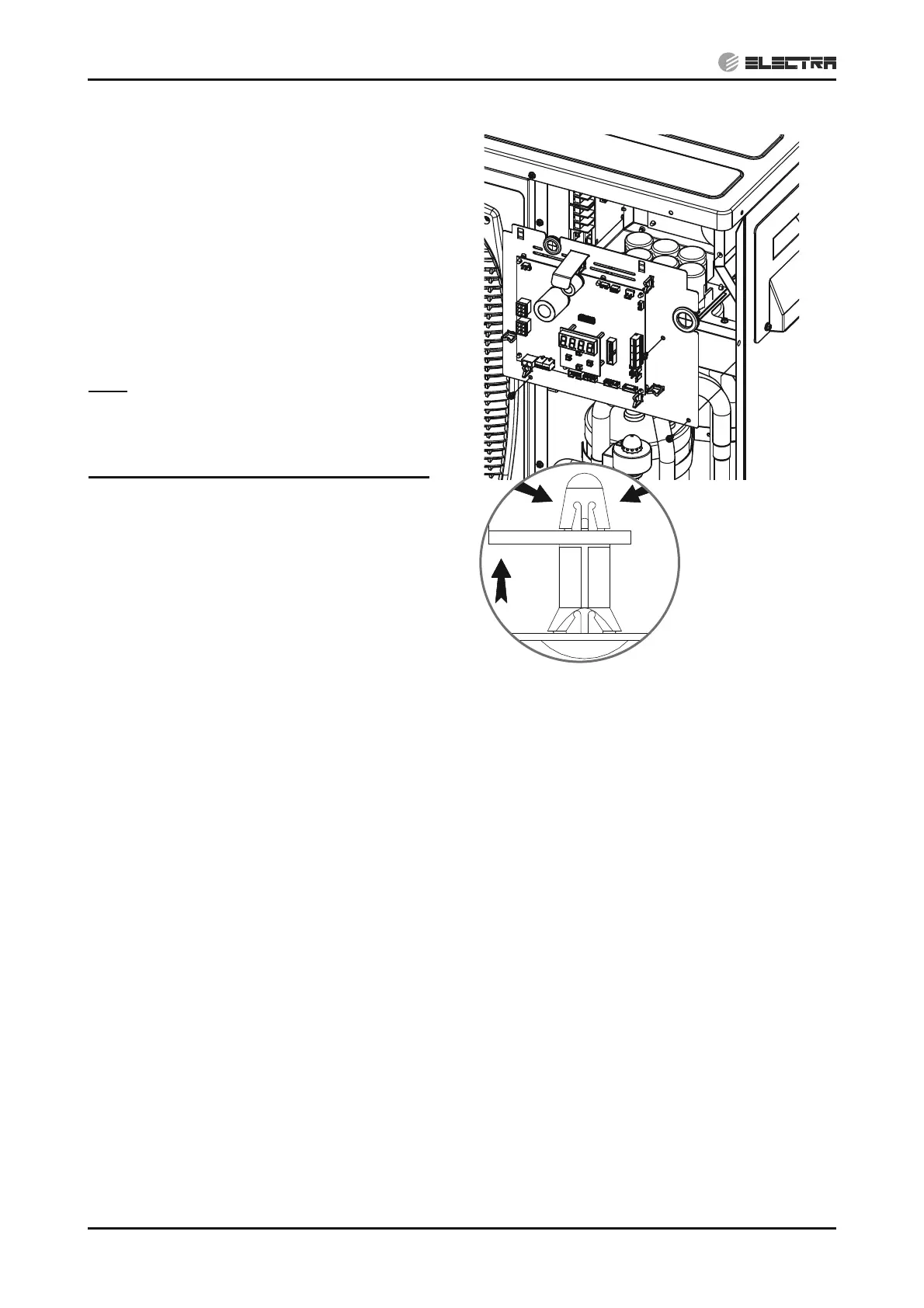
14.1.13 Removing main board
1. Remove the service front panel according
to 14.1.1.
2. Check to ensure that LEDs and display
board are OFF.
3. Disconnect all connectors from the main
board.
4. Squeeze the 8 spacers head with Long-
Nose Pliers and pull out the board.
Note: It might be easier to remove the main
board panel first and than pull out the board
from its spacers.
Notes for re-assemble the main board:
1. Make sure to correct all the connectors
into the connect locations. If incorrectly
connected, malfunction or damage to the
electrical parts may occur.
2. Hold the wires to the cable holders.
3. Ensure to set all the dip switches to the
same configuration as the original.
Removing main board Panel


 To Next Page