14-10
SERVICING
SM OU12HP 2-E.2 GB
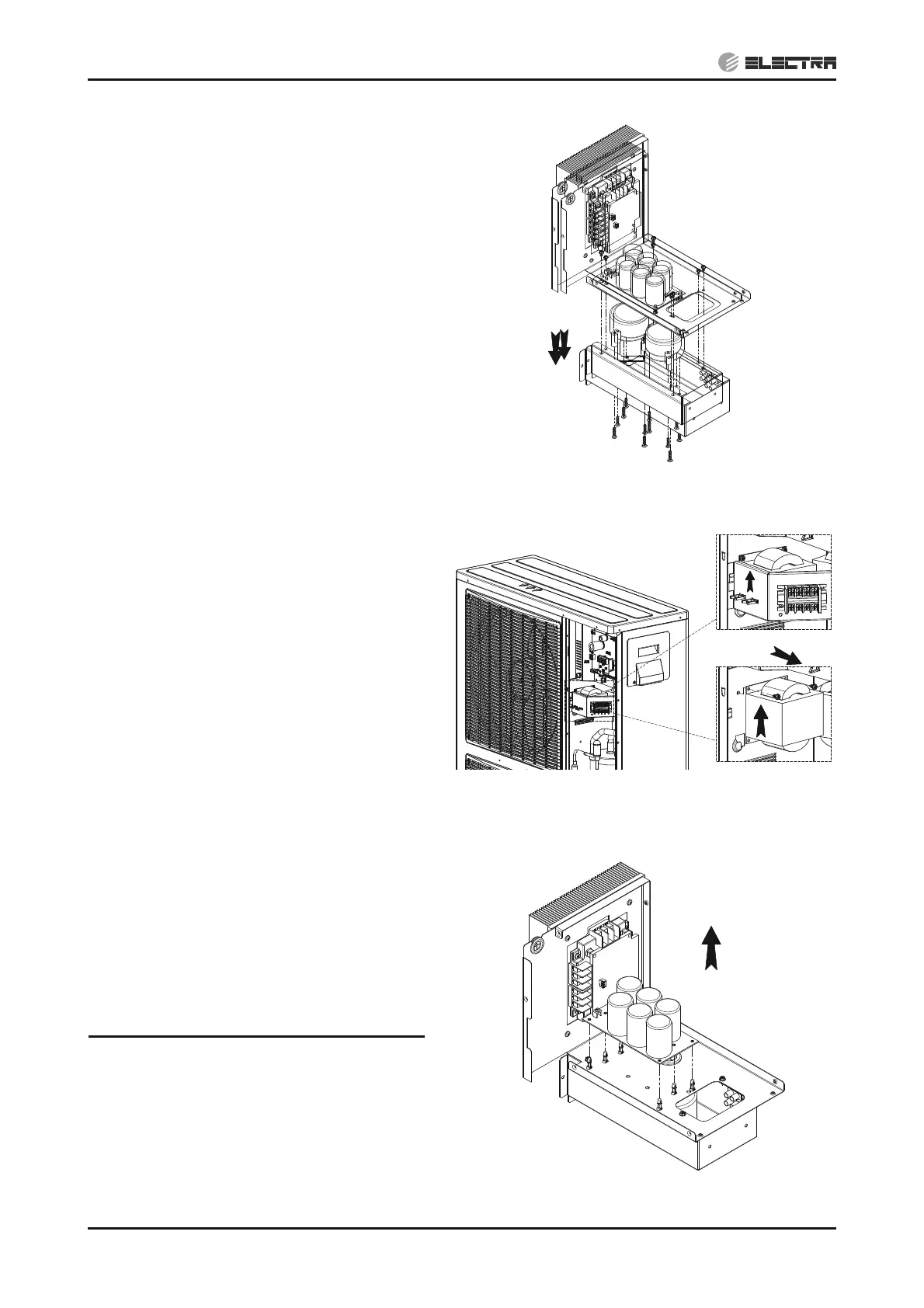
14.1.17 Removing Chocks Coils
14.1.17.1 4-5HP
1. Perform the driver module removal procedure
in 14.1.15 from 1 to 6.
2. Remove the 4 screws holding the chock coils
box to the driver panel.
3. Take out the chock coils box while pulling the
wires out through the rubber grommet.
4. Remove the chock coils wires from the
terminal block.
5. Remove the 3 screws for each chock coil to
release the chock coils from the box.
Removing Chocks Coils
14.1.17.2 6HP
1. Remove the chock coils wires from the
chock terminal block.
2. Remove the terminal block holde.
3. Remove the 2 screws for each chock coil to
release the chock coils from the partition.
Removing Chocks Coils
14.1.18 Removing capacitor board
1. Perform the driver module removal procedure
in 14.1.15 from 1 to 4. You may perform #6 as
it will ease the board removal but first release
N and L wires from the line filter.
2. Remove the capacitor wires from the board.
3. Squeeze the 6 spacers head with Long-Nose
Pliers and pull out the board.
Notes to re-assemble the capacitor board:
Capacitors has polarity (+ and -), check to
ensure each terminal before connecting.
Removing capacitor board


 To Next Page