14-13
SERVICING
SM OU12HP 2-E.2 GB
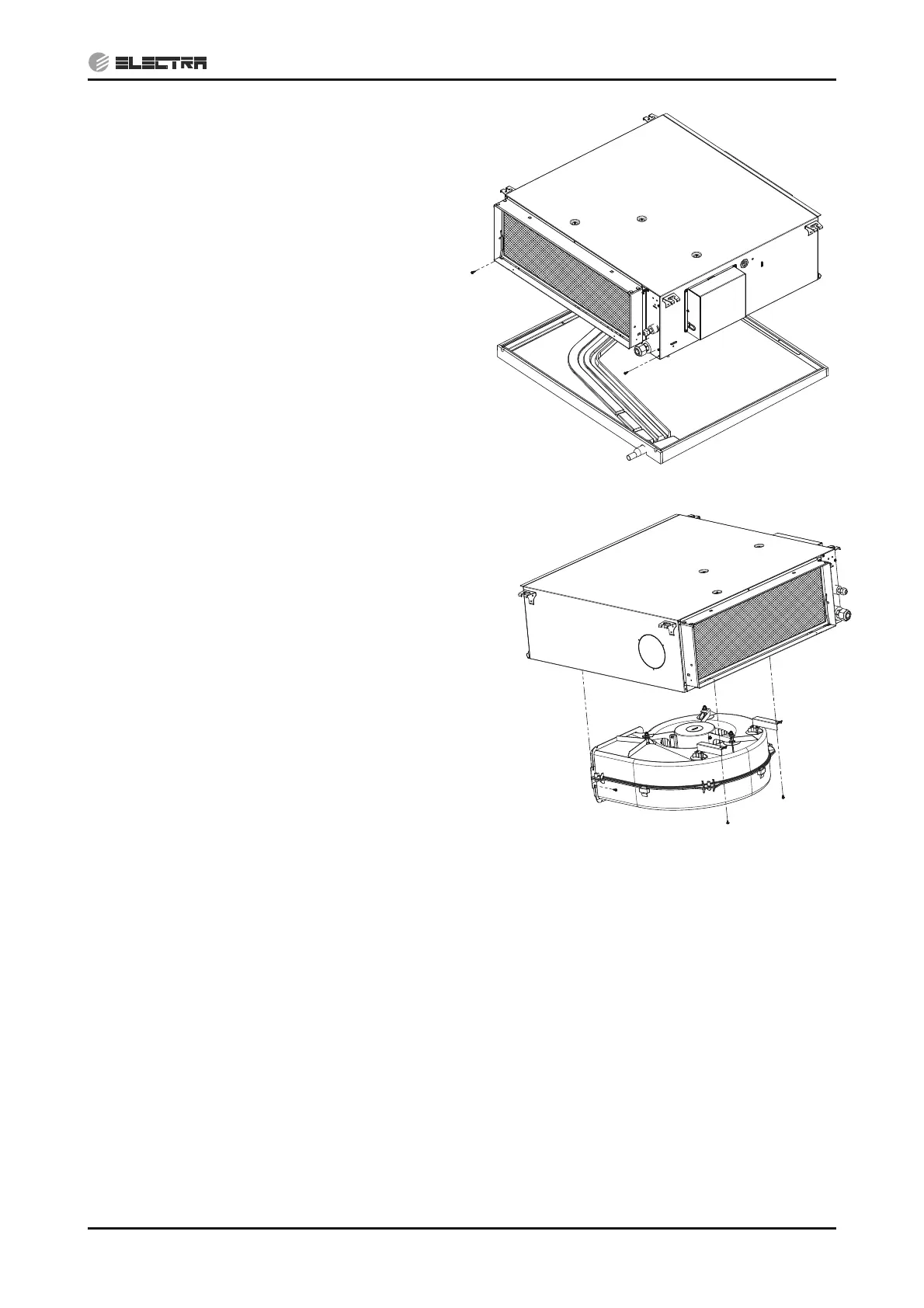
14.2.4 Removing Service Panel
1. Remove the 2 fixing screws from the filter
side, push the service panel back and
remove it.
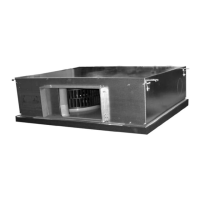
14.2.5 Removing Fan Assembly
1. Remove the Service Panel according to
14.2.4.
2. Disconnect the motor connector inside the
unit and cut off the nylon ties holding the
motor cable.
3. Remove the 3 fixing screws and take out
the Fan assembly.
14.2.6 Removing Fan Motor
1. Remove the Fan Assembly according to 14.2.5.
2. Remove the hex nut and the spring washer from the motor shaft.
3. Remove the 3 fixing hex nuts and the spring washers that connect the legs support to fan house
and take out the motor with the 3 legs.
4. Remove the 6 fixing screw and nuts that connect the legs support with the fan motor and separate
them.
14.2.7 Removing Fan
1. Remove the Fan Assembly according to 14.2.6.
2. Remove the 4 fixing screws and separate the fan house.
3. Remove the hex nut and the spring washer from the motor shaft and take out the fan.


 To Next Page