14-12
SERVICING
SM OU12HP 2-E.2 GB
14.2 Indoor Unit: DNG
14.2.1 Electronics Assembly Remote Access
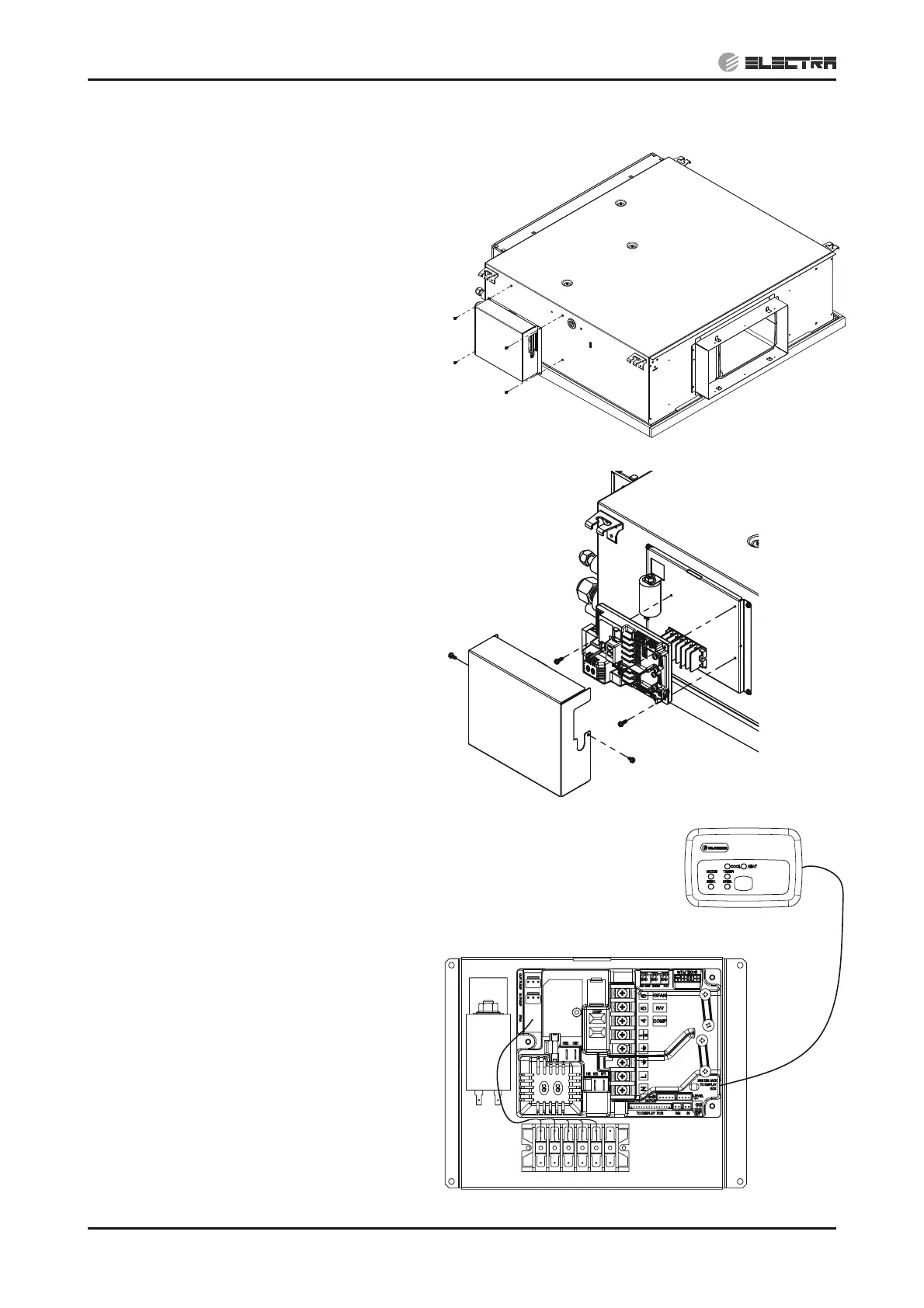
In cases of hard access to control assembly it is
made possible to release the assembly from the
indoor unit chassis.
1. Remove the 4 fixing screws and relocate the
Electronics assembly .
14.2.2 Removing Electronics Assembly
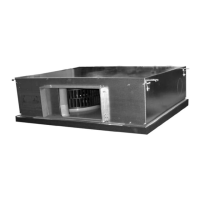
1. Remove the 2 fixing screws and take out the
cover.
2. Disconnect all connectors and wires from
the Electronics Board
3. Remove the 3 fixing screws and take out the
Electronics Board.
14.2.3 Removing Display unit
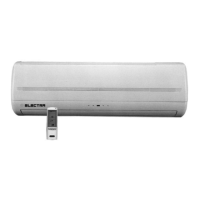
1. Take out the display connector from the
electronics board.


 To Next Page