14-15
SERVICING
SM OU12HP 2-E.2 GB
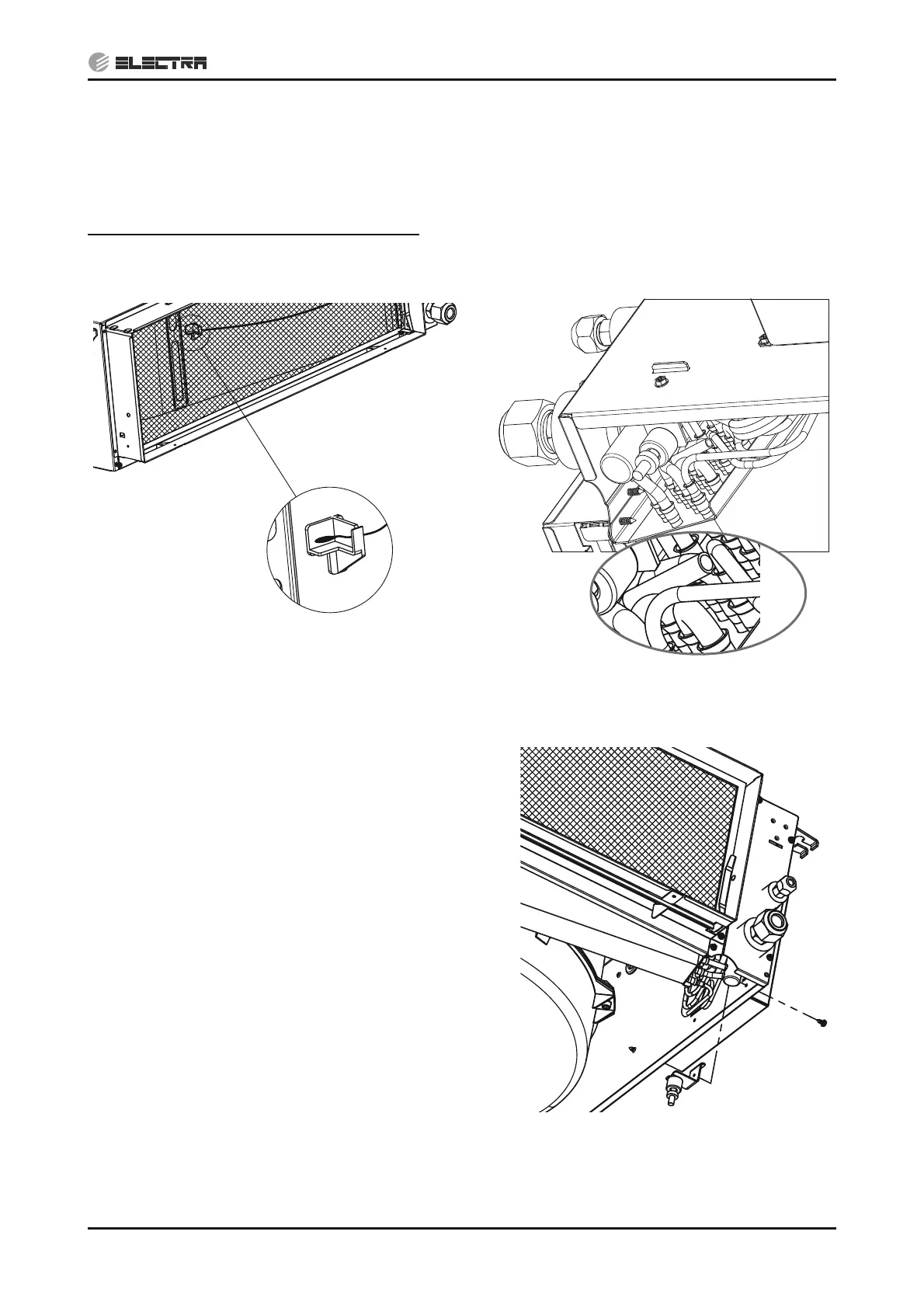
14.2.9 Removing Thermistors
1. Disconnect the thermistor connector from the main board.
2. Cut the nylon ties holding the wires to the pipes or chassis.
ICT thermistor only - Pull up the spring from the housing while pulling out the thermistor.
Notes for re-assemble the ICT thermistor:
1. Make sure the spring is inserted first and is facing the tube to be attched to. Hold the thermistor
wires to the tube with nylon tie holding both the wires and the protective sleeve
14.2.10 Removing Float Switch
1. Disconnect the wire to wire float switch connector
inside the unit.
2. Cut the nylon ties holding the wires to the pipes or
chassis.
3. Remove the screw holding the switch holder to
the unit chassis.
4. Use two open spanners to remove the nylon nuts
of the switch and take out the switch.
Indoor Air Thermistor (RAT) Indoor Coil Thermistor (ICT)


 To Next Page