10
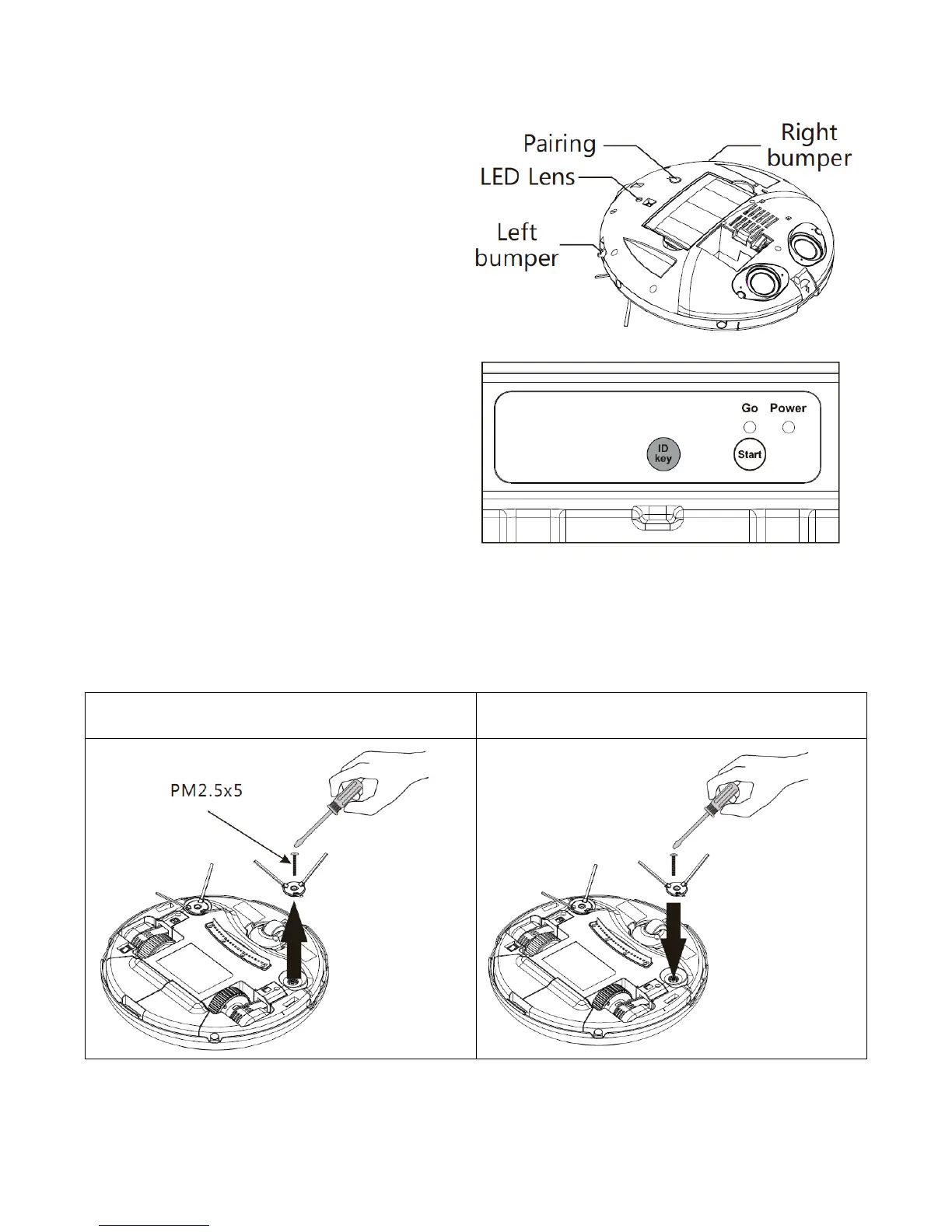
PAIRING THE CHARING DOCK
The charging base provided with your robot
vacuum cleaner comes pared to the cleaner, but
there are times when the dock may require
manually pairing. This would be the case if the
dock was replaced, or an additional charging dock
is added.
To do this, the top cover should be removed (As
shown in the battery replacement section). The
Vacuum cleaner should then be turned on and the
Pairing button pressed twice, so that the LED on the
vacuum is flashing Red. The ID key on the charging
base should be held down, and a long beep will
sound to indicate the pairing was successful. The
left bumper should then be pressed, to save and
exit the pairing mode.
SIDE BRUSH FITTING AND REMOVAL
The spinning side brushes are attached by a single bolt. They can be easily removed and reattached,
should they need replacing, or in the case of them becoming tangled.


 To Next Page