13
CONNECTING VIA THE APP
Your Robot vacuum cleaner also has the ability to be controlled over Wifi from your smart phone.
The first step is to download the correct app. The IOS version is available from itunes by searching for
"ERC-283" and the Android version is available on the play store by searching for "ERC-283".
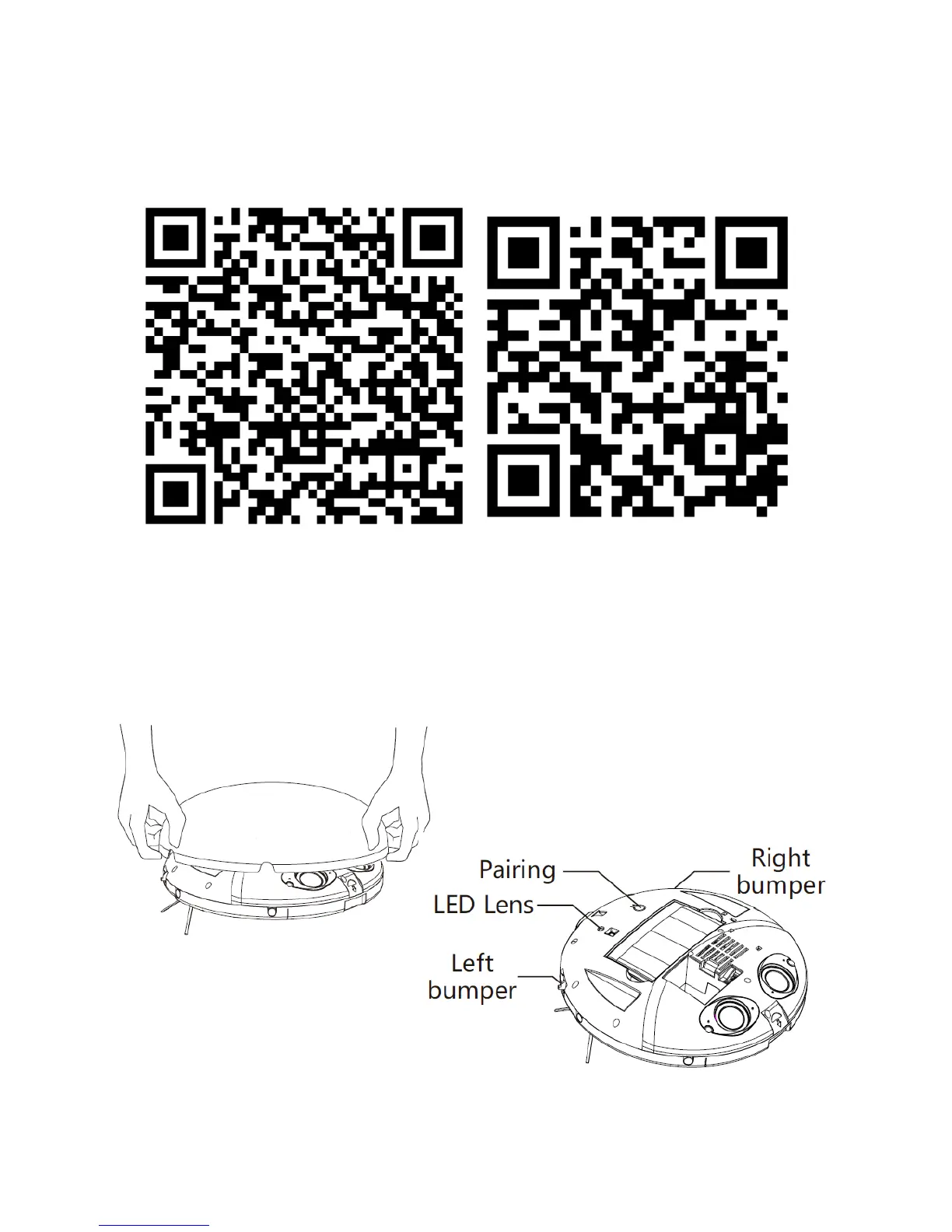
Alternatively they can be downloaded using the QR codes below:
Android IOS
Connecting your Robot to your Wifi
Before starting, ensure you have installed the correct app to your phone, and that your phone is
connected to your wifi network. It is advisable to turn off your mobile data while carrying this out.
Move your vacuum close to your router, remove the lid,
and press the pairing button once, so the LED light
flashes Red and Blue


 To Next Page