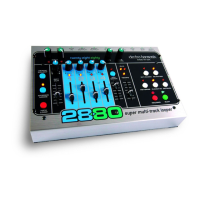
Please Note: Only one loop, song or project can be on a CF card at a time, even if it is only 1 second in length.
W
hen you begin recording a New Loop, it erases the previous loop that you had on the card; you cannot retrieve
old loops once overwritten.
2880 Requirements for the Compact Flash Card:
Minimum Card Size = 128MB
Maximum Card Size = 2GB
Card Speed = 40x or greater is recommended
Approximate Maximum Loop Length for each standard Compact Flash card size:
128MB = 4 minutes
256MB = 8 minutes
512MB = 16 minutes
1GB = 31 minutes
2GB = 62 minutes
Cards will have to be formatted to the FAT16 file system. Most store bought cards are formatted for FAT16. If you
need to format a CF Card, attach the 2880 to a Windows PC via the USB port, and choose “FAT,” under the File
System pull-down menu.
The 2880 will not Record or Playback without a proper CF Card inserted into the 2880’s card slot.
USB Port
The 2880 is fitted with a USB Port, which allows you to move your files to and from your computer using a standard
USB cable. The USB Port is located on the right side of the 2880, next to the CF card slot.
When you connect your 2880 to a computer, through the USB connector, it will display the Compact Flash card
inside the 2880 as an external hard drive. You may then copy files to and from the CF card. The 2880 is automatically
recognized by PCs running Windows XP or ME or Macs running OS X or OS 9.2.
The 2
880 records all audio files as wave files (.wav), which can then be read by most if not all computers. Any
audio program that accepts wave files as a viable format can play or edit the 2880 audio files. Every PC and most
Macs c
an play wave files. The biggest plus is the abilit
y to insert your manipulated file into your favorite software
program. A sound designer’s dream.
Your computer can backup and restore loops, songs and projects to the CF card inside the 2880. When backing up
the contents of the CF c
ard, it is recommended you copy all 6 files from the CF c
ard and place them together into
their own folder. When restoring the loop, copy all 6 files back to the root directory of the CF Card (not into a folder
on the CF card).
When copying files to the CF Card, it is important to include the Tempo.txt file. This file gives the 2880 information
on the original tempo setting of the audio files.
Please refer to the “How to Backup...” and “...Restore your Audio Files from a Computer” sections of the Quick Start
guide, earlier in this manual, for more information on connecting the 2880 to a computer through USB.
13


 To Next Page