Our Definition of Overdubbing:
Overdubbing is the recording of any track after the initial recording of a New Loop. Overdubbing can mean:
¥
Recording a new instrument for the first time on a track that has not been previously recorded.
¥
Layering notes or instruments on top of each other on one track. Using the track’s fader as a feedback control.
¥
When Overdubbing with the 2880, both the RECORD and PLAY LEDs will be lit solid.
Choosing a Track to Overdub:
After recording a New Loop, the 2880 may have automatically advanced to Track 2. If so, you may be already over-
dubbing onto T
r
ack 2, are both the R
ECORD and PLAY LEDs lit?
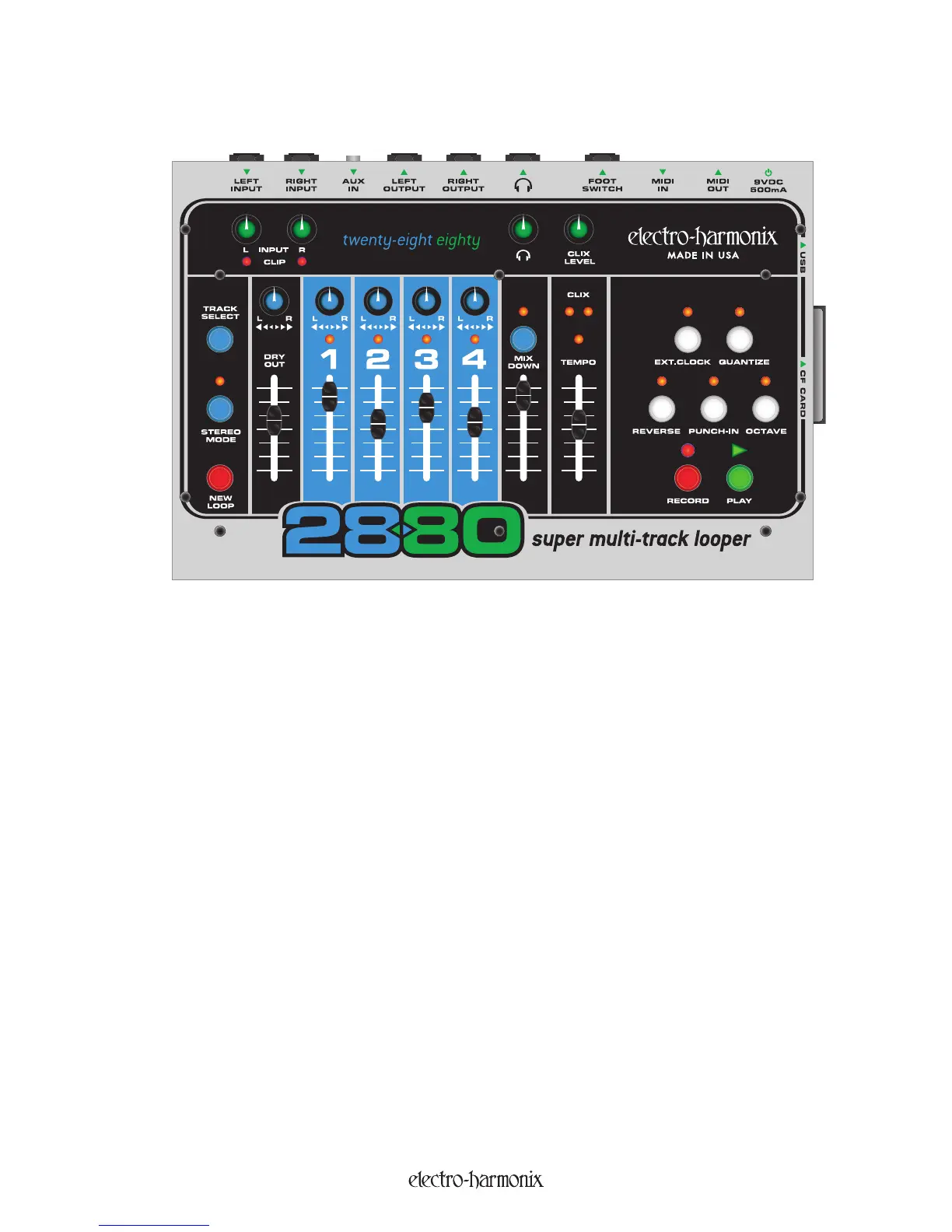
To choose a track to Overdub onto, press the TRACK SELECT button. Pressing the TRACK SELECT button will cycle
you through the 4 tracks.
As you press the TRACK SELECT button, the LEDs above the Track numbers will consecutively light up. The track that
is lit is the active track. Meaning you will or are currently Overdubbing onto the active tr
ack.
To Overdub in stereo, press the STEREO MODE button so that its LED lights up. You will now be able to Overdub
onto Tracks 1 & 2 or 3 & 4. Pressing the TRACK SELECT button will toggle you between these two track pairs.
In-Depth Look at Overdubbing Tracks
17


 To Next Page