Readying the 2880 to Record a NEW LOOP:
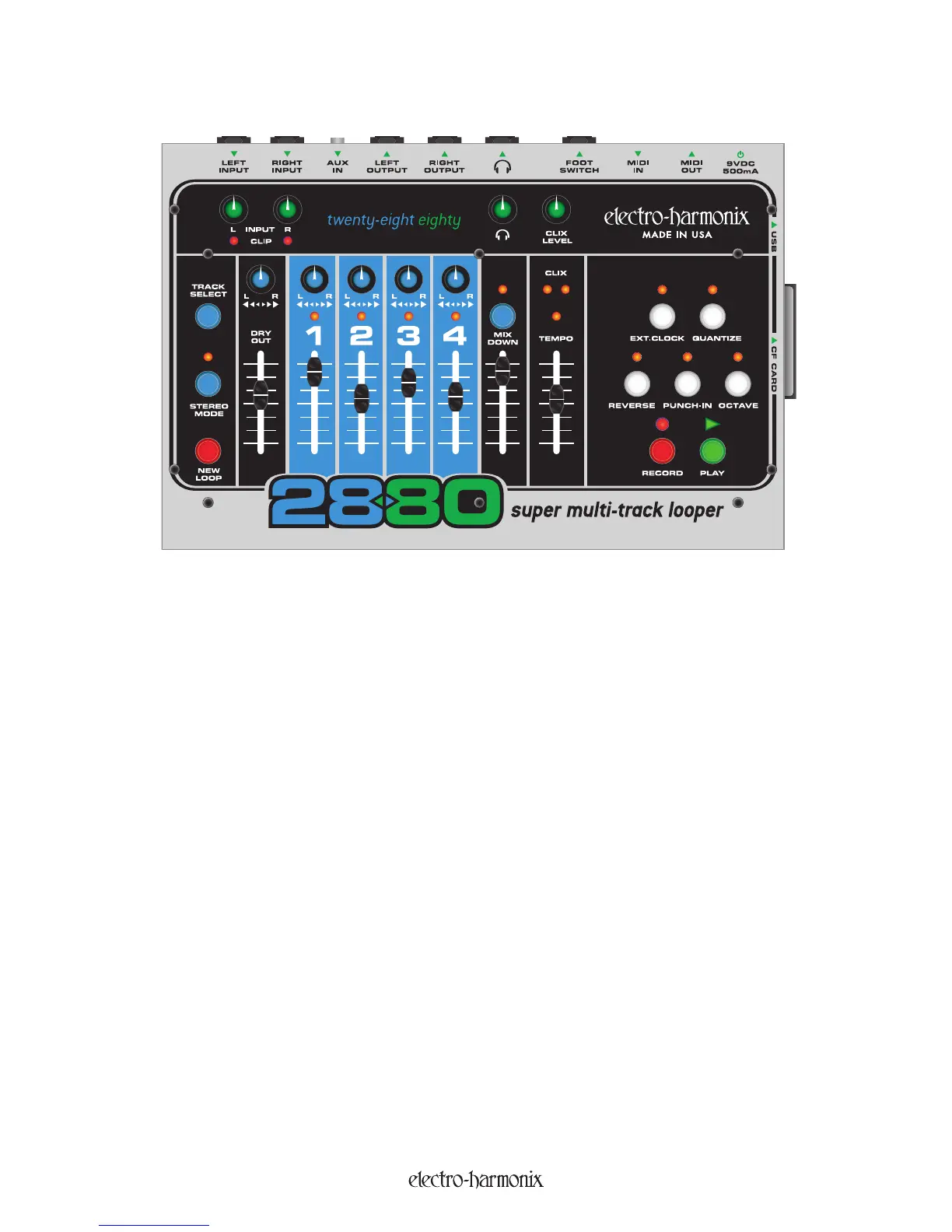
Plug your instrument into either the LEFT or RIGHT INPUT jacks, or both if recording two separate instruments or if
recording in stereo.
To monitor your recording, connect the LEFT and/or RIGHT OUTPUT jacks to a mixer or amp or plug headphones
into the HEADPHONE jack.
Play your instrument(s) and adjust the INPUT Level knobs so that the CLIP LED does not light or just barely lights
on your loudest notes. The trick to achieving the best quality digital audio is to record the hottest possible signal
without clipping the A/D converter. You do not want to record a signal that is too low in volume or a signal that clips
very often (unless that is the sound you are going for).
If recording only one input, turn the Input knob down fully for the unused channel, this reduces hiss.
Use the DRY OUT slider and P
AN knob to adjust what you hear when monitoring.
The DRY OUT Pan Pot can be used to mix the Left and Right Inputs to both outputs or to separate the Inputs to
monitor on different outputs. In the CCW position, the L
eft Input is sent out the Left Output jack, the Right Input is
sent out the Right Output jack. In the CW position, output monitoring is reversed: Left In goes to Right Out and Right
In goes to Left Out. When the DRY OUT Pan Pot is set to the center, the Left & Right Inputs will be mixed together in
both Outputs.
If using Headphones, you also have a separate volume control just for the Headphones.
The setting of the DRY OUT Fader and PAN Pot will not effect what is actually recorded. Only the INPUT Level knobs
have any bearing on what is recorded.
In-Depth Look at Recording Tracks
14


 To Next Page