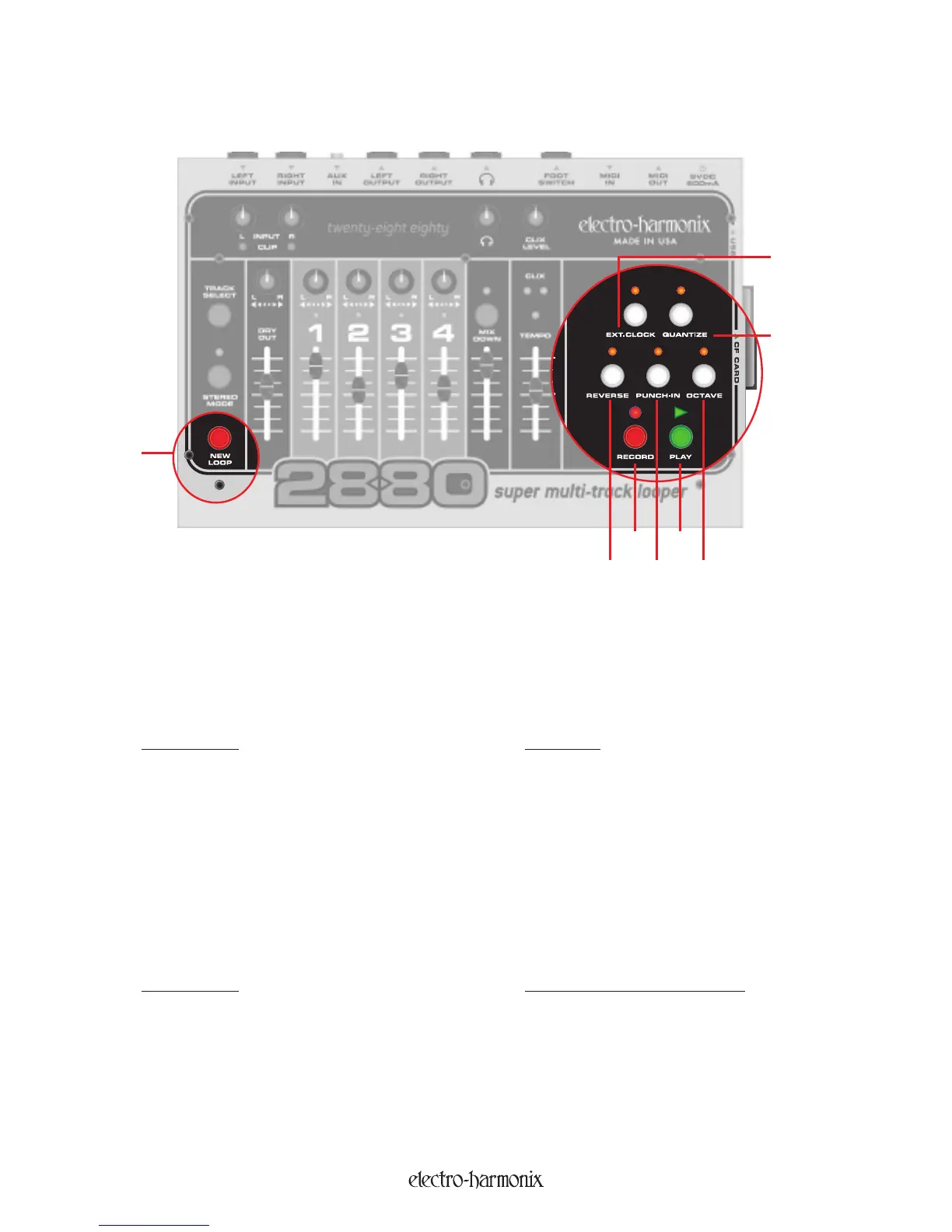
1. NEW LOOP Button: The NEW LOOP button will put the 2880 into Record-Ready Mode. When you press
the NEW LOOP button, the RECORD LED will blink rapidly, telling you the 2880 is ready to record. Press the
NEW LOOP button again to exit Record-Ready Mode. If you press the NEW LOOP button while recording a New
Loop it will end recording and put the 2880 into Playback mode. Below is a table displaying the results of press-
ing the NEW LOOP button depending on the current mode of the 2880:
Current Mode New Mode
Idle Record-Ready
Playback
Record-Ready (Continues playing loop in memory)
Overdubbing
Overdubbing (NEW LOOP Button is ignored)
Record-Ready
Reverts to previous mode before Record-Ready
Recording New Loop Playback (End recording New Loop)
2. RECORD Button and LED: Depending on the 2880's current mode, the RECORD button serves a few
purposes, all of which cause the 2880 to enter/exit some kind of recording mode. The RECORD LED will light up
any
time the 2
880 is Recording or Overdubbing audio. Below is a table displaying the results of pressing the
RECORD button depending on the current mode of the 2880:
Current Mode New Mode (RECORD LED State)
Idle (If Loop in Storage) Overdubbing (RECORD LED = ON)
Playback
Overdubbing (RECORD LED = ON)
Overdubbing
Playback (R
EC
ORD LED = OFF)
Record-Ready Begin Recording New Loop (RECORD LED = ON)
Recording New Loop Idle (RECORD LED = OFF)
The RECORD LED blinks rapidly when the 2880 is in Record-Ready mode.
+ NEW LOOP =
}
+ RECORD =
}
1
8
7
23
465
The Record Transport
7


 To Next Page