Setting the MIDI Channel:
T
he MIDI channel on which Program and Control Change messages are received can be altered from 2880’s panel
and saved in internal memory.
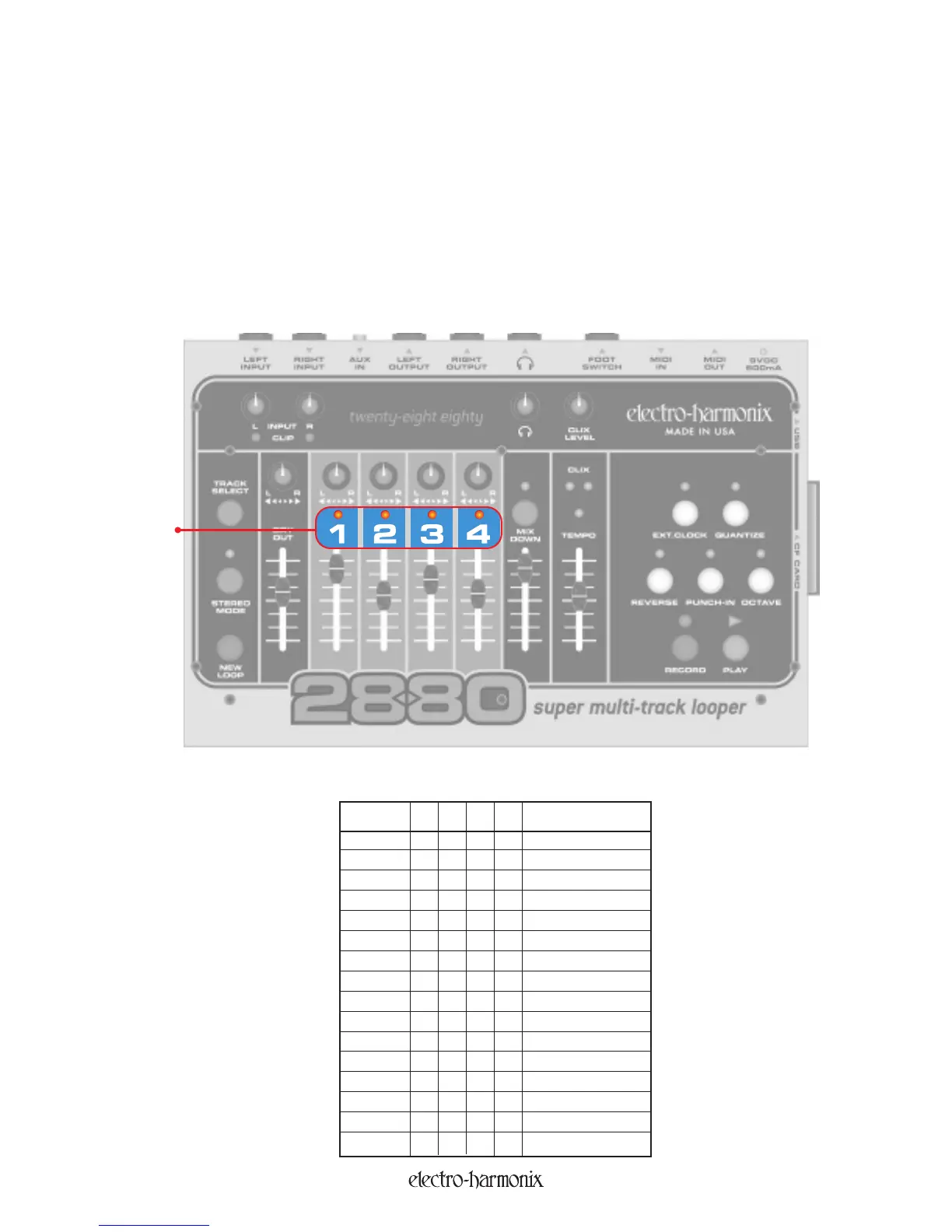
Press the MIXDOWN button and hold it for more than 2 seconds. After holding MIXDOWN for 2 seconds, you will
see all of the LEDs blink except the four track LEDs. Continue to hold down the MIXDOWN button.
The state of the track LEDs indicates the current MIDI channel setting (see chart below). As you hold down MIXDOWN,
the track LEDs will begin to count up. Do not let go until the desired MIDI Channel number is represented in the
track LEDs. Upon releasing MIXDOWN, the current MIDI channel will be saved in memory even after power cycling.
T
r
ack LE
D
1
2
3
4 = MIDI channel
.... 1
.
.
.ON 2
.
.
ON
.
3
. . ON ON 4
.
ON . . 5
.
ON
.
ON
6
. ON ON . 7
.
ON ON ON 8
ON
.
.
.
9
ON . . ON 10
ON . ON . 11
ON . ON ON 12
ON ON . . 13
ON ON . ON 14
ON
ON ON
.15
ON ON ON ON 16
The Track LEDs use the following code (“.” = LED off):
Track LED
24


 To Next Page