6
RECORDING AN OVERDUB
1. To record an overdub, first begin playing back a recorded loop by
pressing the footswitch once to begin playback. The LED will turn
green and the loop will begin playing immediately.
2. To start recording an overdub, press the footswitch once. The LED will
turn orange and new audio will be recorded on top of the original loop.
3. The level of previously recorded loop memory preserved after
overdubbing is set with the FEEDBACK knob. When this knob is at the
maximum position, no volume loss will occur to the previously
recorded portion of the loop. When the FEEDBACK knob is set lower,
the previous loop memory will be at a lower volume than the recorded
overdub.
4. To stop overdubbing the loop, press the footswitch again once. The
LED will turn green, and the loop will continue playing along with the
overdubbed audio.
5. Overdubbing will never change the length of the loop.
6. If the loop repeats during overdubbing, the LED will turn off briefly.
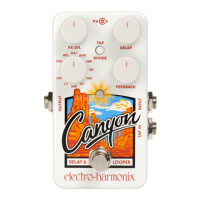
The CANYON can overdub indefinitely, allowing you to continuously
add new audio to your loop.
7. After finishing an overdub, the Undo/Redo function is enabled. You
may undo, then redo the last overdub as many times as you like.
UNDO-REDO FUNCTION
1. To undo an overdub (remove the last take) during loop playback,
press and hold the footswitch for 1 second. The LED will blink twice
and the previous overdub will be removed.
2. To redo an overdub (restore the last removed take) during loop
playback, press and hold the footswitch for 1 second. The LED will
blink twice and the previous overdub will be restored.
3. The Undo/Redo function can only be initiated while a loop is playing
back. Undo/Redo cannot be performed during overdub, record, or
stop modes.
4. Note: once Undo/Redo is enabled, this function is available until the
loop is erased. This is true even after power cycling the CANYON.
ERASING A LOOP
1. To erase a loop, playback must be stopped. If a loop is playing, press
the footswitch two times quickly to stop it.
2. Press and hold the footswitch for 2 seconds to erase the loop memory.
The LED will blink red six times then remain off, indicating that the
loop is erased.
3. Note: the ERASE function is only available when the loop has
recorded memory, as indicated by the dim green LED.






 To Next Page