7
LOOP MEMORY
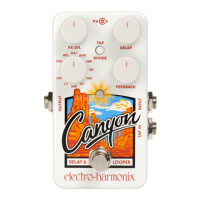
1. Any recorded audio is stored automatically to the CANYON’s internal
memory.
2. The recorded loop will remain in memory until it is erased. Power
cycling does not erase the saved loop unless power is cut while
recording the loop. Any loop or overdub that was being recorded at
the time of power loss will not be saved by the CANYON.
3. Switching from LOOP mode to any other delay mode on the CANYON
does not erase the loop unless the MODE knob is moved while
recording the loop.
4. If the CANYON has a loop saved in its memory and is turned on in
LOOP mode, or if the MODE knob is turned to LOOP mode, the LED
will light bright green for half a second, then turn dim green to indicate
that there is previously recorded loop memory. If there is no loop in
memory, the LED will stay off until a loop is recorded.
- TAP TEMPO WITH THE CANYON -
In all CANYON modes except for LOOP, the delay time can be set with tap
tempo. The CANYON offers two ways of tapping in a tempo: using the
built-in footswitch, or using an external tap tempo switch. With either
method, you can achieve different rhythms using the TAP DIVIDE button.
Pressing the TAP DIVIDE button cycles through three subdivision options,
each indicated by the LED color. If you tap in a quarter-note tempo, the
tap divide subdivisions will be:
• Red LED: quarter notes (no division)
• Orange LED: dotted eighth notes (3/4 of tapped delay time)
• Green LED: eighth notes (1/2 of tapped delay time)
USING THE INTERNAL FOOTSWITCH
Tap the CANYON’s internal footswitch at least two times at a steady
tempo. The delay time will be set to your tapping speed, divided by the
tap divide setting. The LED will blink at the rate of the delay.
Tip: When
you tap the internal footswitch, the CANYON will enter/exit bypass. If you
don’t want echoes to stop while setting tap tempo, make sure the TAILS
switch is set to ON, or use an external footswitch.
You can also disable the internal footswitch’s tap tempo function. This is
useful when you want to turn the pedal on/off very quickly. To
disable/enable internal tap tempo, unplug power from the CANYON, press
and hold the footswitch, then plug power back in while holding the
footswitch. The LED will slowly blink five times if tap tempo is turned off,
and will blink twice if tap tempo is turned on. The CANYON saves your tap






 To Next Page