5
minimum position, only the strongest plucks will trigger the S/H mode. As
FEEDBACK is turned up, the sensitivity of this mode increases.
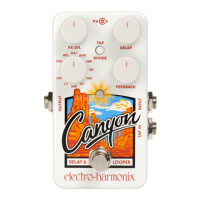
LOOP – Looper mode – When the CANYON is in LOOP mode, it becomes
a looper pedal with a maximum loop length of 62 seconds. A recorded
loop is stored permanently, even when the CANYON is removed from
power. As a special feature, the FEEDBACK knob controls the level of the
existing loop that is preserved when overdubbing.
- USING THE CANYON’S LOOP MODE -
RECORDING A LOOP
1. To record a loop, press the footswitch once. The LED will light red and
recording begins immediately.
2. To stop recording the loop, press the footswitch again once. The LED
will light green, and the loop will begin playing immediately.
3. The FX LVL knob controls the output level of loop playback. Your dry
signal remains at unity signal level.
4. The loop plays indefinitely. Each time the loop repeats, the LED will
briefly turn off.
5. Note: If the full 62 seconds of loop recording time is reached,
recording will stop automatically.
STOPPING & STARTING LOOP PLAYBACK
1. To stop loop playback, press the footswitch two times quickly.
Note: the LED will turn orange during the first press.
2. The LED will light dim green to indicate the presence of recorded loop
memory. When powering on the CANYON in LOOP mode, or when
switching from an echo mode to LOOP mode, the LED will light bright
green for a half second to indicate the presence of loop memory, then
turn dim green until playback is started.
3. While playback is stopped, press and release the footswitch once to
start loop playback. The LED will light green to indicate that the loop
is playing.






 To Next Page