Doc# E145701 2-7
2: Meter Overview and Specifications
Electro Industries/GaugeTech™
Powered by Innovation™
2.1.3: V-Switch
TM
Key Technology
EIG’s exclusive V-Switch
TM
key technology is a virtual firmware-based switch that lets
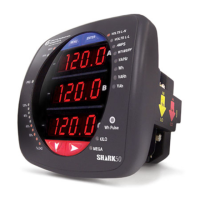
you enable meter features through communication. This allows the Shark® 100/50
unit to be upgraded after installation to a higher model without removing the unit
from service.
NOTE: See the Shark® 50 meter’s Ordering chart on the previous page for its V-
Switch
TM
keys.
Available V-Switch
TM
Keys
V-Switch
TM
Key 1 (V1): volts and amps Meter - Default
V-Switch
TM
Key 2 (V2): volts, amps, kW, kVAR, PF, kVA, Freq
V-Switch
TM
Key 3 (V3): volts, amps, kW, kVAR, PF, kVA, Freq., kWh, kVAh, kVARh &
DNP3
V-Switch
TM
Key 4 (V4): volts, amps, kW, kVAR, PF, kVA, Freq., kWh, kVAh, kVARh,
THD Monitoring, Limit Exceeded Alarms and DNP3
Obtaining a V-Switch™ Key:
Contact EIG’s inside sales staff at sales@electroind.com or by calling (516) 334-0870
(USA) and provide the following information:
1. Serial Number or Numbers of the meters you are upgrading. Use the number(s),
with leading zeros, shown in the CommunicatorPQA® Device Status screen (from
the CommunicatorPQA® Main screen, click Tools>Device Status).
2. Desired V-Switch™ key.
3. Credit Card or Purchase Order Number. EIG will issue you the V-Switch™ key.


 To Next Page