Doc# E145701 5-2
5: Communication Installation
Electro Industries/GaugeTech™
Powered by Innovation™
5.1.1: IrDA Port (Com 1)
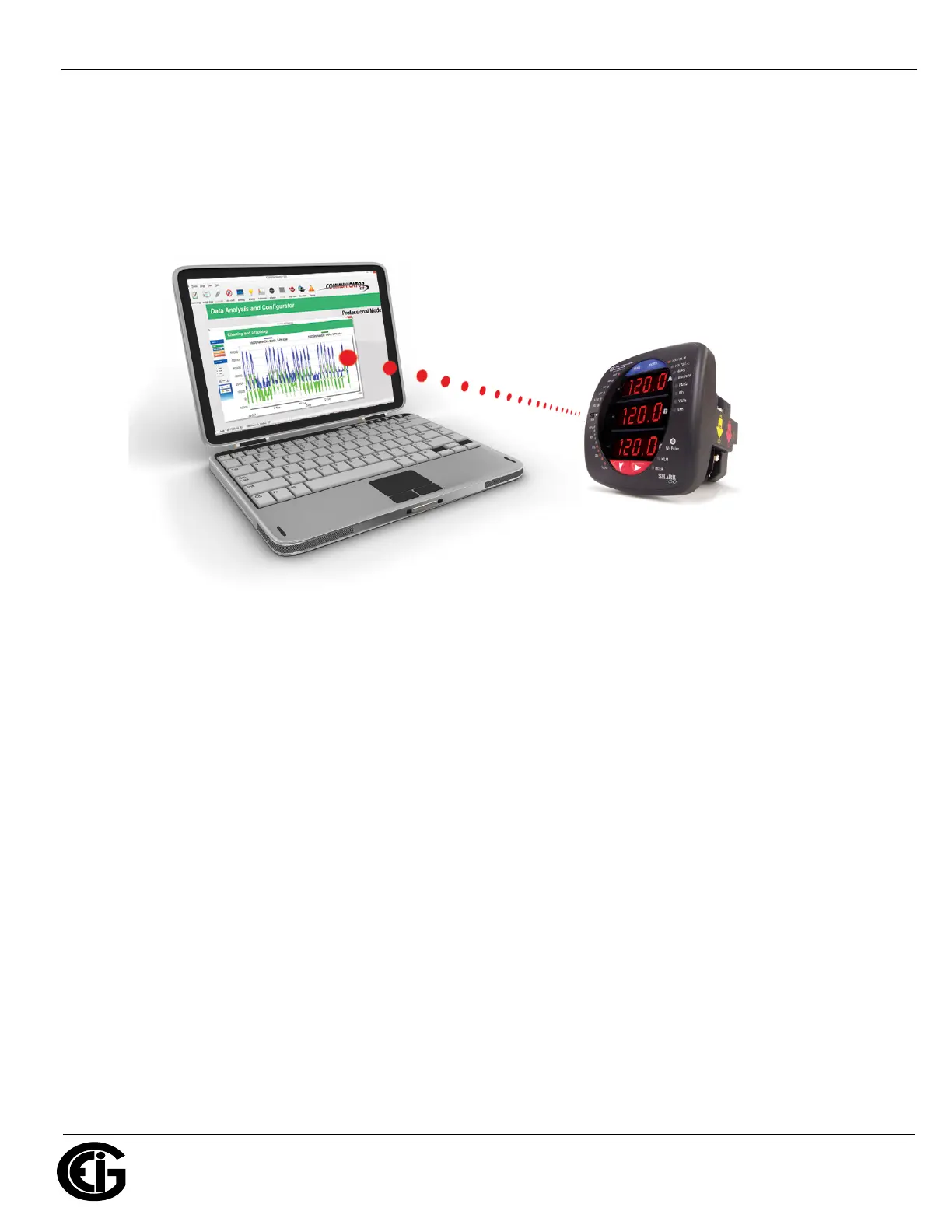
The Shark® 100 meter’s Com 1 IrDA port is on the face of the meter. The IrDA port
allows the unit to be set up and programmed without the need for a communication
cable. Just point at the meter with an IrDA-enabled PC to configure it.
Figure 5.1: IrDA Communication
Com 1 (IrDA port) settings
Address: 1
Baud Rate: 57.6k
Protocol: Modbus ASCII
Additional settings are configured using CommunicatorPQA® software. Refer to the
CommunicatorPQA®, MeterManagerPQA®, and EnergyPQA.com
TM
Software User
Manual for instructions. EIG recommends the CAB6490 USB to IrDA adapter, which
can be ordered from the EIG webstore: https://www.electroind.com/product/usb-to-
irda-adapter-cab6490/.


 To Next Page