EasyManua.ls Logo

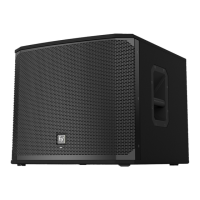
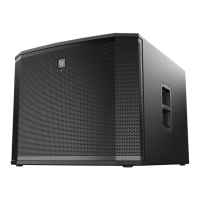
Electro-Voice EKX-18SP - User Manual

Electro-Voice EKX-18SP
48 pages
Print Icon
To Next Page IconTo Next Page
Loading...
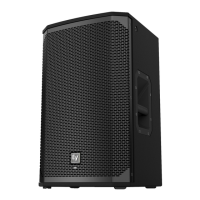
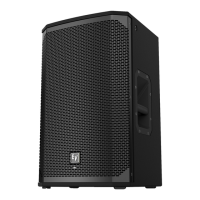
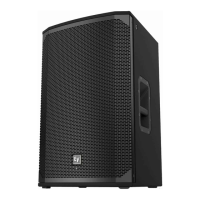
EKX Powered Loudspeakers
EKX-12P, EKX-15P, EKX-15SP, and EKX-18SP
en | User Manual

Other manuals for Electro-Voice EKX-18SP

Questions and Answers

  • C
    Corey OconnellAug 20, 2025
    What to do if Electro-Voice EKX-18SP sound distorted?
    • T
      Tonya WebsterAug 20, 2025
      To prevent distortion, reduce the input level or loudspeaker level knobs if the front LED is OFF and the LCD screen LIMIT is ON, indicating excessive input level.
  • D
    Dylan ThompsonAug 21, 2025
    How to stop acoustic feedback from Electro-Voice EKX-18SP Speakers?
    • R
      Ryan AllenAug 21, 2025
      If your Electro-Voice Speakers produce acoustic feedback, try the following: * Reduce the microphone levels at the mixing console or input source. * If the microphone is connected directly to the speaker, reduce the input level on the speaker. * Position the microphone closer to the sound source. * Change the MODE to LIVE or SPEECH. * Position the loudspeakers so the microphone is behind them or, if using the loudspeaker in a monitor position, aim the loudspeaker to the back of the microphone.
  • D
    Deborah HernandezAug 25, 2025
    Why are my Electro-Voice EKX-18SP Speakers making a constant noise?
    • D
      Darin LunaAug 25, 2025
      If you experience constant noise (buzzing, hissing, or humming) from your Electro-Voice Speakers, and no program material is playing, evaluate each component to isolate the problem. There is most likely a break in the signal path. Also, check and correct the system grounding, as required. Ensure the input gain knob is in the MIC position and slowly increase the input gain knob level to engage the microphone pre-amp.
  • S
    sheltondeniseAug 26, 2025
    Why do my Electro-Voice Speakers have no sound?
    • J
      James OrtizAug 26, 2025
      If your Electro-Voice Speakers produce no sound, verify all the electronics are on, the signal routing is correct, the source is active, and the volume is turned up. Correct/repair/replace components as necessary. If there is sound, the problem is wiring. Verify you have connected the correct cables to the amplifier. Play something at a low level through the amplifier. Connect the test loudspeaker in parallel with the malfunctioning line. If the sound level is gone or is very weak, the line has a short in it. Using the test loudspeaker, move down the line and test each connection/junction until you find the problem and correct it. Observe proper polarity.
  • M
    Melanie CarterAug 27, 2025
    How to unlock the DSP menu on Electro-Voice EKX-18SP?
    • J
      judith57Aug 28, 2025
      If the DSP menu on your Electro-Voice Speakers is locked (a lock symbol displays on the LCD screen), press and hold the MASTER VOL knob for 5 seconds to unlock it.
  • V
    vburkeAug 30, 2025
    What to do if Electro-Voice EKX-18SP Speakers have intermittent output?
    • T
      Tracy EdwardsAug 30, 2025
      If your Electro-Voice Speakers have intermittent output (such as cracking or distortion), check all connections at the amplifier and loudspeakers to ensure they are clean and tight. If the problem persists, check the wiring. Verify you have connected the correct cables to the amplifier. Play something at a low level through the amplifier. Connect the test loudspeaker in parallel with the malfunctioning line. If the sound level is gone or is very weak, the line has a short in it. Using the test loudspeaker, move down the line and test each connection/junction until you find the problem and correct it. Observe proper polarity.
  • K
    Karen HernandezSep 1, 2025
    Why is there no sound from the microphone on Electro-Voice Speakers?
    • J
      Jason StanleySep 1, 2025
      If no sound is produced when a microphone is connected to INPUT 1 or INPUT 2 on your Electro-Voice Speakers, use a dynamic microphone that does not require phantom power. If using a microphone requiring phantom power, an external phantom power source is needed. Also, slowly increase the input gain knob level to engage the microphone pre-amp.
  • P
    pparkerSep 3, 2025
    How to improve low-frequency response on Electro-Voice EKX-18SP Speakers?
    • A
      Adrian WhiteheadSep 3, 2025
      If your Electro-Voice Speakers have poor low-frequency response, and the SUB menu cross-over frequency is activated, but no subwoofers are used with the system, select the OFF position.
  • S
    scott68Sep 4, 2025
    Why is there no sound coming from my Electro-Voice EKX-18SP?
    • D
      Debbie MurphySep 4, 2025
      If your Electro-Voice speakers produce no sound, there are several possible causes: * **Amplifier Issues:** To check this, connect a working test loudspeaker to the amplifier outputs. If there's still no sound, ensure all electronics are on, the signal routing is correct, the source is active, and the volume is turned up. Correct, repair, or replace components as needed. * **Wiring Problems:** Verify you've connected the correct cables to the amplifier. Play audio at a low level through the amplifier, and connect the test loudspeaker in parallel with the malfunctioning line. If the sound disappears or is very weak, the line likely has a short. Use the test loudspeaker to check each connection/junction until you find the issue and correct it, ensuring proper polarity.
  • S
    sjonesSep 6, 2025
    What to do if my Electro-Voice EKX-18SP have constant buzzing, hissing, or humming?
    • J
      Jessica WellsSep 6, 2025
      If your Electro-Voice speakers are emitting constant noise such as buzzing, hissing, or humming, consider these potential causes and solutions: * **Defective Source or Electronic Device:** If the noise persists when no program material is playing, evaluate each component to isolate the problem. A break in the signal path is likely. * **Poor System Grounding or Ground Loop:** Check and correct the system grounding as required. * **Input Gain Knob Position:** Ensure the input gain knob is in the MIC position. Slowly increase the input gain knob level to engage the microphone pre-amp.

Summary

Safety and Compliance

Important Safety Instructions

Crucial safety guidelines for operating the loudspeaker system.

FCC Compliance Information

Details on FCC rules and compliance for the device.

General Precautions and Warnings

Advisories on usage, environment, and potential hazards.

Product Description

System Features Overview

Highlights key components and capabilities of the EKX series.

Quick Setup Guide

Step-by-step instructions for basic system connection and operation.

System Overview

Product Dimensions and Views

Visual representation and measurements of speaker models.

Operation and Mounting

Tripod and Pole Mounting

Instructions for securely mounting speakers on stands or poles.

Floor Monitor Setup

Guide for using speakers as floor monitors for optimal sound.

Suspension Systems

Suspension Points and Safety

Details on speaker suspension points and general safety advice.

Eyebolt Installation Procedure

Steps for correctly installing eyebolts for suspension.

Suspension Load Limits

Information on maximum working loads and suspension safety.

Amplifier and DSP Management

Amplifier DSP Controls (Full-Range)

Explanation of controls and interface for full-range speakers.

Amplifier DSP Controls (Subwoofer)

Explanation of controls and interface for subwoofer speakers.

System Status and Protection

Understanding LED indicators for CLIP and LIMIT status.

DSP Menu Navigation

How to navigate and use the integrated DSP control menu.

Full-Range DSP Menu Options

Detailed list of DSP settings for full-range speakers and their options.

Subwoofer DSP Menu Options

Detailed list of DSP settings for subwoofer speakers and their options.

Recommended Configurations

Daisy-Chaining Full-Range Systems

How to connect multiple full-range speakers in a signal chain.

MP3 Player Setups

Configurations for connecting MP3 players in mono and stereo.

Using Speakers as Monitors

Setting up speakers for use as stage monitors.

Stacking with Subwoofers

Guidelines for combining full-range speakers with subwoofers.

Cardioid Control Technology

Utilizing cardioid technology for directional bass control.

Troubleshooting

Technical Data

Speaker Specifications

Detailed technical data for EKX-12P and EKX-15P models.

Subwoofer Specifications

Detailed technical data for EKX-15SP and EKX-18SP models.

Frequency Response Graphs

Visual representation of speaker frequency response across different modes.

Electro-Voice EKX-18SP Specifications

General IconGeneral
Subwoofer typeActive subwoofer
Wireless subwooferNo
Subwoofer sensitivity134 dB
Subwoofer frequency range35 - 180 Hz
Subwoofer driver diameter (imperial)18 \
XLR inYes
DisplayLCD
MaterialPlywood
Product colorBlack
Package typeBox
Package weight41200 g
Weight and Dimensions IconWeight and Dimensions
Subwoofer depth612 mm
Subwoofer width606 mm
Subwoofer height520 mm
Subwoofer weight32800 g

Related product manuals