EasyManua.ls Logo

Electro-Voice EVOLVE - User Manual

Electro-Voice EVOLVE
44 pages
Print Icon
To Next Page IconTo Next Page
Loading...
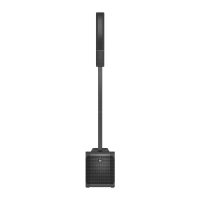
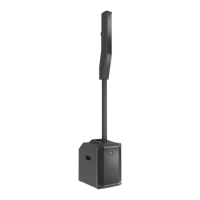
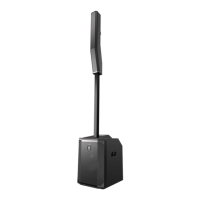
EVOLVE Portable Column Loudspeaker
en
Installation manual

Questions and Answers

  • B
    Brianna CareyAug 13, 2025
    Why is my Electro-Voice speaker sound distorted and the front LED is off?
    • M
      Marvin WilliamsAug 14, 2025
      Distortion and the LED being off usually indicates an excessive input level or an incorrect gain structure. Try reducing the input level or loudspeaker level knobs to prevent the limit. Also, verify the level controls of the source are properly structured by using the VU meter indicator on the LCD screen. If the VU meter bar is solid or the system indicates LIMIT, the input or source level is too high.
  • B
    Brittany StanleyAug 17, 2025
    What to do if my Electro-Voice EVOLVE produce acoustic feedback when the input level is amplified?
    • E
      Erica AdamsAug 17, 2025
      Acoustic feedback typically arises from incorrect gain structure, the mode being set to MUSIC, or the microphone being too close to the loudspeaker. Try these solutions: * Reduce the microphone levels at the mixing console or input source. If the microphone is connected directly to the speaker, reduce the input level on the speaker. * Position the microphone close to the sound source to increase gain-before-feedback. * Change the MODE to LIVE or SPEECH. * Whenever possible, set up the loudspeakers so the microphone is behind them. If using the loudspeaker in a monitor position, aim the loudspeaker to the back of the microphone.
  • M
    Maria HerreraAug 21, 2025
    How to fix Electro-Voice EVOLVE with no sound?
    • D
      David NorrisAug 21, 2025
      If your speakers aren't producing any sound, the issue could stem from the amplifier or the wiring. First, verify all the electronics are on, the signal routing is correct, the source is active, and the volume is turned up. Correct, repair, or replace components as necessary. If there's still no sound, the problem may be wiring. Check that you have connected the correct cables to the amplifier.
  • M
    Matthew BradyAug 26, 2025
    What to do if my Electro-Voice speaker has constant noise like buzzing or hissing?
    • M
      Michelle EvansAug 26, 2025
      Constant noise usually comes from a defective source, poor system grounding, or the input gain knob not being correctly set. If noise is present even when no program material is playing, evaluate each component to isolate the problem. Most likely there is a break in the signal path. Check and correct the system grounding, as required. Ensure the input gain knob is correctly set by slowly increasing the input gain knob level to engage the microphone pre-amp.
  • B
    Brian WoodardAug 28, 2025
    Why is there no sound produced when a microphone is connected to INPUT 1 or INPUT 2 on my Electro-Voice speaker?
    • D
      Diana HillAug 28, 2025
      If you're not getting sound with a microphone connected, it could be due to the microphone requiring phantom power or the input gain knob not being in the correct position. Use a dynamic microphone that does not require phantom power (+15 V). Also, slowly increase the input gain knob level to engage the microphone pre-amp.
  • A
    Alexis ThompsonSep 1, 2025
    How to unlock the DSP menu on Electro-Voice EVOLVE?
    • M
      Matthew DaltonSep 2, 2025
      If the DSP menu is locked, it means the Menu Lock function has been turned on. To unlock it, press and hold the MASTER VOL knob for 5 seconds.
  • S
    Sandy SalinasSep 4, 2025
    What causes intermittent output such as crackling or distortion in Electro-Voice EVOLVE?
    • N
      nburkeSep 5, 2025
      Intermittent output issues like crackling or distortion often stem from a faulty connection. Check all connections at the amplifier and loudspeakers to ensure they are clean and tight. If the problem persists, check the wiring.
  • C
    Candace HurleySep 9, 2025
    What to do if QuickSmart Mobile app does not detect my Electro-Voice loudspeaker?
    • D
      Daniel Kelly MDSep 9, 2025
      Ensure Bluetooth® is enabled on the loudspeaker.

Summary

Safety

Important safety instructions

Covers warnings, precautions, and electrical safety.

Description

Quick setup

Provides step-by-step instructions to set up the subwoofer.

Installation

Assembling the loudspeaker system

Guides on assembling the pole and placing the column on the subwoofer.

Amplifier DSP

Amplifier DSP controls

Explains the interface and controls of the amplifier's DSP.

Pairing the QuickSmart Mobile application

Mixer operation

Mono input

Explains gain control, HI/MID/LO EQ, FX, and AUX controls for mono input.

Troubleshooting

No sound

Troubleshooting steps for issues with no audio output.

Intermittent output such as crackling or distortion

Steps to resolve crackling or distorted audio.

Constant noise such as buzzing hissing or humming

Solutions for persistent noise in the audio signal.

No sound produced with microphone connected to INPUT 1 or INPUT 2

Addresses microphone connectivity issues and phantom power.

Sound is distorted front LED is OFF, LCD screen LIMIT is ON

Troubleshooting distorted sound with specific indicator states.

Microphone produces acoustic feedback when input level is amplified

Steps to prevent or resolve microphone feedback.

QuickSmart Mobile app does not detect the loudspeaker

Troubleshooting Bluetooth detection issues with the app.

Electro-Voice EVOLVE Specifications

General IconGeneral
BrandElectro-Voice
ModelEVOLVE
CategorySpeakers
LanguageEnglish

Related product manuals