EasyManua.ls Logo

Electro-Voice EVOLVE30M-US - User Manual

Electro-Voice EVOLVE30M-US
42 pages
Print Icon
To Next Page IconTo Next Page
Loading...
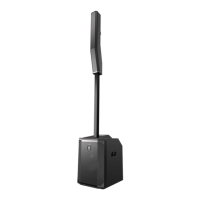
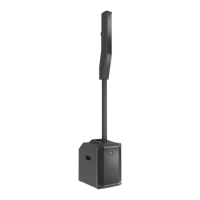
EVOLVE Portable Column Loudspeaker
EVOLVE30M‑US | EVOLVE30M‑EU | EVOLVE30M‑W
en
User manual

Questions and Answers

  • J
    James WrightAug 8, 2025
    Why does my Electro-Voice EVOLVE30M-US Speakers microphone produce acoustic feedback?
    • K
      Kimberly JensenAug 8, 2025
      Acoustic feedback in Electro-Voice Speakers when the microphone input level is amplified is typically due to incorrect gain structure, the MODE setting, or microphone placement. To resolve this, reduce the microphone signal by lowering the INPUT level. Positioning the microphone closer to the sound source can increase gain before feedback. Also, check the MODE setting and change it to LIVE or SPEECH instead of MUSIC. Finally, adjust the loudspeaker setup so that the microphone is positioned behind them whenever possible. If using a separate loudspeaker in a monitor position, aim the loudspeaker towards the back of the microphone.
  • G
    Gregory BriggsAug 12, 2025
    What to do if Electro-Voice Speakers sound is distorted?
    • J
      Janet ThompsonAug 12, 2025
      If the sound from your Electro-Voice Speakers is distorted, the front LED is OFF, and the LCD screen shows LIMIT is ON, it's likely due to an excessive input level or an incorrect gain structure. Try reducing the input level or loudspeaker level to prevent limiting. Also, verify the level controls of the source are properly structured by using the VU meter indicator on the LCD screen. If the VU meter bar is solid or the system indicates CLIP or LIMIT, the input or source level is too high.
  • M
    Matthew WilliamsAug 18, 2025
    How to stop buzzing from Electro-Voice EVOLVE30M-US?
    • C
      Carla MannAug 18, 2025
      Constant noise like buzzing, hissing, or humming in Electro-Voice Speakers can stem from a defective source or other electronic device, or from poor system grounding or a ground loop. If noise is present even when no program material is playing, evaluate each component to isolate the problem, as there is likely a break in the signal path. Also, check and correct the system grounding, as required.
  • D
    David ReynoldsAug 22, 2025
    Why no sound from microphone connected to Electro-Voice Speakers?
    • C
      catherinearnoldAug 22, 2025
      If your microphone produces no sound when connected to INPUTS 1-4 on your Electro-Voice Speakers, it could be due to the microphone requiring phantom power or the input channel being muted or set to a low level. Ensure the microphone is connected to INPUTS 1-4, as phantom power is not available on INPUT 5/6. Also, select the channel and verify that it is not muted. If it is not muted, slowly increase the channel LEVEL until sound is produced.
  • J
    Julia JohnsonAug 27, 2025
    Why Electro-Voice EVOLVE30M-US has crackling sound?
    • S
      Shirley SmithAug 27, 2025
      Intermittent output, such as crackling or distortion, from Electro-Voice Speakers is often caused by a faulty connection. Check all connections at the amplifier and loudspeakers to ensure they are clean and tight. If the problem persists, check the wiring.
  • J
    Jeremy PerryNov 2, 2025
    How to troubleshoot no sound from Electro-Voice EVOLVE30M-US Speakers?
    • P
      Paul VegaNov 2, 2025
      If there is no sound coming from your Electro-Voice Speakers, the issue could stem from the amplifier or the wiring. First, verify that all electronic components are powered on, the signal routing is correctly configured, the audio source is active, the volume is adequately raised, and no channels are muted. Correct, repair, or replace components as necessary. If the problem persists, inspect the wiring. Ensure the correct cables are connected to the amplifier. Play audio at a low level through the amplifier, and connect a test loudspeaker in parallel with the malfunctioning line. If the sound disappears or is very weak, the line likely has a short due to a scrape, pinch, or connection issue. Use the test loudspeaker to check each connection/junction along the line until you identify and f...

Summary

Safety and Compliance

Important Safety Instructions

Critical safety guidelines for operating the loudspeaker to prevent hazards and damage.

FCC and Industry Canada Compliance

Regulatory compliance details, including FCC rules and IC standards.

Operational Precautions and Warnings

Specific warnings and precautions for environmental conditions and handling.

Certifications, Notices, and Disposal

Certification details, general legal notices, and electronic waste disposal guidelines.

Product Overview and Contents

Product Variants and Shipping Contents

Lists product model numbers and the items included in the package.

System Description

Installation and Assembly

Assembling the Loudspeaker System

Step-by-step guide for assembling the subwoofer, pole, and array.

Amplifier and Digital Signal Processing

Amplifier DSP Controls Interface

Explanation of the front panel controls and interface for amplifier DSP.

System Status and LCD Indicators

How to interpret the LCD screen indicators and system status messages.

Navigating the DSP Control Menu

Detailed guide to the DSP control menu options for Basic and Mixer modes.

Mixer Functionality

Input Channel Controls and EQ

Detailed guide to using input level, EQ, FX, and COMP controls for channels 1-4.

Wireless Control and Pairing

Pairing the QuickSmart Mobile App

Step-by-step instructions for pairing the system with a mobile device via Bluetooth.

Recommended Use Cases

Stereo Pair Configuration

Recommended DSP settings for a stereo configuration of two EVOLVE 30M systems.

Solo Musician Performance Setup

Recommended DSP settings for a single musician's performance.

Troubleshooting Common Issues

Technical Specifications and Dimensions

Product Dimensions and Physical Measurements

Detailed physical dimensions of the subwoofer, column, and poles.

Electro-Voice EVOLVE30M-US Specifications

General IconGeneral
BrandElectro-Voice
ModelEVOLVE30M-US
CategorySpeakers
LanguageEnglish

Related product manuals