EasyManua.ls Logo

Electro-Voice EVERSE 8 - User Manual

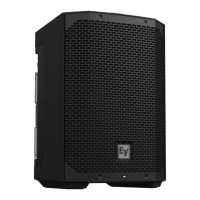
Electro-Voice EVERSE 8
64 pages
Print Icon
To Next Page IconTo Next Page
Loading...
EVERSE 8
EVERSE8‑US, EVERSE8‑EU, EVERSE8‑W
en
User manual

Questions and Answers

  • V
    Victor BowenAug 16, 2025
    Why won't the QuickSmart Mobile app connect to my Electro-Voice speaker?
    • G
      Gary WillisAug 16, 2025
      If the QuickSmart Mobile app isn't detecting your Electro-Voice loudspeaker, ensure Bluetooth® is enabled on the loudspeaker. For Android: ensure location services are activated. Remove loudspeaker from iOS/Android in device settings (sometimes called “FORGET”). Restart pairing. Ensure your phone/tablet has the required OS version and the latest updates installed. Ensure the latest QuickSmart Mobile App is installed. Also, ensure no other phone/tablet is connected to the same loudspeaker.
  • J
    Jose AlvarezAug 19, 2025
    How to troubleshoot Electro-Voice EVERSE 8 with no sound?
    • C
      Charles BrandtSep 12, 2025
      If your Electro-Voice speakers produce no sound, start by verifying that all audio sources are turned on. If you're using a condenser microphone, ensure it's properly connected to INPUT 1 via an XLR cable and that phantom power is enabled in the menu. Check the VU meters on the LCD screen or in the app to see if there's a signal. If a signal is present, increase the input and gain controls to the required level. If there's no signal, inspect the wiring. Also, check all cables between the source and the loudspeaker with a multimeter or cable tester and replace any faulty cables.
  • B
    Benjamin AndrewsAug 22, 2025
    What to do if Electro-Voice EVERSE 8 Speakers sound distorted and the limit light is on?
    • M
      Michael PhamAug 22, 2025
      If your Electro-Voice speakers are producing a distorted sound, the front LED is off, and the LCD screen shows 'LIMIT' is on, it indicates that the INPUT LEVEL is too high. Reduce the INPUT LEVEL or loudspeaker level knobs to prevent limiting. Also, verify the level controls of the source are properly structured by using the VU meter indicator on the LCD screen. If the VU meter bar is solid or the system indicates LIMIT, the input or source level is too high, meaning the source input (mixing console/preamp) is overdriven.
  • A
    Anthony BoyleAug 25, 2025
    How to stop acoustic feedback from Electro-Voice speakers?
    • S
      Stephanie DavisAug 26, 2025
      If you're experiencing acoustic feedback with your Electro-Voice speakers when the INPUT LEVEL is amplified, first enable Automatic Feedback Suppression in the DSP Control menu. If that doesn't resolve the issue, reduce the microphone levels at the mixing console or input source. If the microphone is connected directly to the loudspeaker, reduce the INPUT LEVEL on the loudspeaker. Positioning the microphone close to the sound source increases gain-before-feedback. Also, ensure that the MODE is not set to MUSIC; change it to LIVE or SPEECH. Finally, adjust the microphone position so it's behind the loudspeakers, or if using the loudspeaker in a monitor position, aim the loudspeaker to the back of the microphone.
  • K
    Karen FosterAug 31, 2025
    Why do my Electro-Voice EVERSE 8 Speakers have poor bass response?
    • A
      austinperezAug 31, 2025
      If your Electro-Voice speakers have poor low-frequency response, and you have the SUB menu cross-over frequency activated, select the OFF position if no subwoofers are used with the system. In the DSP control menu, change the MODE to MUSIC, LIVE, or CLUB if SPEECH mode is active. In the INPUT DSP control menu, change PRESET to FLAT if the Input PRESET is not set to FLAT. Reset all EQs in the low frequencies in the INPUT and DSP control menu if EQ is active.
  • W
    Wanda AndersonSep 3, 2025
    What to do if Electro-Voice EVERSE 8 Speakers have no sound with a microphone?
    • C
      carol42Sep 3, 2025
      If your Electro-Voice speakers aren't producing sound when a microphone is connected to INPUT 1 or INPUT 2, it might be because the microphone requires phantom power. Use a dynamic microphone that does not require phantom power. If using a microphone requiring phantom power, connect it to INPUT 1 via the XLR connector and enable phantom power. If the microphone does not need phantom power, slowly increase the input gain knob level to engage the microphone pre-amp, because the input gain might be too low.
  • G
    Grant JonesSep 6, 2025
    Why do my Electro-Voice EVERSE 8 Speakers have cracking sound?
    • D
      Diane MartinezSep 6, 2025
      If your Electro-Voice speakers have intermittent output such as cracking or distortion, check all connections at the loudspeaker to ensure they are clean and tight. If the problem persists, check the wiring.
  • C
    charlotte74Sep 9, 2025
    How to unlock the DSP control menu on Electro-Voice EVERSE 8?
    • A
      Alexander CarlsonSep 9, 2025
      If the DSP control menu on your Electro-Voice speaker is locked (a lock symbol displays on the LCD screen), press the MASTER VOL knob or input selection soft keys to unlock it.
  • B
    Brent HillSep 12, 2025
    What to do if Electro-Voice EVERSE 8 won't turn on?
    • C
      carrollalisonSep 12, 2025
      If your Electro-Voice loudspeaker is not reacting to user interaction or power cycles, remove mains and battery, then put the battery back into the loudspeaker. Alternatively, press and hold the soft keys for INPUT 1 and INPUT 2 for at least 10 seconds.
  • T
    Timothy YoungNov 27, 2025
    Why do my Electro-Voice EVERSE 8 have constant buzzing noise?
    • J
      Jamie EdwardsNov 27, 2025
      If your Electro-Voice speakers are producing constant noise such as buzzing, hissing, or humming, and no program material is playing, evaluate each component to isolate the problem, as there is most likely a break in the signal path due to a defective source or other electronic device. Check and correct the system grounding, as required, to resolve poor system grounding or ground loop issues. Slowly increase the INPUT LEVEL to engage the microphone pre-amp if the input gain is not at a microphone level. If a mobile device is connected via USB and a 3.5 mm jack simultaneously, try connecting the audio via Bluetooth® or disconnect from the USB jack, as some mobile devices may introduce ground loops if the loudspeaker is charging the mobile device while simultaneously connected via the 3.5 mm...

Summary

Safety

Important safety instructions

Essential safety guidelines for operating the EVERSE 8 loudspeaker and related components.

Battery and internal charger safety rules

Safety precautions for handling and charging the EVERSE 8's battery pack.

Description

Operation

Amplifier DSP

Amplifier DSP controls

Overview of the loudspeaker control and monitoring interface and its components.

Input & Mixer operation

Troubleshooting

Troubleshooting common issues

Common problems and solutions for the EVERSE 8 loudspeaker.

Electro-Voice EVERSE 8 Specifications

General IconGeneral
WooferYes
Magnet typeFerrite
Speaker type-
Speaker placementSurface-mountable
Number of speakers1
Audio output channels- channels
Woofer diameter (imperial)8 \
Battery typeBuilt-in battery
Battery capacity86.4 Wh
Battery life (max)12 h
AC adapter frequency50/60 Hz
AC adapter input voltage100 - 240 V
Frequency range50 - 20000 Hz
RMS rated power400 W
Signal-to-Noise Ratio (SNR)121 dB
Connectivity technologyWired & Wireless
Product colorBlack
Product designRectangle
Volume controlRotary
Housing materialPolypropylene (PP), Steel
International Protection (IP) codeIP43
Recommended usageUniversal
Built-in microphoneNo
Cables includedAC
Quantity per pack1 pc(s)
Weight and Dimensions IconWeight and Dimensions
Depth272 mm
Width275 mm
Height400 mm
Weight7600 g

Related product manuals