EasyManua.ls Logo

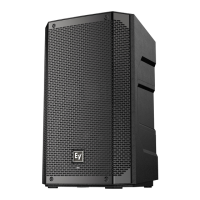
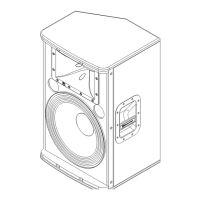
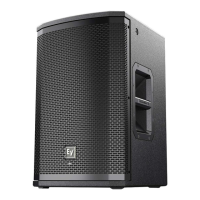
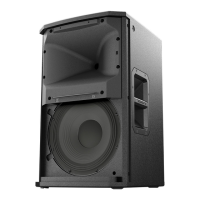
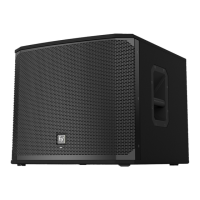
Electro-Voice EKX-15SP - User Manual

Electro-Voice EKX-15SP
48 pages
Print Icon
To Next Page IconTo Next Page
Loading...
EKX Powered Loudspeakers
EKX-12P, EKX-15P, EKX-15SP, and EKX-18SP
en | User Manual

Other manuals for Electro-Voice EKX-15SP

Questions and Answers

  • Z
    zburkeAug 20, 2025
    What to do if Electro-Voice EKX-15SP Speakers sound distorted?
    • T
      Terrance BrownAug 20, 2025
      To prevent distortion, reduce the input level or loudspeaker level knobs if the front LED is OFF and the LCD screen LIMIT is ON, indicating excessive input level.
  • J
    Joseph LeeAug 22, 2025
    How to stop acoustic feedback from Electro-Voice EKX-15SP Speakers?
    • M
      Michael LynchAug 22, 2025
      If your Electro-Voice Speakers produce acoustic feedback, try the following: * Reduce the microphone levels at the mixing console or input source. * If the microphone is connected directly to the speaker, reduce the input level on the speaker. * Position the microphone closer to the sound source. * Change the MODE to LIVE or SPEECH. * Position the loudspeakers so the microphone is behind them or, if using the loudspeaker in a monitor position, aim the loudspeaker to the back of the microphone.
  • D
    David WolfAug 25, 2025
    Why are my Electro-Voice Speakers making a constant noise?
    • D
      Dr. Vernon BurnsAug 25, 2025
      If you experience constant noise (buzzing, hissing, or humming) from your Electro-Voice Speakers, and no program material is playing, evaluate each component to isolate the problem. There is most likely a break in the signal path. Also, check and correct the system grounding, as required. Ensure the input gain knob is in the MIC position and slowly increase the input gain knob level to engage the microphone pre-amp.
  • S
    Samuel GrahamAug 26, 2025
    Why do my Electro-Voice EKX-15SP have no sound?
    • J
      Jacob AndrewsAug 26, 2025
      If your Electro-Voice Speakers produce no sound, verify all the electronics are on, the signal routing is correct, the source is active, and the volume is turned up. Correct/repair/replace components as necessary. If there is sound, the problem is wiring. Verify you have connected the correct cables to the amplifier. Play something at a low level through the amplifier. Connect the test loudspeaker in parallel with the malfunctioning line. If the sound level is gone or is very weak, the line has a short in it. Using the test loudspeaker, move down the line and test each connection/junction until you find the problem and correct it. Observe proper polarity.
  • S
    Sara NguyenAug 28, 2025
    How to unlock the DSP menu on Electro-Voice Speakers?
    • A
      atkinsrhondaAug 28, 2025
      If the DSP menu on your Electro-Voice Speakers is locked (a lock symbol displays on the LCD screen), press and hold the MASTER VOL knob for 5 seconds to unlock it.
  • L
    lindadavisAug 30, 2025
    What to do if Electro-Voice EKX-15SP have intermittent output?
    • G
      gutierrezdouglasAug 30, 2025
      If your Electro-Voice Speakers have intermittent output (such as cracking or distortion), check all connections at the amplifier and loudspeakers to ensure they are clean and tight. If the problem persists, check the wiring. Verify you have connected the correct cables to the amplifier. Play something at a low level through the amplifier. Connect the test loudspeaker in parallel with the malfunctioning line. If the sound level is gone or is very weak, the line has a short in it. Using the test loudspeaker, move down the line and test each connection/junction until you find the problem and correct it. Observe proper polarity.
  • B
    Brent WalkerSep 1, 2025
    Why is there no sound from the microphone on Electro-Voice Speakers?
    • S
      Stephanie OwensSep 1, 2025
      If no sound is produced when a microphone is connected to INPUT 1 or INPUT 2 on your Electro-Voice Speakers, use a dynamic microphone that does not require phantom power. If using a microphone requiring phantom power, an external phantom power source is needed. Also, slowly increase the input gain knob level to engage the microphone pre-amp.
  • M
    Michael DunnSep 3, 2025
    How to improve low-frequency response on Electro-Voice EKX-15SP Speakers?
    • D
      Douglas SmithSep 3, 2025
      If your Electro-Voice Speakers have poor low-frequency response, and the SUB menu cross-over frequency is activated, but no subwoofers are used with the system, select the OFF position.
  • W
    Wayne MartinSep 5, 2025
    Why is there no sound coming from my Electro-Voice speakers?
    • D
      David VillarrealSep 5, 2025
      If your Electro-Voice speakers produce no sound, there are several possible causes: * **Amplifier Issues:** To check this, connect a working test loudspeaker to the amplifier outputs. If there's still no sound, ensure all electronics are on, the signal routing is correct, the source is active, and the volume is turned up. Correct, repair, or replace components as needed. * **Wiring Problems:** Verify you've connected the correct cables to the amplifier. Play audio at a low level through the amplifier, and connect the test loudspeaker in parallel with the malfunctioning line. If the sound disappears or is very weak, the line likely has a short. Use the test loudspeaker to check each connection/junction until you find the issue and correct it, ensuring proper polarity.
  • D
    Devin CobbSep 7, 2025
    What to do if my Electro-Voice speakers have constant buzzing, hissing, or humming?
    • E
      Erik WhiteSep 7, 2025
      If your Electro-Voice speakers are emitting constant noise such as buzzing, hissing, or humming, consider these potential causes and solutions: * **Defective Source or Electronic Device:** If the noise persists when no program material is playing, evaluate each component to isolate the problem. A break in the signal path is likely. * **Poor System Grounding or Ground Loop:** Check and correct the system grounding as required. * **Input Gain Knob Position:** Ensure the input gain knob is in the MIC position. Slowly increase the input gain knob level to engage the microphone pre-amp.

Summary

Safety Information

Important Safety Instructions

Essential safety guidelines for operating the Electro-Voice EKX loudspeakers.

FCC Compliance Information

Information regarding compliance with FCC rules for digital devices and potential interference.

Operational Precautions

Guidelines for using EKX loudspeakers outdoors, in extreme temperatures, and regarding sound pressure levels.

Suspension Safety Warning

Crucial warnings and responsibilities regarding the safe suspension of loudspeakers.

Product Description

EKX Series Overview

Details the EKX series powered loudspeakers, highlighting features, technology, and design.

EKX Loudspeaker System Features

Specific features for EKX-12P, EKX-15P, EKX-15SP, and EKX-18SP models.

Mounting and Placement

Quick Setup: Full-Range Models

Step-by-step instructions for setting up EKX-12P and EKX-15P loudspeakers.

Quick Setup: Subwoofer Models

Step-by-step instructions for setting up EKX-15SP and EKX-18SP subwoofers.

Tripod Mounting

Guidance on mounting EKX-12P/15P on tripod stands, including safety precautions.

Pole Mounting

Instructions for mounting EKX loudspeakers on a pole, including subwoofer stack.

Floor Monitor Setup

Instructions for using EKX-12P/15P as floor monitors, including optimal coverage.

Suspension and Rigging

Suspension Points

Identification of suspension points on EKX-12P and EKX-15P for overhead rigging.

Installing Eyebolts

Step-by-step guide for installing eyebolts for loudspeaker suspension.

Eyebolt Safety Guidelines

Critical safety warnings regarding proper eyebolt use, orientation, and washer selection.

Working Load and Suspension Limits

Information on maximum working load and restrictions for vertical loudspeaker suspension.

Amplifier and DSP Controls

Full-Range DSP Interface

Description of the control and monitoring interface for EKX-12P and EKX-15P.

Subwoofer DSP Interface

Description of the control and monitoring interface for EKX-15SP and EKX-18SP.

System Status and Protection

Explanation of system status indicators (CLIP, LIMIT) and protection limiters.

Accessing DSP Menu

Instructions on how to navigate and use the integrated DSP control menu.

Full-Range DSP Menu Options

List of available DSP settings (Mode, Location, EQ, etc.) for EKX-12P and EKX-15P.

DSP Menu Explanations

Detailed explanation of MODE, LOCATION, and other DSP menus for full-range speakers.

Subwoofer DSP Menu Options

List of available DSP settings (Mode, Location, Low Pass, etc.) for subwoofers.

Storing and Recalling DSP Settings

Guide to storing and recalling custom DSP presets for the loudspeakers.

DSP Lock and Reset Functions

How to lock/unlock the DSP menu and reset system settings to factory defaults.

DSP Info and Exit Menu

Information menu for product name/firmware and how to exit the DSP menu.

Recommended Configurations

Daisy-Chaining Full-Range Systems

Instructions for connecting multiple full-range EKX speakers in a chain.

MP3 Player Mono Configuration

Configuration for connecting an MP3 player in mono to EKX loudspeakers.

MP3 Player Stereo Configuration

Configuration for connecting an MP3 player in stereo to EKX loudspeakers.

Using as Monitor Speakers

Guide for setting up EKX loudspeakers as floor monitors.

Stacking with Subwoofers

Instructions for stacking full-range EKX speakers with subwoofers.

Cardioid Control Technology

Explanation of cardioid array processing for subwoofers.

Cardioid Physical Alignment

Diagrams showing physical alignment options for cardioid subwoofer arrays.

Troubleshooting

No Sound and Wiring Issues

Troubleshooting steps for no sound, amplifier, and wiring problems.

Frequency Response and Noise Issues

Diagnosing and fixing poor frequency response and constant noise problems.

Microphone Input and Feedback Issues

Resolving issues with microphone input gain, phantom power, and feedback.

Technical Specifications

EKX-12 P and EKX-15 P Specs

Technical specifications including frequency response, SPL, power, transducers, and dimensions.

EKX-15 SP and EKX-18 SP Specs

Technical specifications for EKX-15SP and EKX-18SP subwoofers.

EKX-12 P;15 P Frequency Response Graphs

Graphs showing frequency response for EKX-12P and EKX-15P across different modes.

EKX-15 SP;18 SP Frequency Response Graphs

Graphs illustrating frequency response for EKX-15SP and EKX-18SP.

Electro-Voice EKX-15SP Specifications

General IconGeneral
Subwoofer typeActive subwoofer
Subwoofer driver diameter381 mm
Subwoofer frequency range40 - 180 Hz
XLR inYes
MaterialWood
Product colorBlack
Weight and Dimensions IconWeight and Dimensions
Subwoofer depth551 mm
Subwoofer width530 mm
Subwoofer height455 mm
Subwoofer weight26200 g

Related product manuals