9
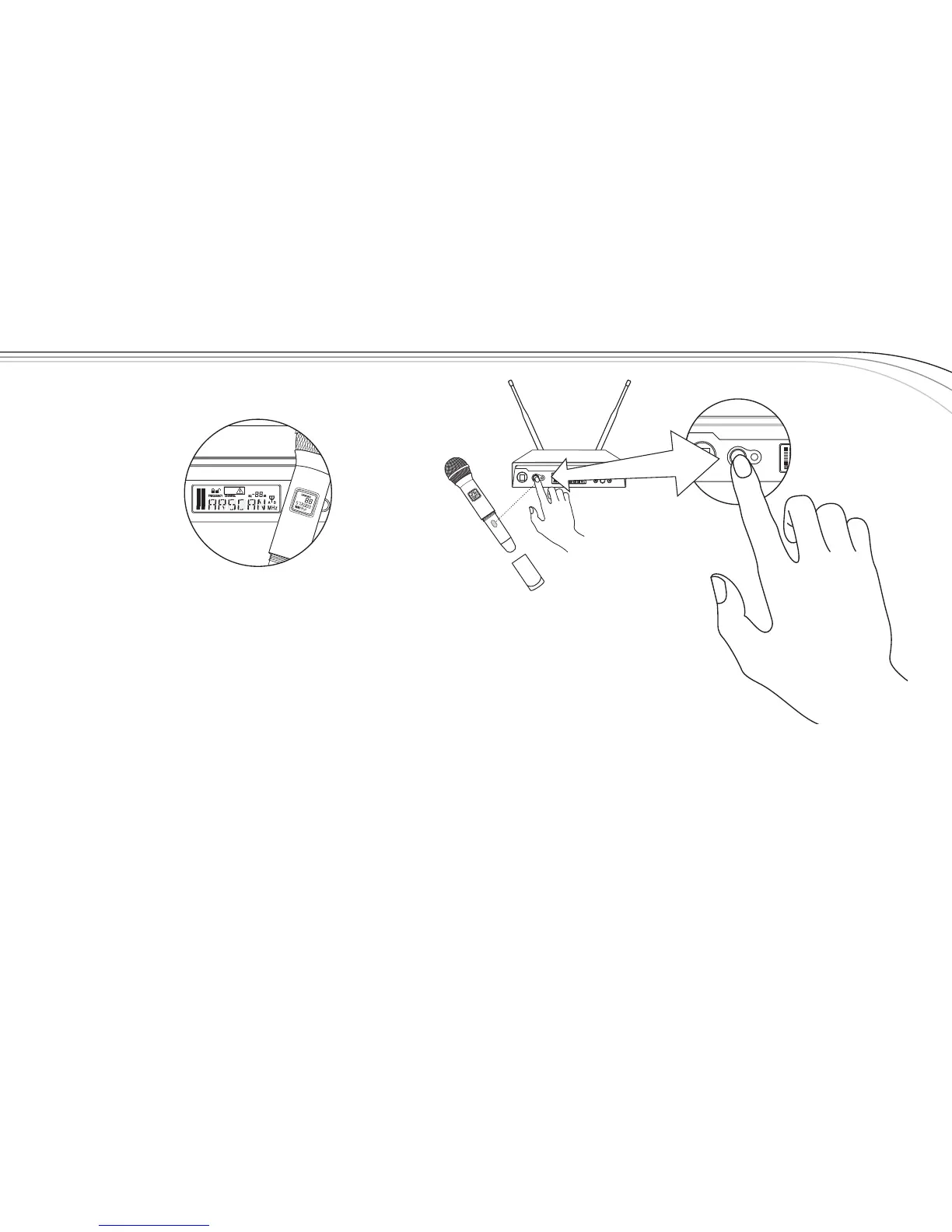
e. PresstheSYNCbuttononthereceivertotransferthechannelinformation.
f. ThereceiverwilldisplaySYNCuntilthedataistransferred,thenreturntothemainscreen.
g.Thetransmitterdisplayscreenwillnowshowthenewchannelandfrequency.
NOTE:
1. Ifthechanneldatawasnottransferredtothetransmitterafter5seconds,thereceiver
willdisplayERROR.BecertainthatthetransmitterisOnandtheEZsyncportisfacing
thereceiverandtryagain.
2. Ifthedatastilldoesnottransfer,trynewbatteries,ormovetheunittoashadedarea
awayfromdirectsunlightorbrightlightsbeforetryingagain.



 To Next Page