Technical Support - A.D.L. 28/83 599 74 12-51 Rev.00
8.2 Reading the alarms
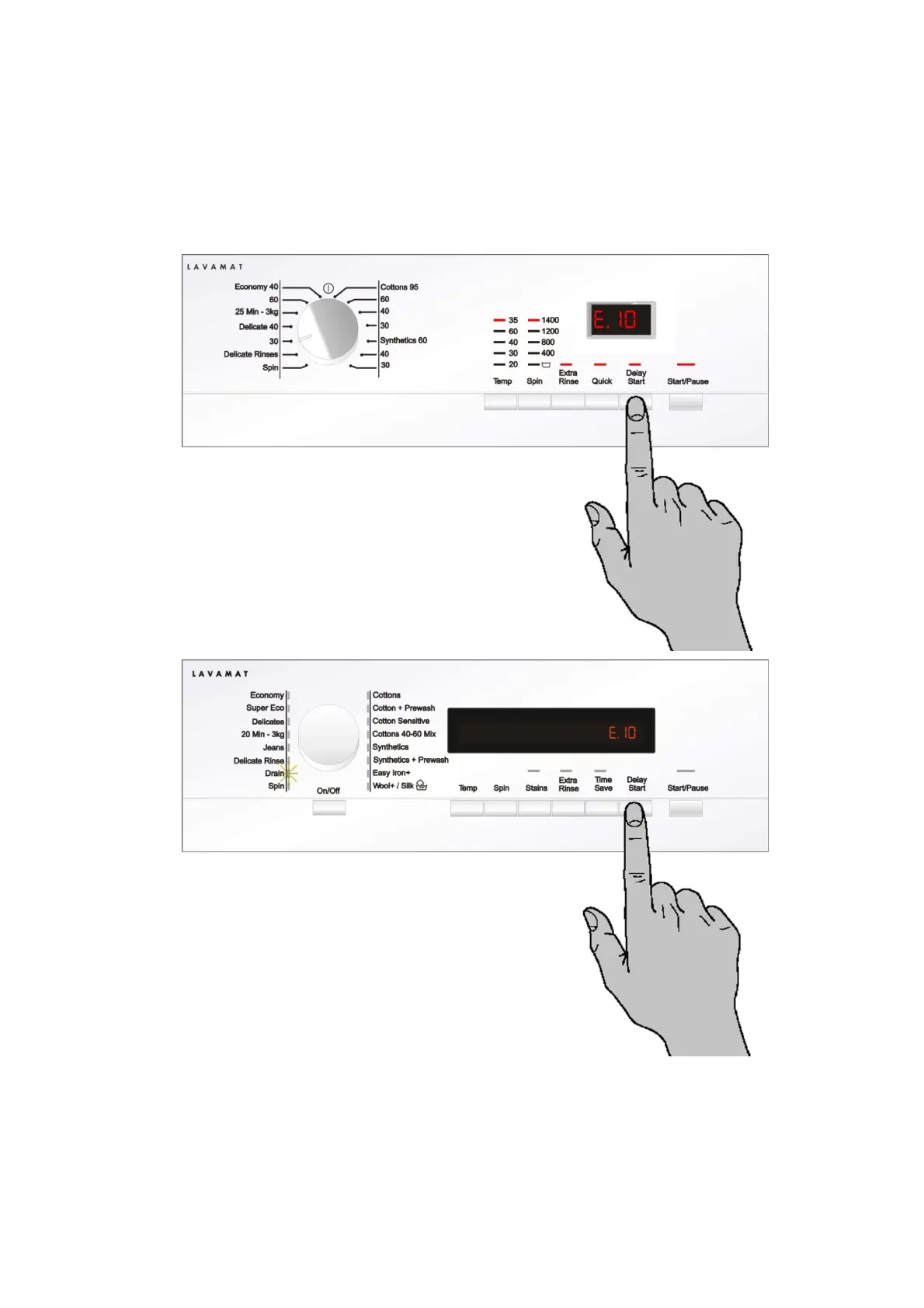
The last three alarms stored in the FLASH memory of the PCB can be displayed:
• Enter the diagnostic mode.
• Irrespective of the type of circuit board and configuration, turn the programme selector knob clockwise to the
tenth position and this will display the last alarm.
• To display previous alarms, press the button to the left of the START / PAUSE button in sequence (as
shown in the figure)
• To return to the last alarm, press the START / PAUSE button.












 To Next Page