6 before using your rotary control oven electrolux e:line ovens
Preparing your oven (EOEM61CS)
1. Please remove all stickers, leaets and boxes from the
door and from the oor of the oven before operation.
2. Please wipe out the oven interior prior to operation with
warm soapy water and polish dry with a soft clean cloth.
Do not close the oven door until the oven is completely dry.
Setting the time
After electrically connecting the appliance, you must set
the time of day before you can operate your oven.
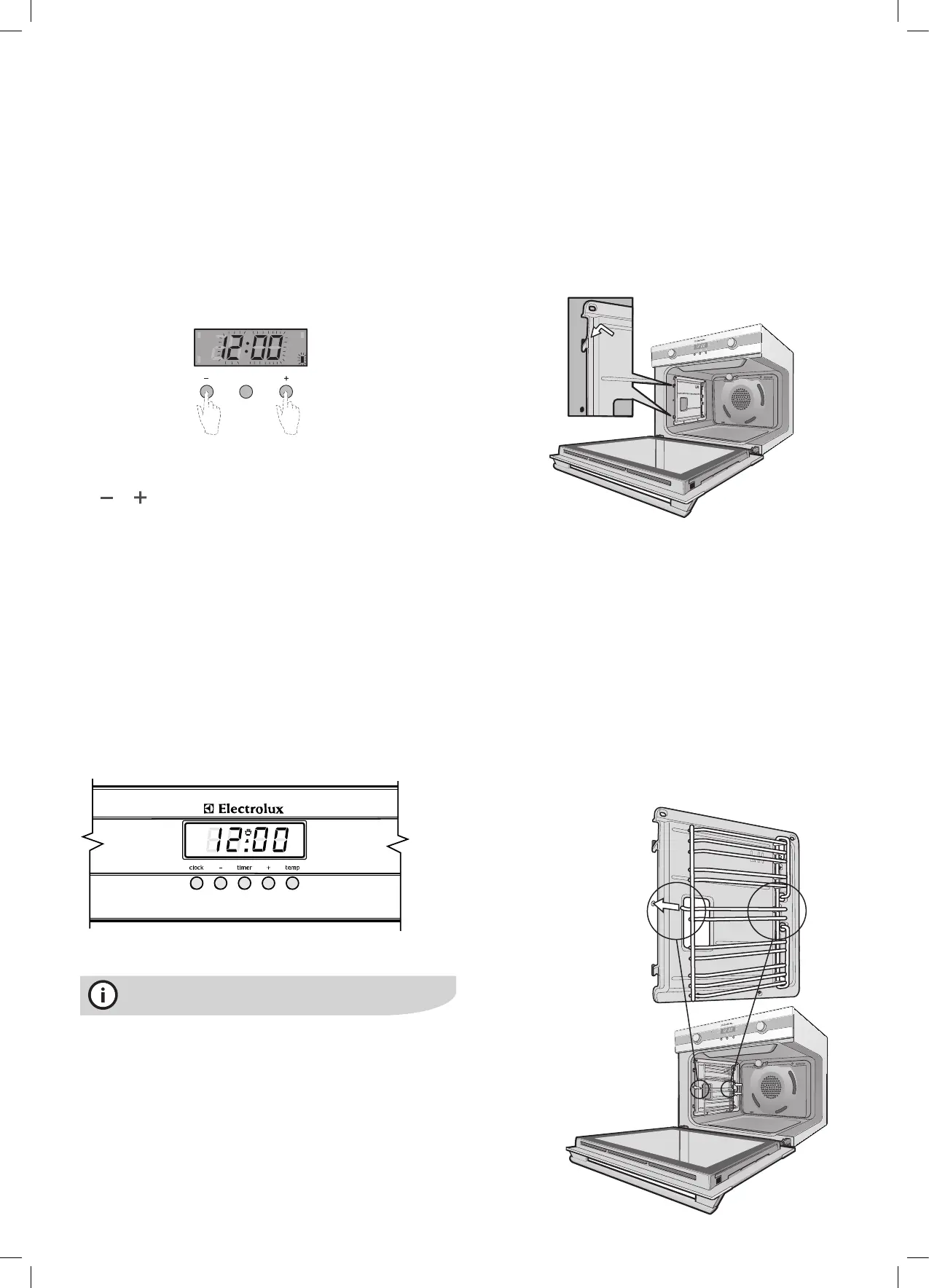
• After the appliance has been electrically connected ‘12:00’
will be displayed and the clock ‘indicator’ will ash.
• To set the time of day in hours and minutes press the
or buttons.
5 seconds after the last change, the clock ‘indicator’ will
disappear, confirming the time has been set. Once the time
has been entered, the clock advances minute by minute.
Not e:
• Theclockhasa24hourdisplay.
Setting the time for EPEM61CS
When power is supplied to your oven “12.00“ will be
displayed on the clock and the display will ash.
• To set the time of day hours, press – or +, then press
CLOCK and the seconds will begin to ash which can
bet set by pressing the – or + buttons. 5 seconds after
the last change, the clock display will stop ashing,
confirming that the time has been set.
Note:Theclockhasa24-hourdisplay.
tips and information
New appliances can have a smell during first use. It is
recommended to ‘run in’ the oven before you cook for
the first time. Operate the oven, empty, at a temperature
of 180°C for approximately 2-4 hours (see page 8 for
operating sequence). Please ensure the room is well
ventilated during this process.
Installing your oven accessories
• Catalytic liners
The oven will already be tted with a catalytic fan bafe
and top panel. We have supplied side panels for you
to fit. They can be fitted before you put the side racks
on but you can omit them, if you wish, with no effect to
cooking performance. Their sole purpose is to make
oven cleaning easier. Of course, you can add them at
any time by removing the side racks (see page 22).
The catalytic liners will attach to each side of the oven.
There will be a left hand and a right hand version.
1. Position the first liner as per the diagram. The black,
shiny side of the liner should be facing the oven wall, the
hooks pointing down. Note that the diagram shows the
left hand liner. The right hand side will be
a mirror image of this.
2. Line the hooks up with the slots provided in the oven
wall, push them in and then allow the liner to slide
down to its final position. All 4 hooks MUST be
engaged in slots.
3. The access hole for the side racks should be visible
when the liner is correctly positioned – see diagram.
• Side racks
1. Insert the twin pegged side into the rear access
holes provided, ensuring pegs are fully inserted.
2. Then locate the front peg into the front access hole
and push in firmly.
Before using your rotary control or
touch oven
cook time
end time
MODE
timer
clock




 To Next Page