electrolux e:line ovens additional functionality – electronic control oven 17
General features
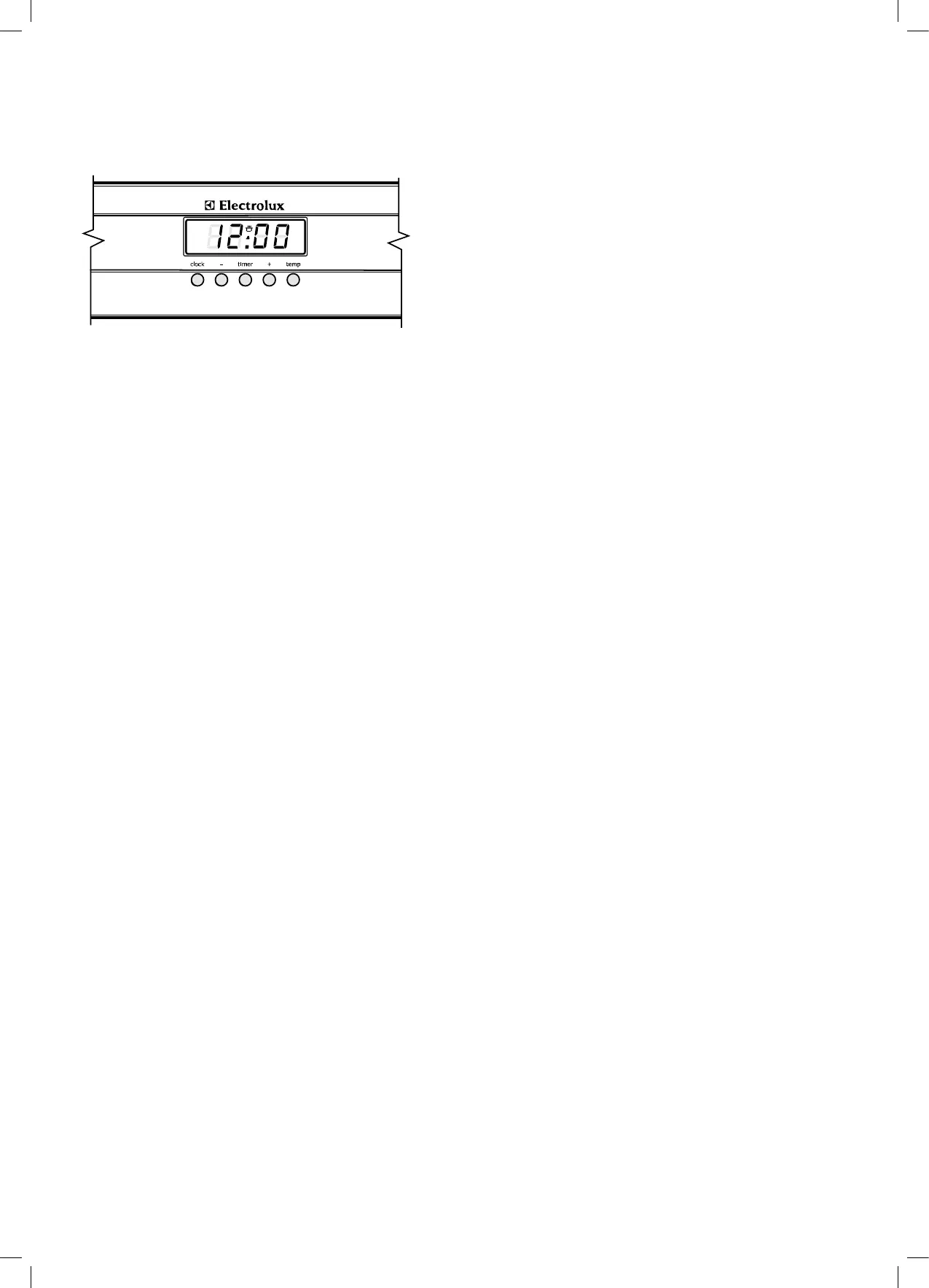
Your 5 button touch control clock has the following
features:
• TIMER – allows you to set a countdown time that will
beep when the set time has elapsed.
• The TEMP. button allows the current temperature of the
oven to be displayed.
• Elapsed time display
Setting the time of day
You must set the time of day before you can operate
your appliance.
When power is supplied to your oven “12.00“ will be
displayed on the clock and the display will ash.
1. To set the time of day hours, press – or +, then press
CLOCK and the seconds will begin to ash which can
bet set by pressing the – or + buttons. 5 seconds after
the last change, the clock display will stop ashing,
confirming that the time has been set.
Note:Theclockhasa24-hourdisplay.
Change the time of day (Daylight saving)
1. Press CLOCK until the clock display begins to ash.
2. Press – or + to change the hours then press CLOCK
and the minutes will begin to ash which can be set by
pressing the – or + buttons. 5 seconds after the last
change, the “clock” symbol will disappear, conrming
the time has been set.
Note:Theclockhasa24-hourdisplay.
Setting the oven function
1. Turn the oven function selector clockwise to select the
desired oven function.
Note:eachovenfunctionhasadefaulttemperature
whichcanthenbeadjustedasoutlinedbelow.
Changing the oven temperature
1. Toggle the temperature selector left(–) or right(+)
as required to set the desired cooking temperature.
Note:thetemperaturecanbeadjustedatanytime
throughoutthecookingtime.
Setting the cooking time
1. Select the desired oven function and cooking
temperature.
2. Press the CLOCK button as often as necessary,
until the “cook time” ❘➔❘ symbol appears.
3. Set the desired cooking time commencing with minutes
by using the – or +, whilst the ❘➔❘ symbol is ashing, then
press the CLOCK button again and set the hours by
using the – or + buttons. After 5 seconds from the last
time adjustment the ❘➔❘ symbol will disappear and your
appliance is now programmed.
4. When the set time has elapsed, a signal will sound.
To stop the signal, press any button on the clock and
then turn the oven function selector to OFF.
Note:CookingtimecannotbesetfortheRapidHeat
function.
Setting the stop time
1. Select the desired oven function and cooking
temperature.
2. Press the CLOCK button as often as necessary,
until the “end time” ➔❘ symbol appears ashing.
3. Set the desired stop time commencing with hours
using the – or + whilst the ➔❘ symbol is ashing, then
press the CLOCK button again and set the minutes by
using the – or + buttons. After 5 seconds from the last
time adjustment the ➔❘ symbol will disappear and your
appliance is now programmed.
4. When the set time has elapsed, a signal will sound.
To stop the signal, press any button on the clock and
then turn the oven function selector to OFF.
Note:StoptimecannotbesetfortheRapidHeatfunction.
Model EPEM61CS Electronic Clock




 To Next Page