11
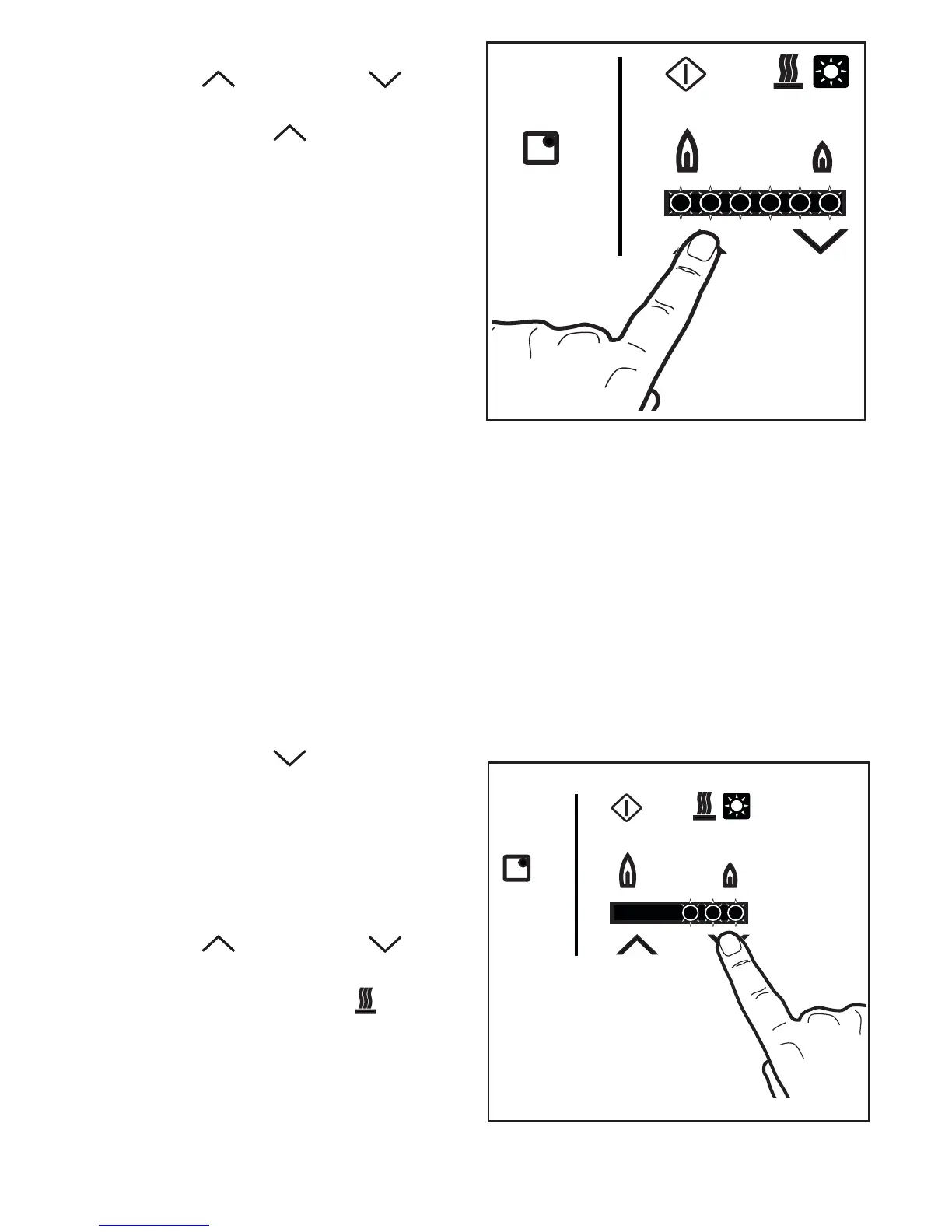
3. Within about 3 seconds, touch the
Increasing or Decreasing Touch
Control to light the burner.
- If touch control is selected, the
burner automatically lights at maximum
flame level (all the flame level indicators
illuminate).
- If touch control is selected, the
burner automatically lights at medium
flame level (three flame level indicators
illuminate).
4. To adjust the burner flame level, use the
Increasing or Decreasing Touch
Control.
The residual heat indicator lights up
immediately after the burner is lit.
This means that the cooking zone is
getting hot: the indicator remains on until
the pan support and the burner have
cooled down.



 To Next Page