9
Prior to using for the first time
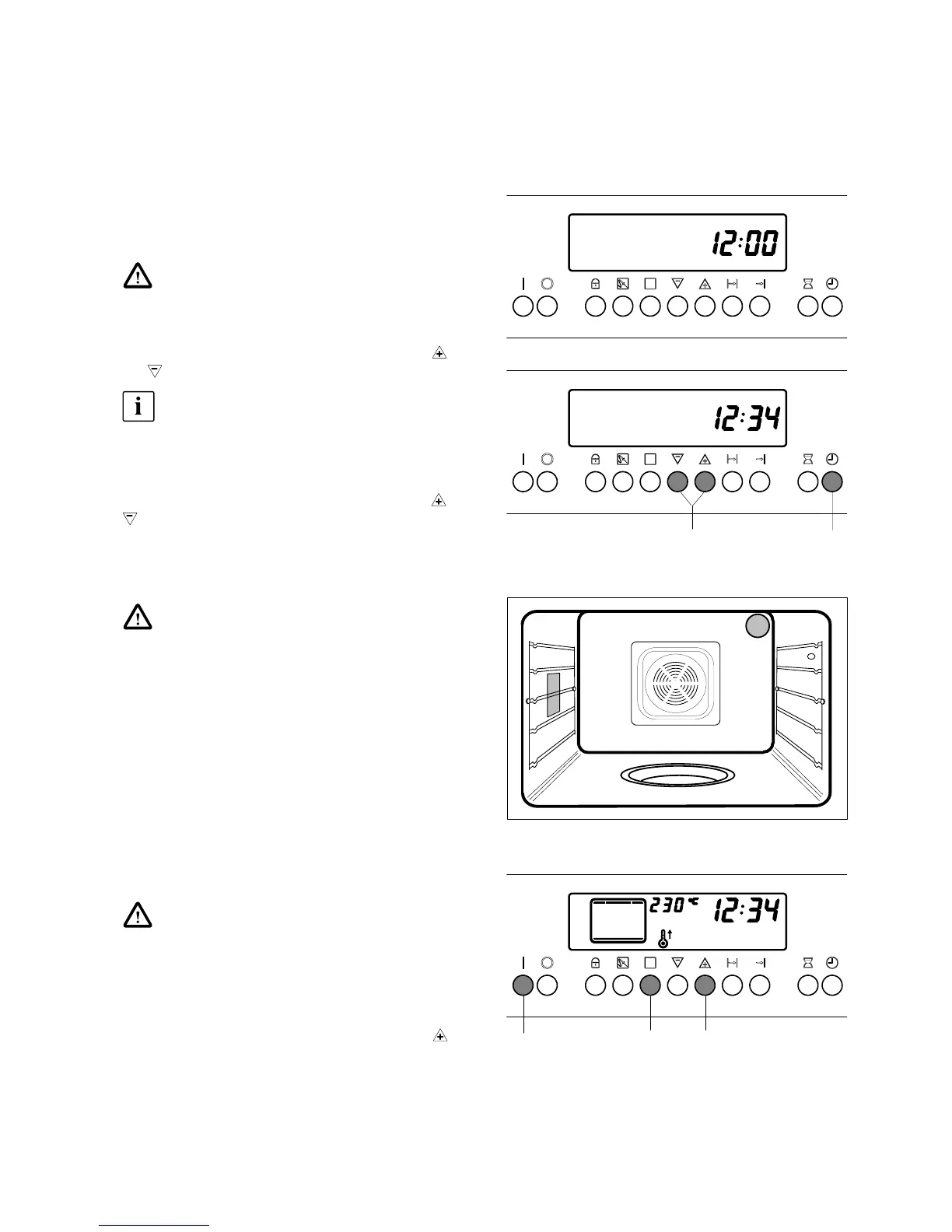
Daytime setting
When the oven has been connected to the mains and
after electricity failure, the time display of the electronic
autotimer flashes «12:00».
Wait until the display is indicating 12:05.
1. Shortly push button 10. The figures 12 00 are on,
flashing is «:» between the figures.
2. Set the present daytime by pushing button 6
or
.
The setting of the daytime should start within
4 seconds. Otherwise push button 10 again.
After 4 seconds the flashing signal goes out. The day-
time has now been set.
To make corrections of time (summer–/winter–time),
press button 10 and adjust further with button 6
or
. The signal resounding in this case is meaningless.
First cleaning
Remove the accessories from the oven as well
as any possible labels and protective foils in
the appliance.
Don’t remove the type plate!
In order to remove possible production remnants,
clean the appliance and heat up the oven once prior to
first use.
Clean oven, control panel and oven door with hot water
and a washing-up liquid and dry.
The oven lighting may be switched on for this purpose.
– Push button 1.
First heating up
Prior to first use the oven must be heated up
once. Take care for a sufficient space ventila-
tion.
1. Push button 1 to switch on the oven.
2. Select the Top/Bottom Heat function by pressing
button 5 several times.
3. Set the temperature of 230° C with button 6 .
Holding this setting, operate the empty and closed
oven for 60 minutes.
4. Switch off the oven with the button 2.
10
6
1 65



 To Next Page