11
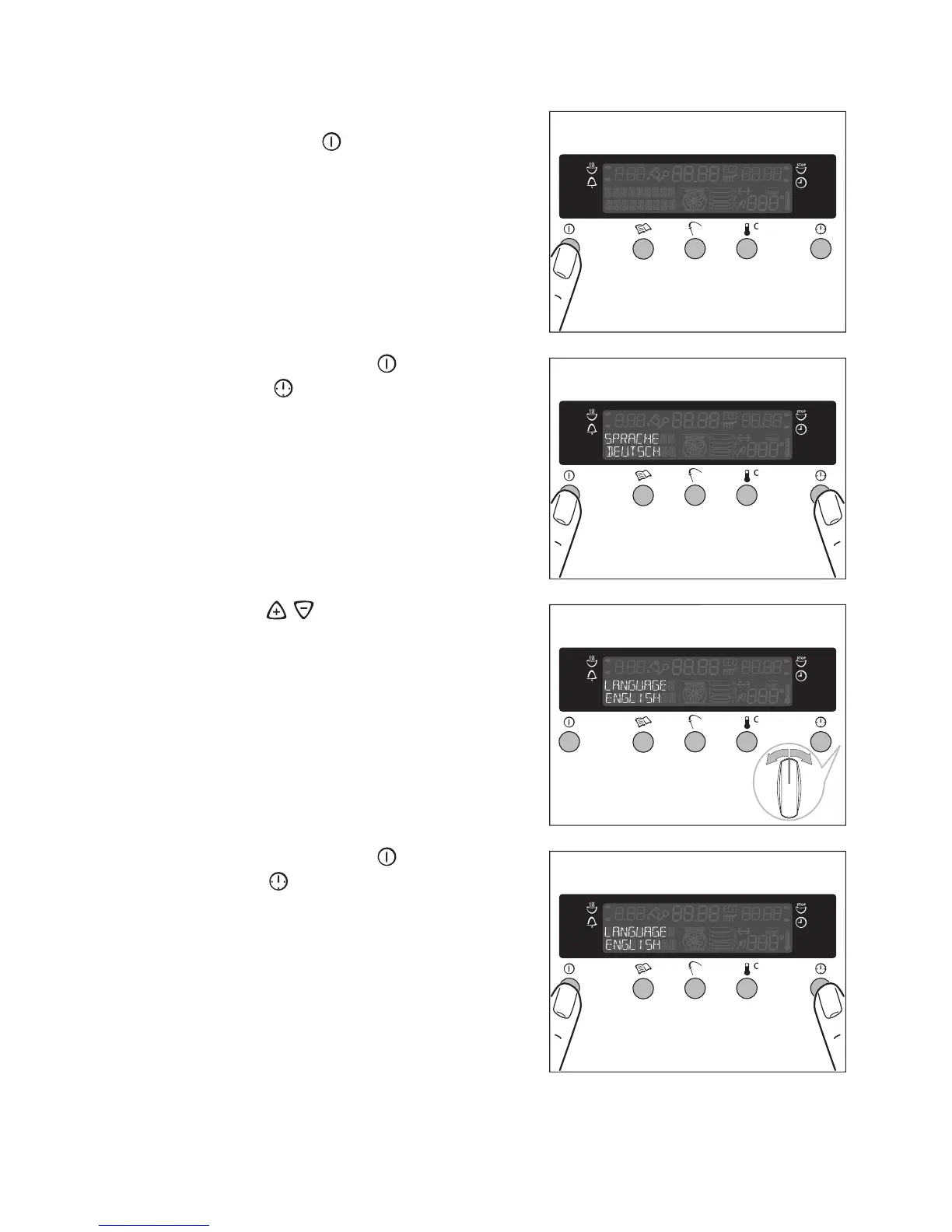
Setting the language
1.Switch on the appliance by pressing
the main Power button.
2.Press the main Power and the Clock
Functions buttons at the same time.
3.Using the / control knob, select
one of the languages displayed.
4.Press the main Power and the Clock
Functions buttons at the same time,
to store the selected language.








 To Next Page