12
Setting the brightness of the displays
The brightness of the oven display can be set so that it is easier to read if
the oven has been installed in a high position.
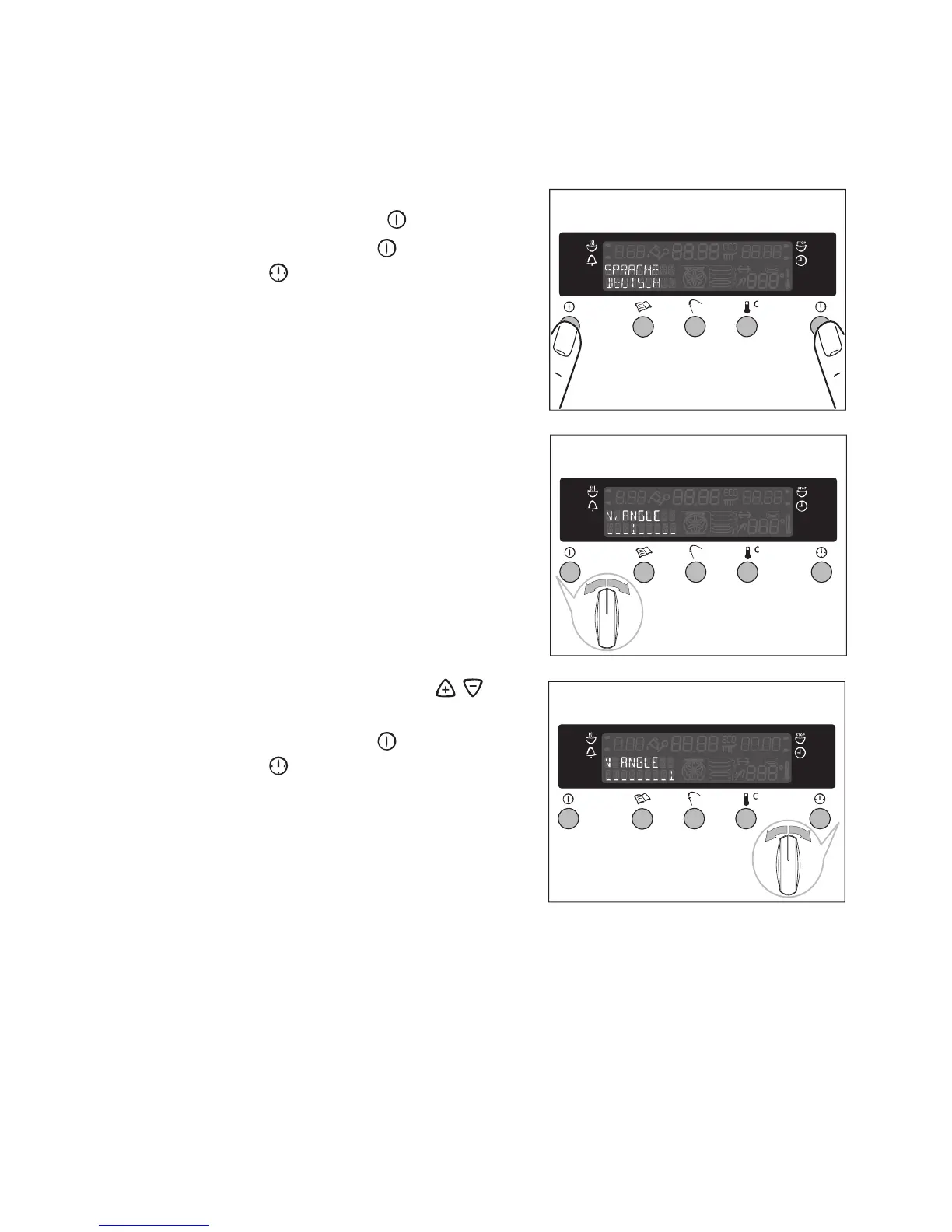
1.Switch the appliance on by pressing
the main Power button .
2.Press the main Power and the Clock
Functions buttons at the same time.
3.Turn the oven function control knob
once.
4.Set the brightness using the / con-
trol knob.
5.Press the main Power and the Clock
Functions buttons at the same time,
to store the brightness setting.








 To Next Page