17
Switching on the oven
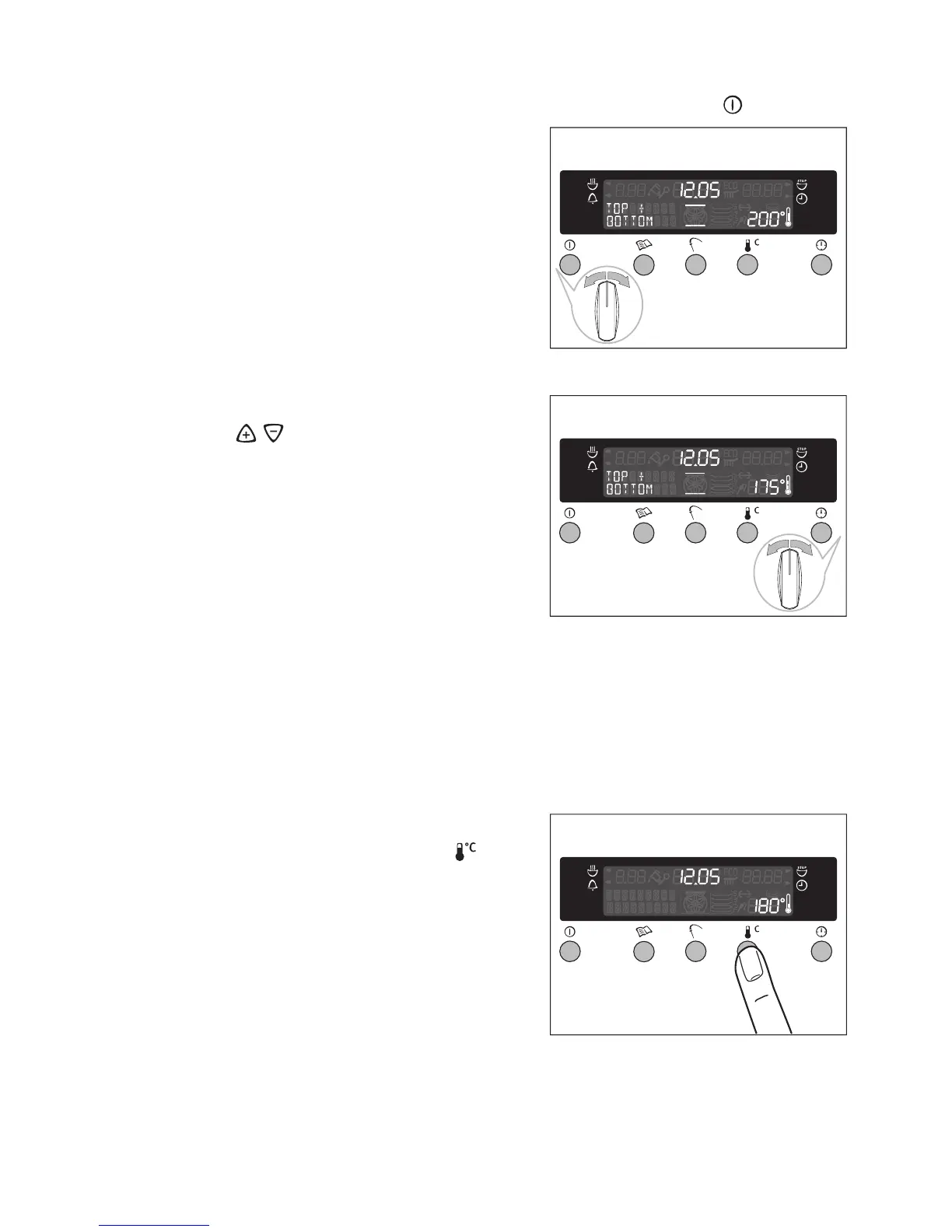
1.Switch the appliance on by pressing the main power button .
2.Turn the oven functions control knob
until the desired oven function appears.
– The temperature display indicates a
recommended temperature.
– If this recommended temperature is
not altered within approx. 5 seconds,
the oven begins to heat up.
Changing the oven temperature
Turn the / control knob to raise or
lower the temperature.
The temperature adjustment takes place
in steps of 5 °C.
Thermometer symbol
• The slowly rising thermometer symbol indicates the temperature to which
the oven has already heated.
• The three segments of the thermometer that flash one after the other indi-
cate that the rapid heating function is in operation.
Ascertaining the temperature
Press check temperature switch .
The current oven temperature will appear
in the temperature display.








 To Next Page