25
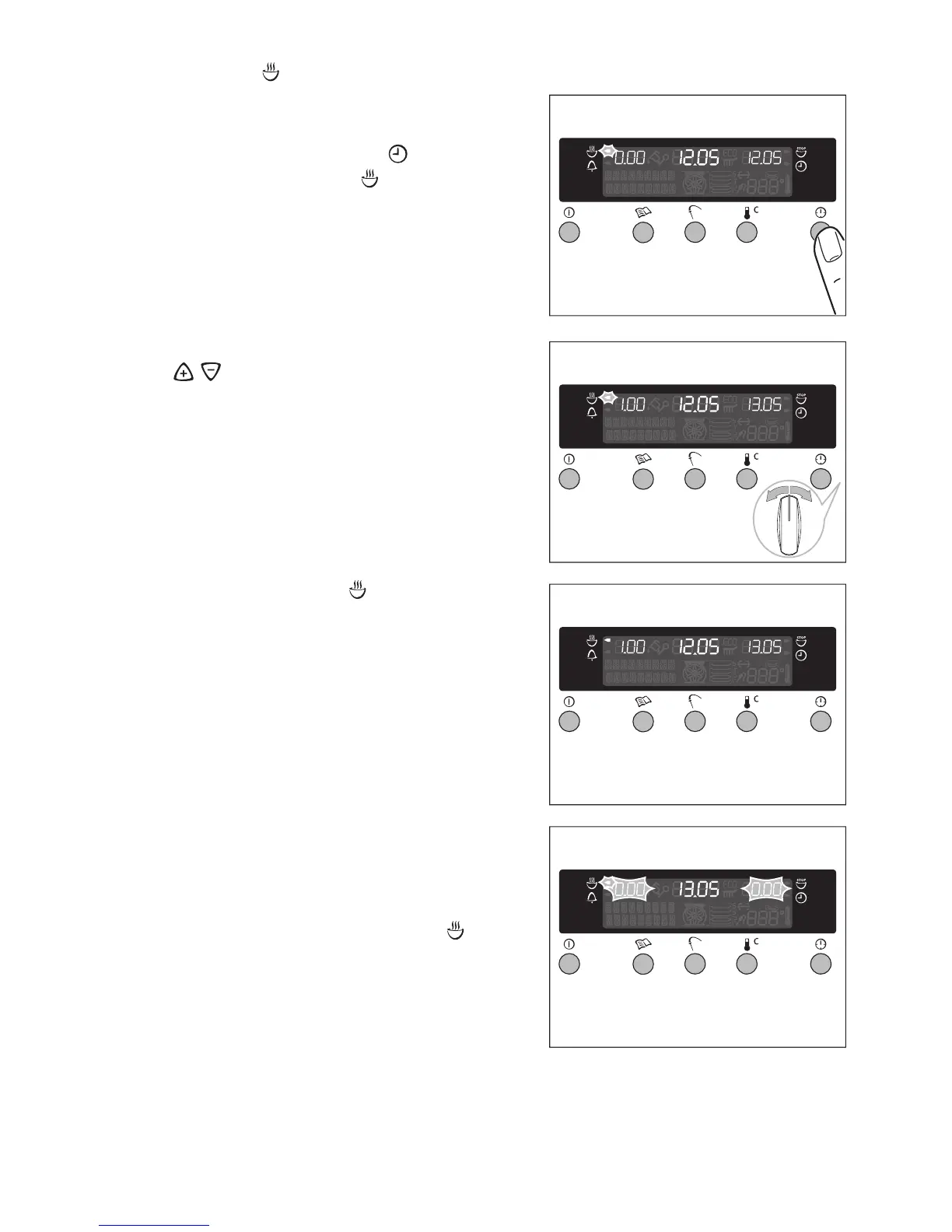
Cook time
1.Select the oven function and the tem-
perature.
2.Continue pressing the “ ” button until
the cook time arrow is flashing.
3.Set the desired cooking time using the
/ control knob.
The cook time arrow will be lit up.
When the period of time has elapsed, an
acoustic signal will sound for 2 minutes.
The oven will switch itself off.
“0.00” and the cook time arrow will
flash.
To switch the signal off:
Press any button.








 To Next Page