4. Press to save the new core
temperature, or wait 10 seconds for the
setting to be saved automatically.
The new default core temperature is
displayed during the next use of the core
temperature sensor.
When the meat is at the set core
temperature, the symbol for the core
temperature sensor and the default core
temperature flash. The signal sounds for 2
minutes.
5. Press any button to stop the signal.
6. Remove the plug of the core temperature
sensor from the socket. Remove the
meat from the oven.
7. Turn off the oven.
WARNING!
Be careful when you remove the
tip and plug of the core
temperature sensor. The core
temperature sensor is hot. There
is a risk of burns.
Every time you put the core temperature
sensor in the socket, you need to set the
core temperature time again. You cannot
select the duration and end time.
When the oven calculates the provisional
duration time for the first time, the symbol
flashes in the display. When the calculation
ends, the display shows the duration of the
cooking. Calculations run in the background
during the cooking and the duration value in
the display is updated if necessary.
You can change the temperature at any time
during the cooking:
1. Press :
• one time - the display shows the set
core temperature; if desired, it can be
modified within 5 seconds.
• two times - the display shows the
current oven temperature.
• three times - the display shows the set
oven temperature; if desired, it can be
modified within 5 seconds. This info is
available only during the heating up
phase.
2. Use the knob for the temperature to
change the temperature.
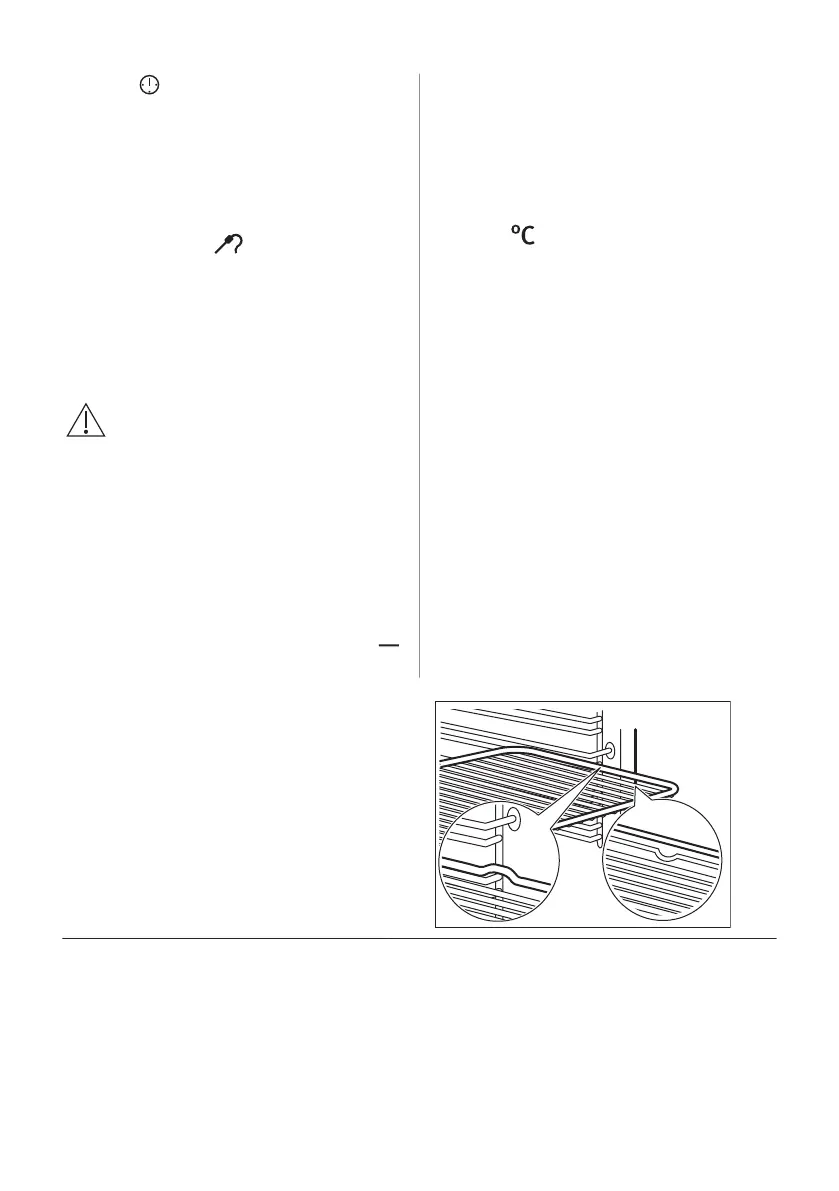
9.2 Inserting accessories
A small indentation at the top increases
safety. The indentations are also anti-tip
devices. The high rim around the shelf
prevents cookware from slipping of the shelf.
Wire shelf:
Push the shelf between the guide bars of the shelf
support and make sure that the feet point down.
16 ENGLISH








 To Next Page