Programme number Programme name
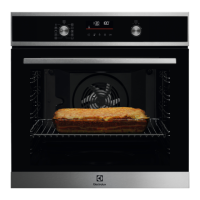
8 POTATO GRATIN
9 LASAGNE
8.2 Automatic programmes
1. Activate the appliance.
2. Touch
.
The display shows the number of the
automatic programme (1 – 9).
3. Touch or to choose the
automatic programme.
4. Touch or wait five seconds until
the appliance automatically starts to
work.
5. When the set time ends, an acoustic
signal sounds for two minutes. The
symbol flashes.
6. Touch a sensor field or open the
oven door to stop the acoustic signal.
7. Deactivate the appliance.
8.3 Automatic programmes with
weight input
If you set the weight of the meat, the
appliance calculates the roasting time.
1. Activate the appliance.
2. Touch .
3. Touch or to set the weight
programme.
The display shows: the cooking time, the
duration symbol , a default weight, a
unit of measurement (kg, g).
4. Touch or the settings save
automatically after five seconds.
The appliance activates.
5. You can change the default weight
value with
or . Touch .
6. When the set time ends, an acoustic
signal sounds for two minutes.
flashes.
7. Touch a sensor field or open the
oven door to stop the acoustic signal.
8. Deactivate the appliance.
9. USING THE ACCESSORIES
WARNING!
Refer to Safety chapters.
9.1 Inserting the accessories
Wire shelf:
Push the shelf between the guide bars of
the shelf support and make sure that the
feet point down.
Deep pan:
Push the deep pan between the guide
bars of the shelf support.
www.electrolux.com14



 To Next Page