To turn off the Function Lock repeat step
3.
If the Pyrolysis function
works, the door is locked. A
message comes on in the
display when you touch a
sensor field.
You can turn off the oven
when the Function Lock is
on. When you turn off the
oven, the Function Lock
turns off.
10.4 Using the settings menu
The settings menu lets you turn on or
turn off functions in the main menu. The
display shows SET and the number of
the setting.
Description Value to set
1 RESIDUAL HEAT INDICATOR ON / OFF
2 CLEANING REMINDER ON / OFF
3
KEY TONE
1)
CLICK / BEEP / OFF
4 FAULTY TONE ON / OFF
5 DEMO MODE Activation code: 2468
6 SERVICE MENU -
7 RESTORE SETTINGS YES / NO
1)
It is not possible to deactivate the tone of the ON / OFF sensor field.
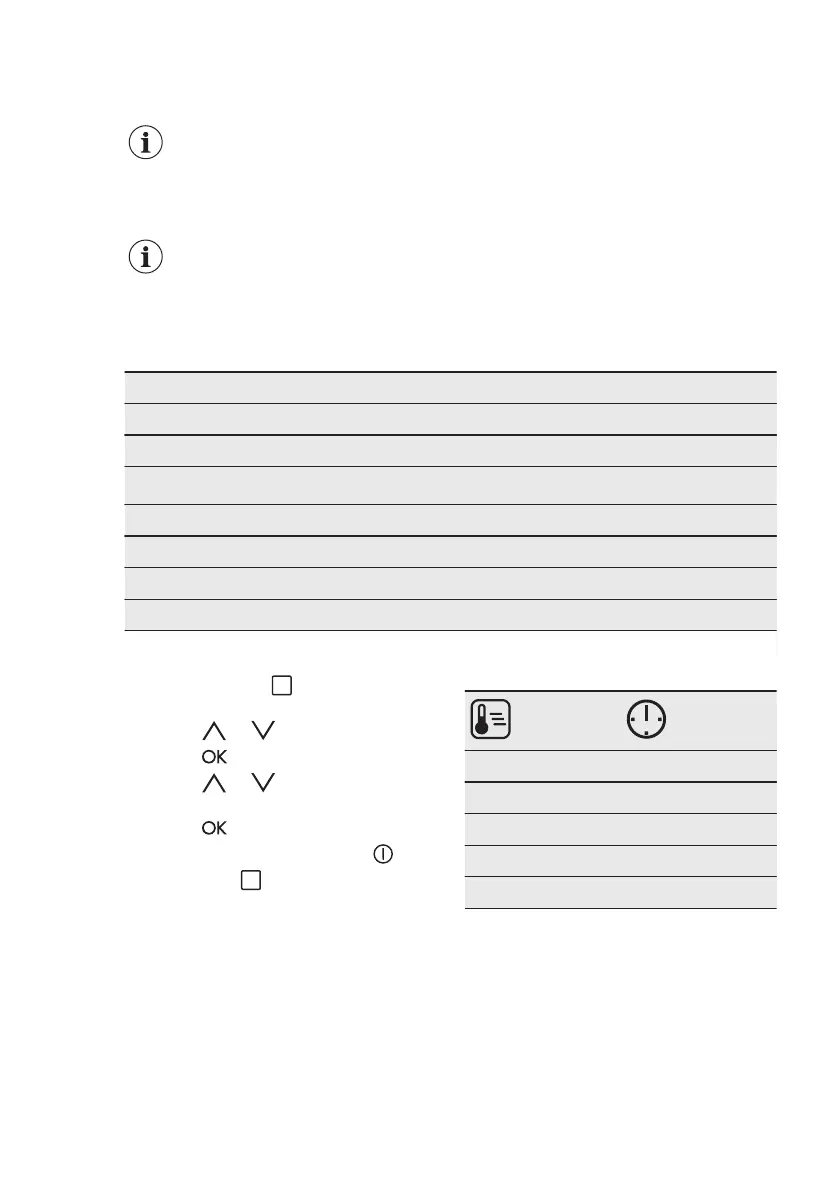
1. Press and hold for 3 seconds.
The display shows SET1 and "1" flashes.
2. Press or to set the setting.
3. Press .
4. Press
or to change the value
of the setting.
5. Press .
To exit the Settings menu, press or
press and hold .
10.5 Automatic Switch-Off
For safety reasons the oven turns off
automatically after some time, if a
heating function works and you do not
change any settings.
(°C) (h)
30 - 115 12.5
120 - 195 8.5
200 - 245 5.5
250 - maximum 3
Pyrolysis 4.5
The Automatic Switch-off does not work
with the functions: Light, Duration, End
Time.
10.6 Brightness of the display
There are two modes of display
brightness:
• Night brightness - when the appliance
is deactivated, the brightness of the
www.electrolux.com16



 To Next Page