SOI 01.05 FV 7/33 599 36 78-06
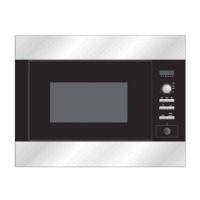
APPEARANCE VIEW
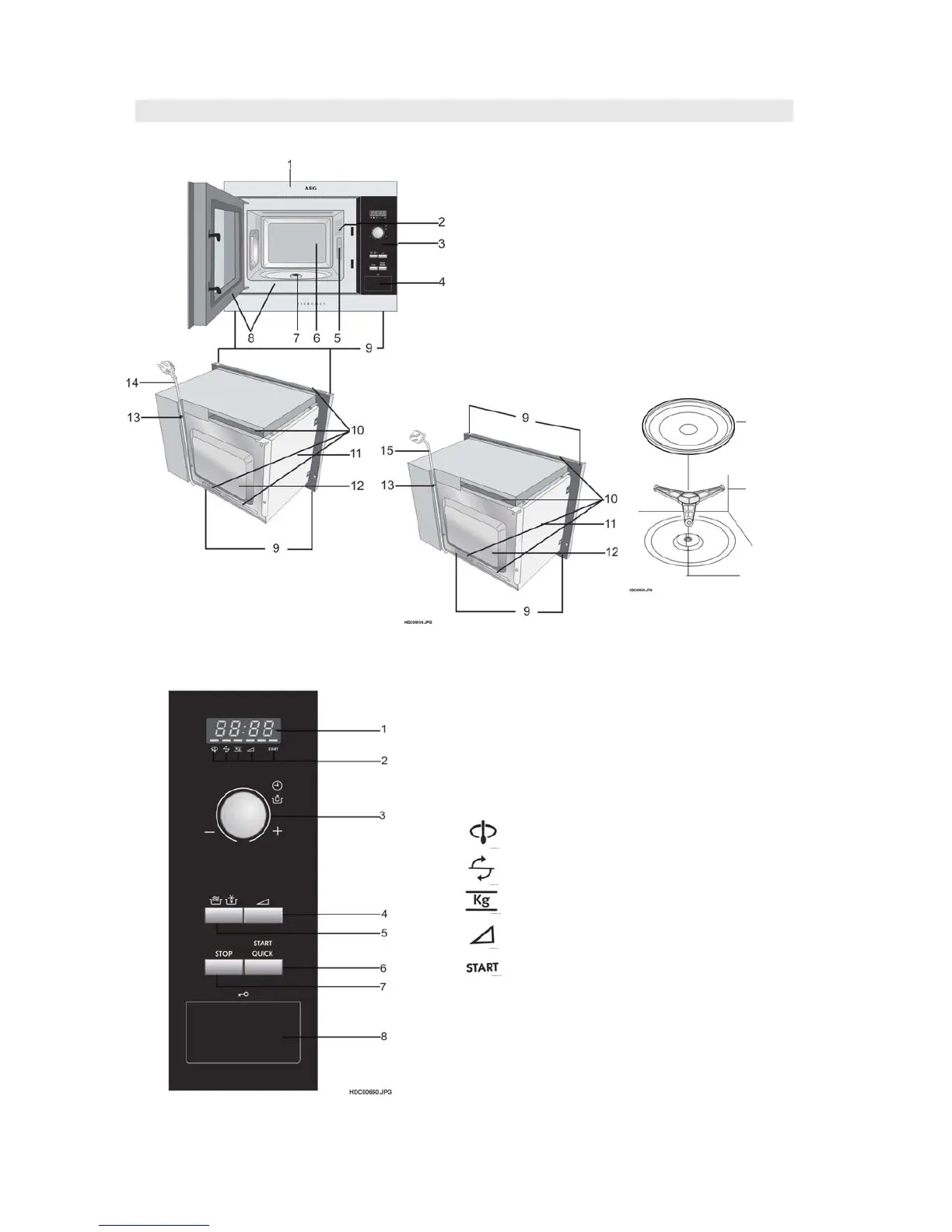
OVEN
1. Place the roller stay on the floor of
the oven cavity, engaging shaft into
turntable motor shaft.
2. Then place the turntable on roller
stay.
1 Digital Display
2 Indicators
The appropriate indicator will flash or light up,
just above each symbol according to the
instruction. When an indicator is flashing, press
the appropriate button (having the same symbol)
or carry out the necessary operation.
Stir
Turn oven
Weight
Microwave power level
Cooking in progress
3 TIMER/WEIGHT knob
4 MICROWAVE POWER LEVEL button
5 AUTOMATIC PROGRAMMES button
Press to select one of the 12 automatic programmes.
6 START/QUICK button
7 STOP button
8 DOOR OPEN button
Turntable
Roller stay
Seal packing
1 Front trim
2 Oven lamp
3 Control panel
4 Door opening button
5 Waveguide cover
6 Oven cavity
7 Seal packing
8 Door seals and sealing surfaces
9 Fixing points (4 points)
10 Ventilation openings
11 Outer cover
12 Rear cabinet
13 Power supply cord support clip
14 Power supply cord (EU)
15 Power supply cord (UK)
CONTROL PANEL
MC1751E/MC1761E/MOA4117




 To Next Page