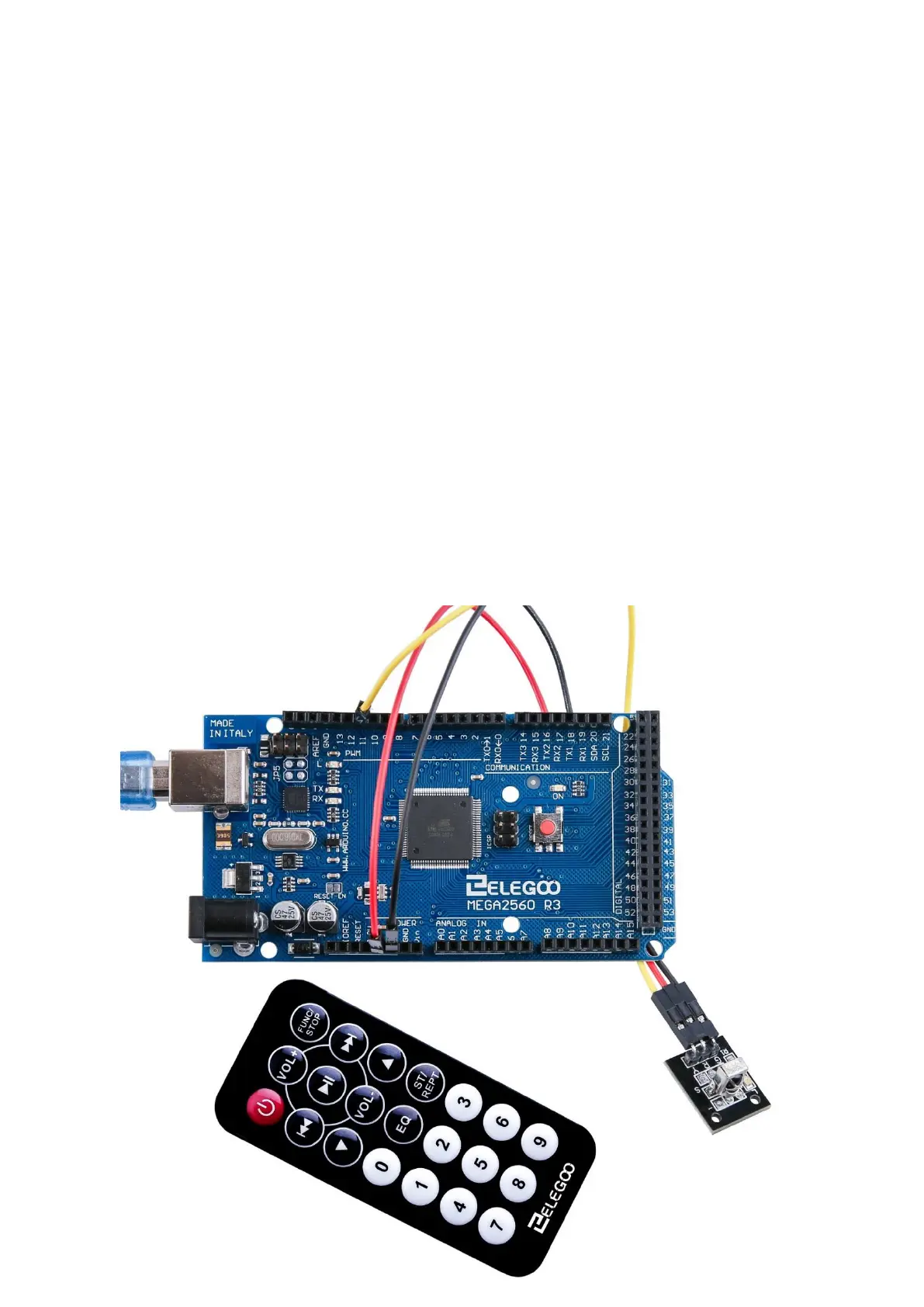
There are 3 connections to the IR Receiver.
The connections are: Signal, Voltage and Ground.
The “-” is the Ground, “S” is signal, and middle pin is Voltage 5V.
Code
After wiring, please open the program in the code folder- Lesson 14 IR Receiver Module
and click UPLOAD to upload the program. See Lesson 2 for details about program
uploading if there are any errors.
Before you can run this, make sure that you have installed the < IRremote > library
or re-install it, if necessary. Otherwise, your code won't work.
For details about loading the library file, see Lesson 1.
Next we will move the <RobotIRremote> out of the Library folder, we do this
because that library conflicts with the one we will be using. You can just drag it
back inside the library folder once you are done programming your microcontroller.
Once you have installed the Library, just go ahead and restart your IDE Software.


 To Next Page