Lesson 25 The Serial Monitor
Overview
In this lesson, you will build on Lesson 24, adding the facility to control the LEDs
from your computer using the Arduino Serial Monitor. The serial monitor is the
'tether' between the computer and your MEGA2560. It lets you send and receive
text messages, handy for debugging and also controlling the MEGA2560 from a
keyboard! For example, you will be able to send commands from your computer to
turn on LEDs.
In this lesson, you will use exactly the same parts and a similar breadboard layout
as Lesson 24. So, if you have not already done so, follow Lesson 24 now.
Steps taken
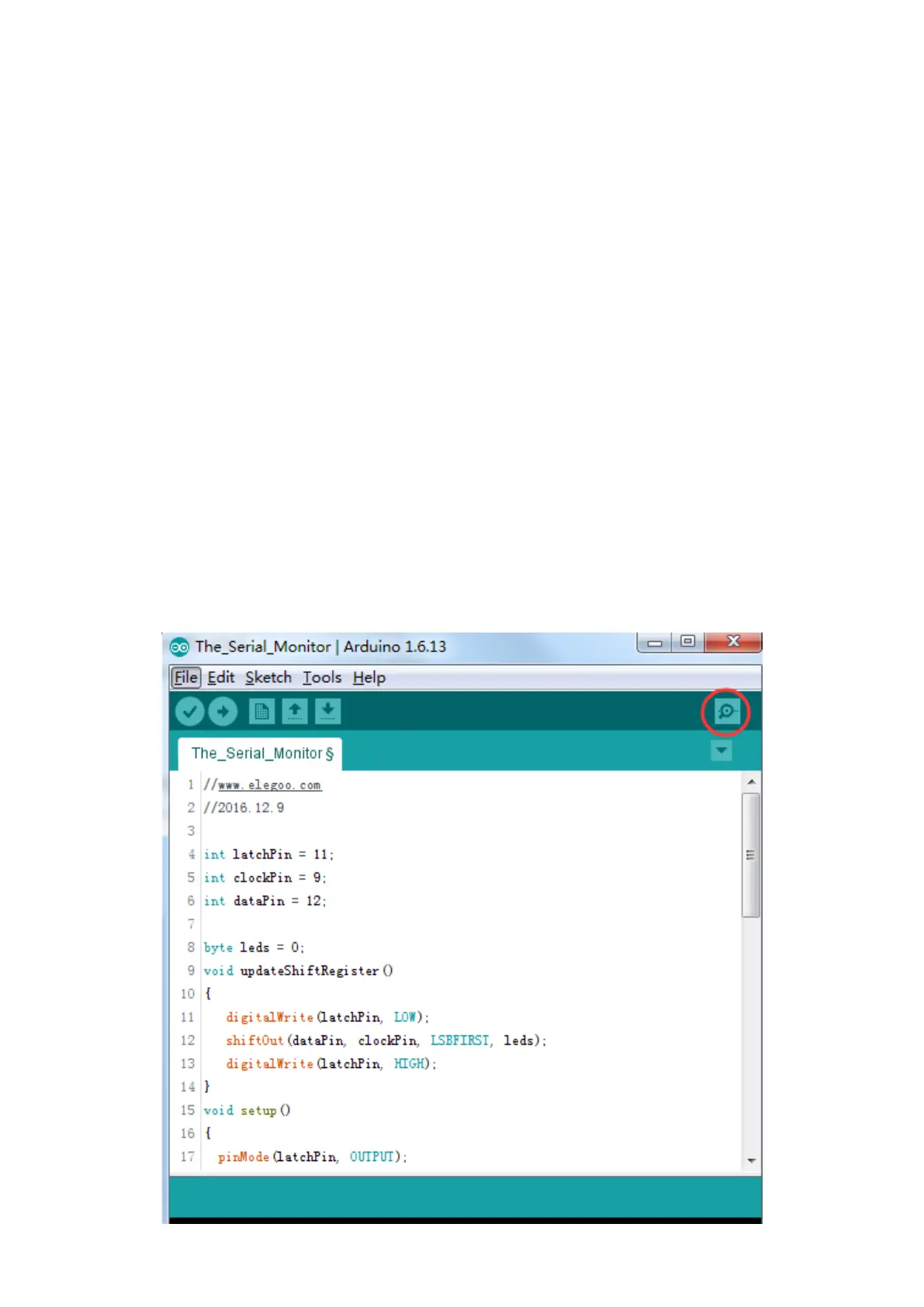
After you have uploaded this sketch onto your MEGA2560, click on the right-most
button on the toolbar in the Arduino IDE. The button is circled below.


 To Next Page