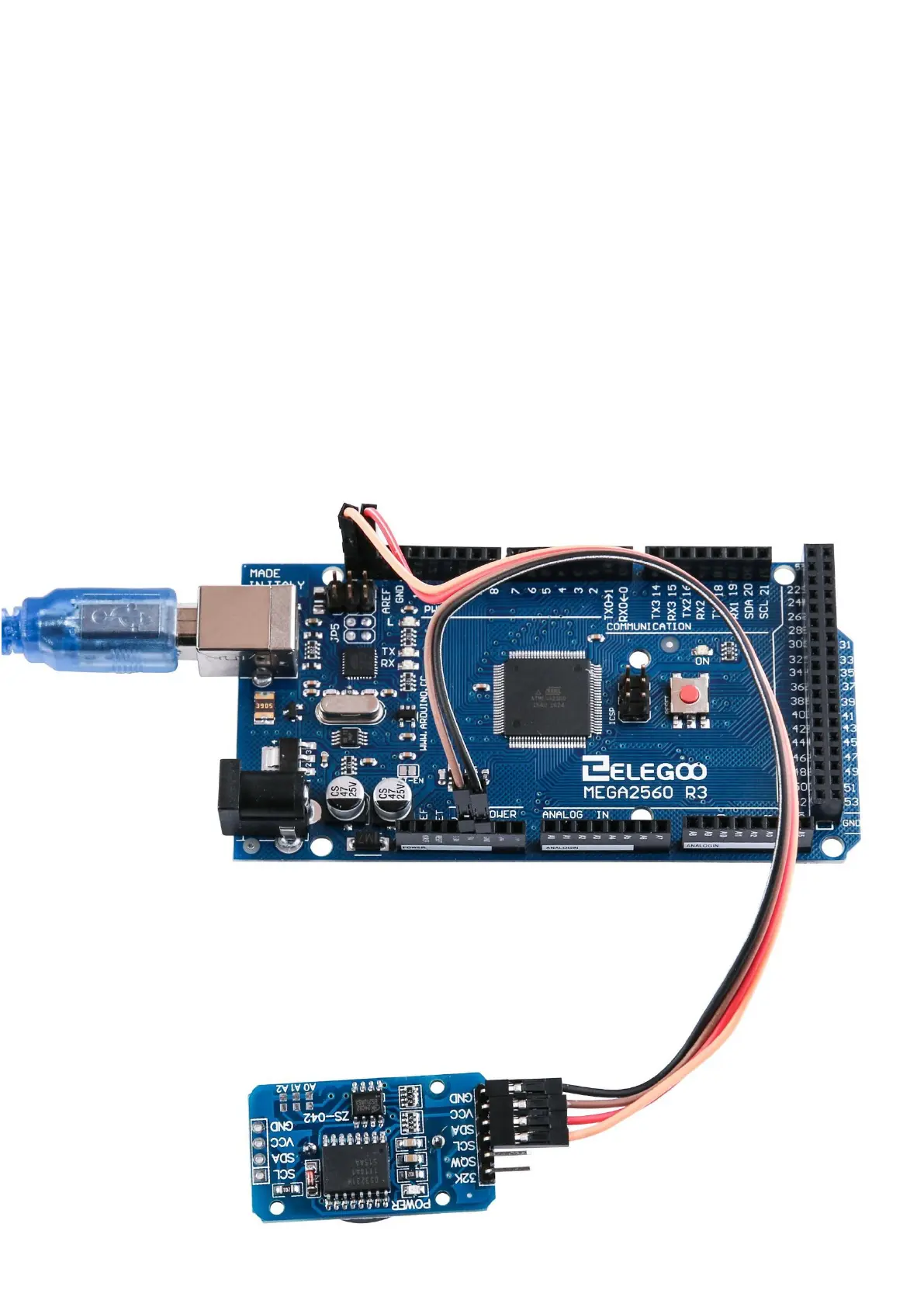
Set up according to the following image.
Ignore the 32K and SQW pins; you will not need them. Plug the SCL pin into your
MEGA2560 R3 board SCL port, and the SDA pin into the SDA port. The VCC pin plugs
into the 5V port, and the GND plugs into the GND port.
Code
After wiring, please open program in the code folder- Lesson 19 Real Time Clock
Module and click UPLOAD to upload the program. See Lesson 2 for details about
program uploading if there are any errors.
Before you can run this, make sure that you have installed the < DS3231 > library or
re-install it, if necessary. Otherwise, your code won't work.
For details about loading the library file, see Lesson 1.
Example picture


 To Next Page