The code
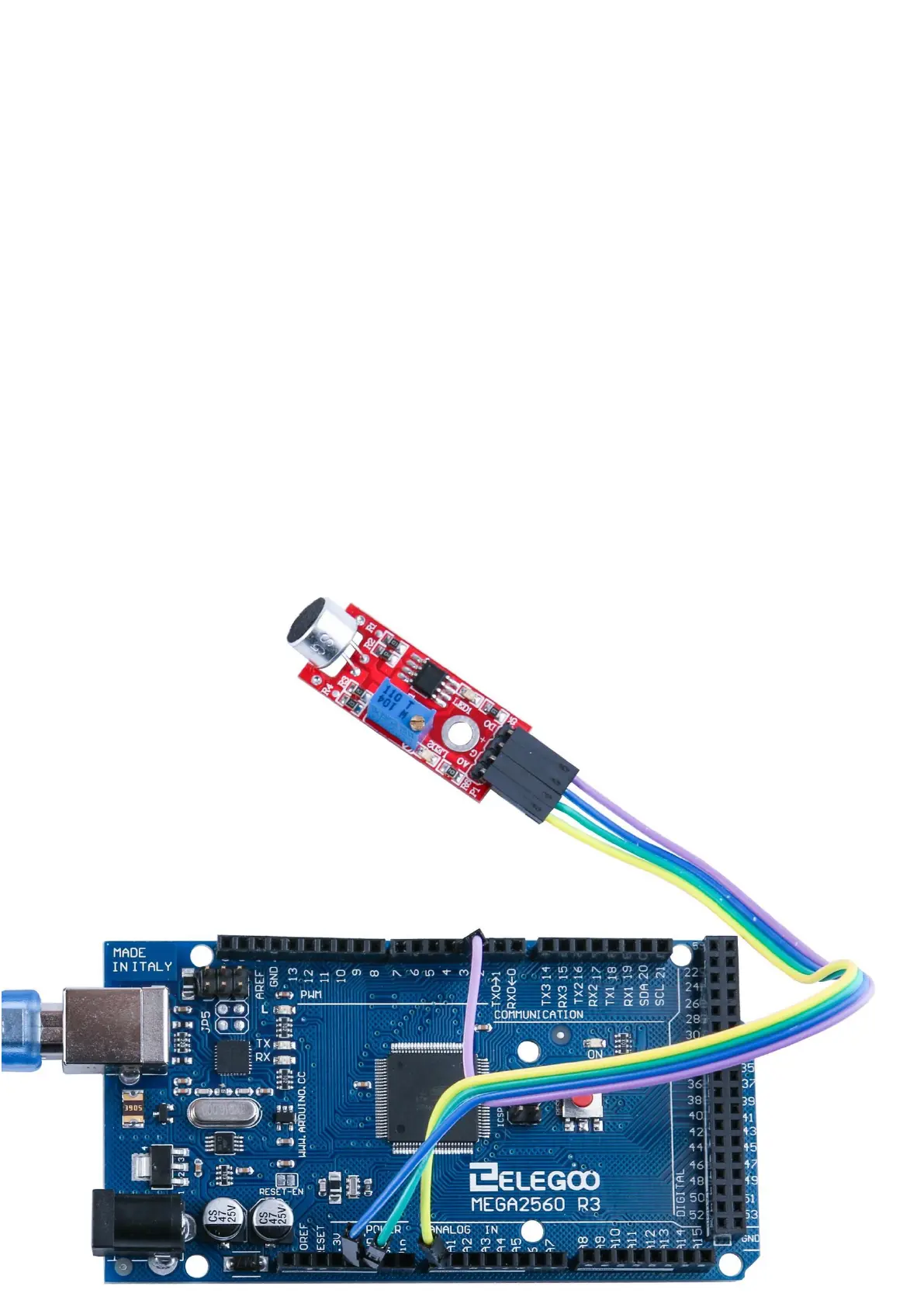
After wiring, please open the program in the code folder- Lesson 20 Sound Sensor
Module and click UPLOAD to upload the program. See Lesson 2 for details about
program uploading if there are any errors.
This module provides two signal output modes, for which we wrote two codes:
digital_signal_output and analog_signal_output. The code of digital_signal_output
works when the voice reaches a certain value, it will trigger a digital signal and the
dig #11 pin on Arduino will output a high level and the indicator L will be lit up at
the same time. This triggering value may be changed according to the sensitivity
adjustment method mentioned above. The code of analog_signal_output will read
the analog value of the module and directly display it on the serial monitor, likewise,
this value can also be changed according to the sensitivity adjustment method
mentioned above.


 To Next Page