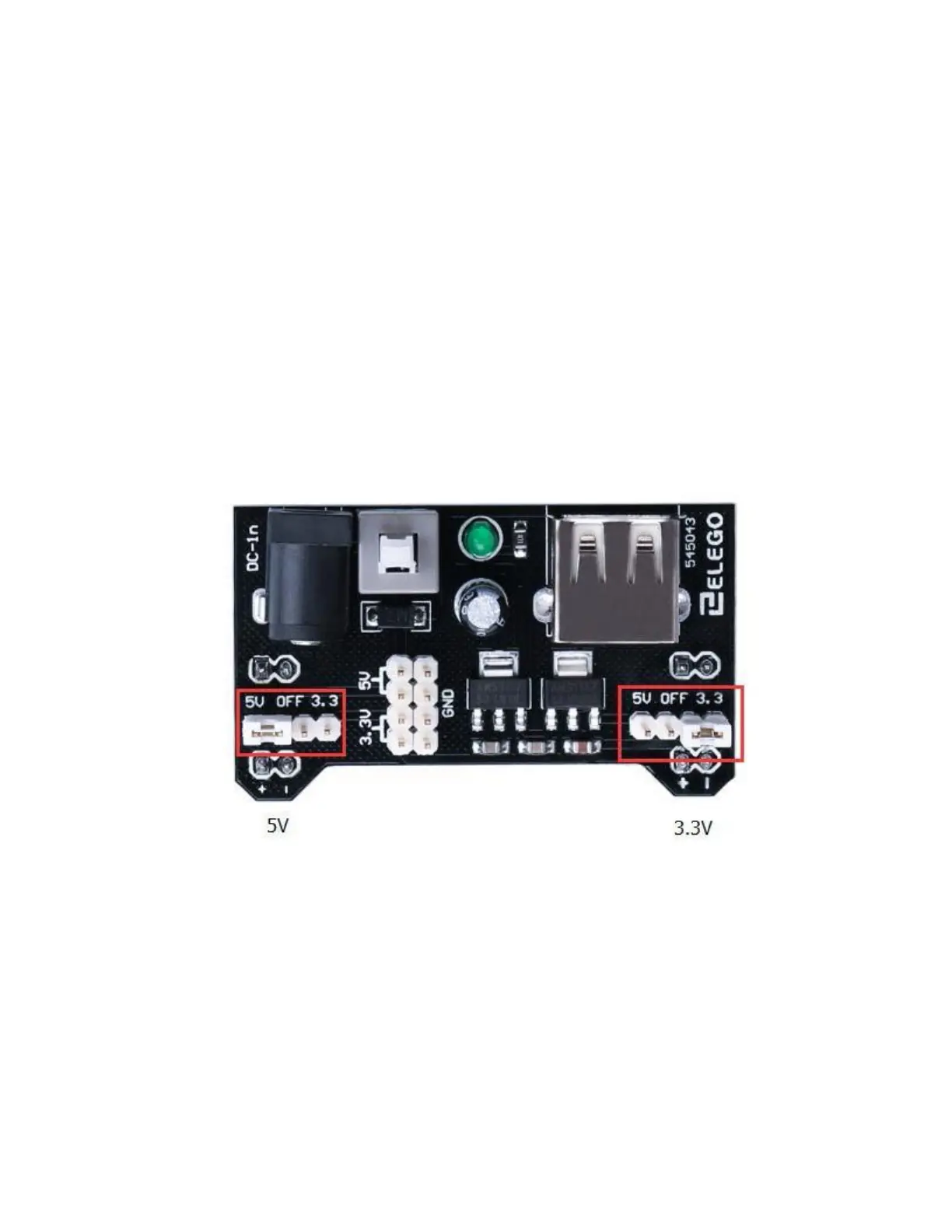
Product Specifications:
Locking On/Off Switch
LED Power Indicator
Input voltage: 6.5-9v (DC) via 5.5mm x 2.1mm plug
Output voltage: 3.3V/5v
Maximum output current: 700 mA
Independent control rail output. 0v, 3.3v, 5v to breadboard
Output header pins for convenient external use
Size: 2.1 in x 1.4 in
USB device connector onboard to power external device
Setting up output voltage:
The left and right voltage output can be configured independently. To select the output voltage,
move jumper to the corresponding pins. Note: power indicator LED and the breadboard power rails
will not power on if both jumpers are in the “OFF” position.
192 / 223


 To Next Page