Turning On/Off Your TV
Initial Setup
9
CUSTOMIZING TV SETTINGS
Connect the power cord to the power socket after you have completed all the
physical connections. At this stage, the TV will enter Standby Mode and the white
LED indicator will illuminate.
In Standby Mode, press the
button on the main unit or on the remote control to
turn the TV on. The white LED indicator will turn none.
The POWER button on the main unit or on the remote control can only
switch the TV into standby. To completely turn off the TV, please disconnect
the power cord from the power socket.
n
a
e
u
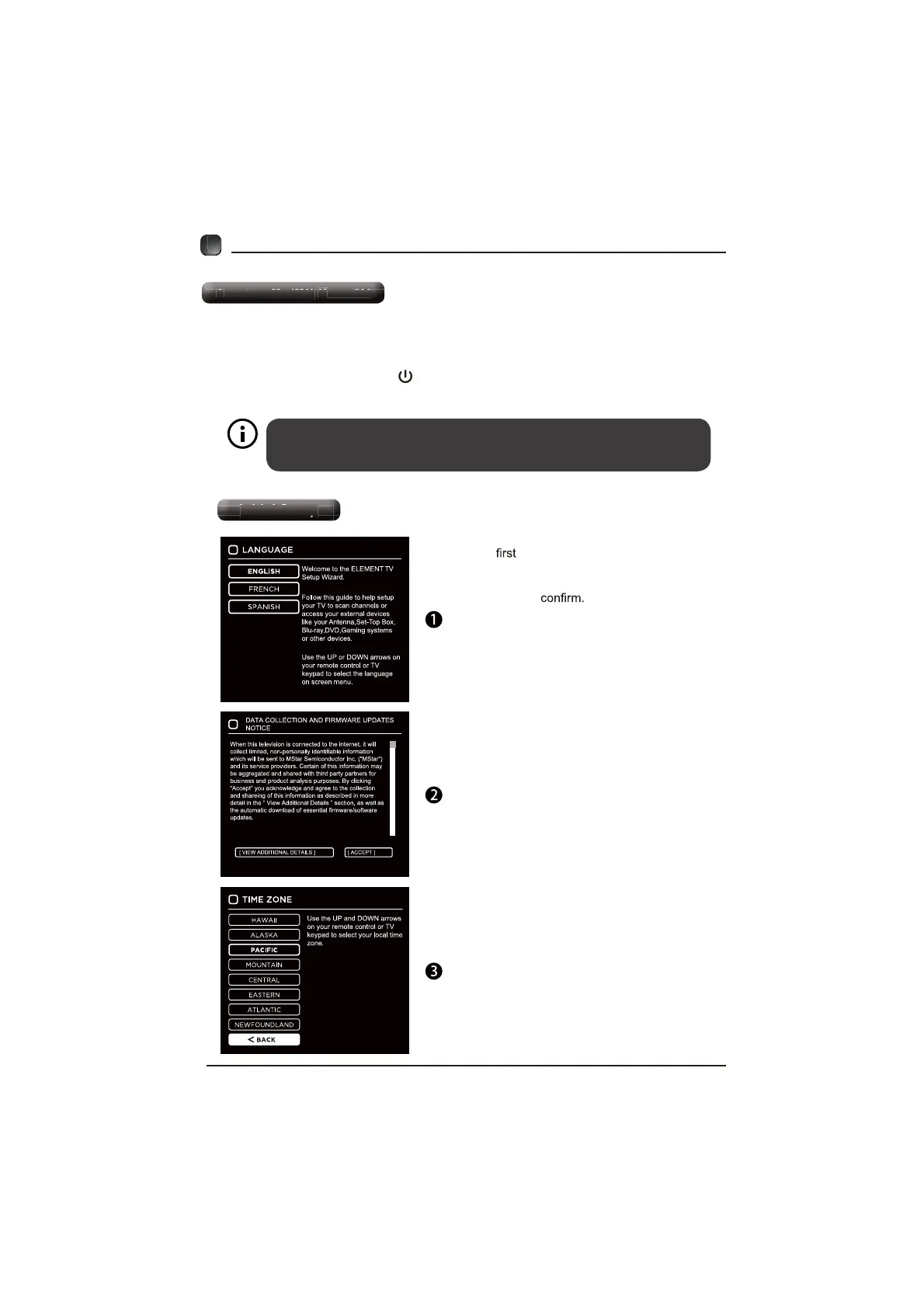
The time you turn the TV on, it will go into
the Setup Wizard. Press the Arrow buttons
to highlight and select your desired mode and
press OK to


 To Next Page