Operating Your Television
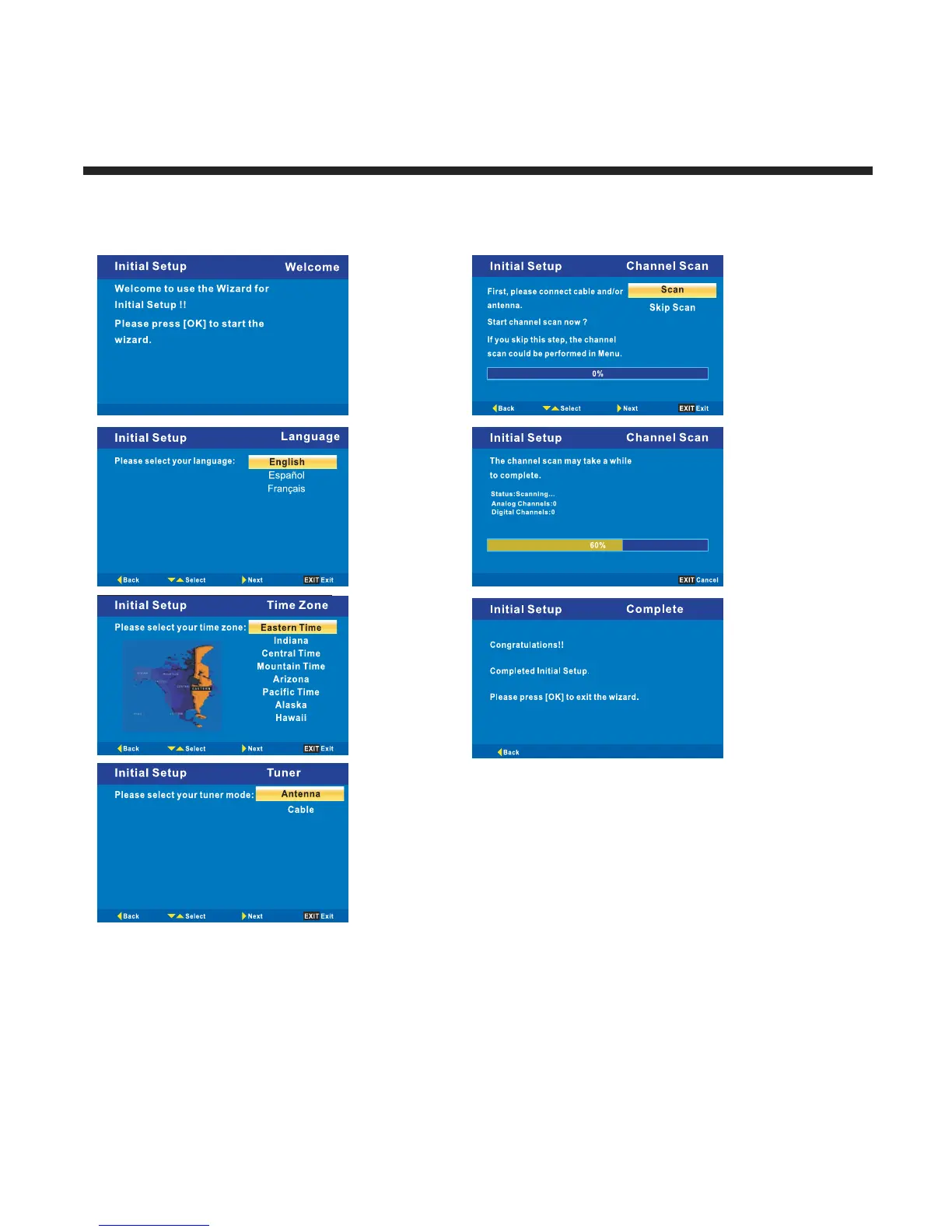
Menu Setup TV(When Using For The First Time Only)
1. Turn on TV, Please press OK to start the wizard.
2.Please select your language.
3.Please select your time zone.
4.Please select your tuner.
5.Connect antenna and Press OK button start channel scan.
11



 To Next Page