13
Operating Your Television
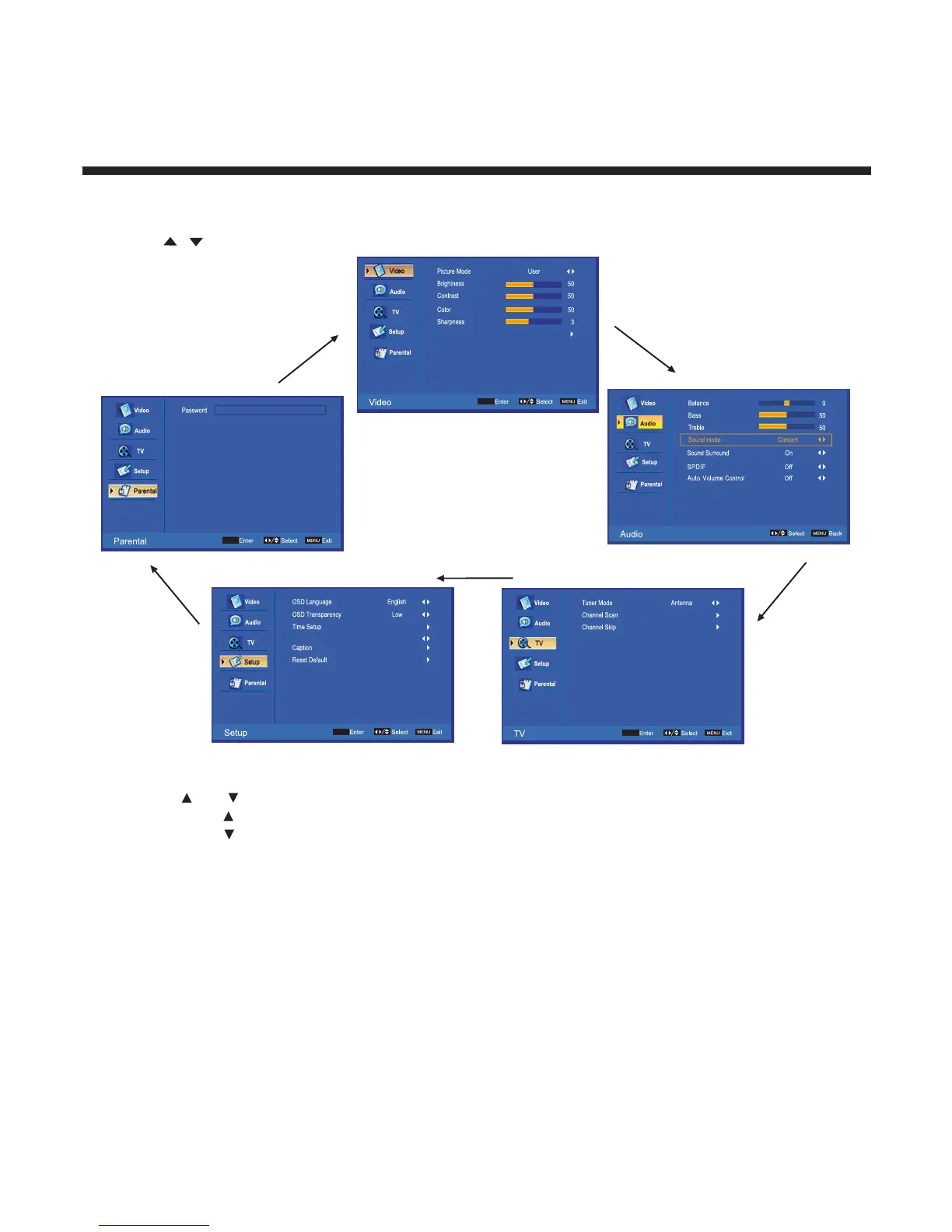
Navigating the Onscreen Display
Press the MENU button to display the main menu.
Use
/ buttons to navigate and select the available menus.
Choosing a TV Channel
1. Use the CH /CH on the front panel or on the remote control.
Press CH to increase the channel.
Press CH to decrease the channel.
2. Using 0-9 remote keys.
Enter the channel number with the 0-9 remote keys, then press “OK” to select the channel.
For example:
1. Press 4, then press “
OK” to select channel 4.
2. Press 4, then press 5, then press “OK” to select channel 45.
3. Press 1, then press 2, then press 1, finally press “OK” to select channel 121.
2.
2.
2.
2.
7LPH'LVSOD\0RGH +RXU
$GYDQFHG9LGHR



 To Next Page