18
Operating Your Television
PC Mode
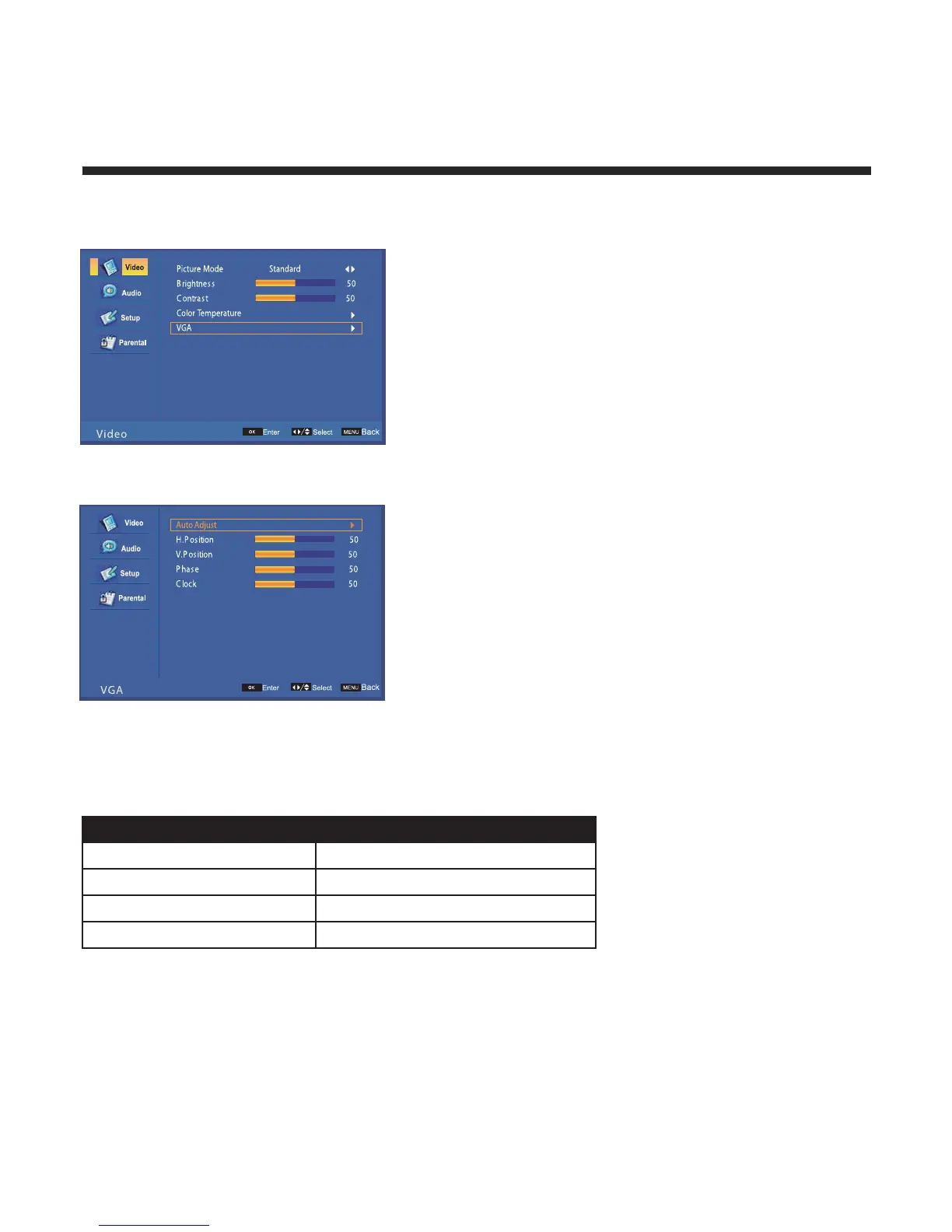
Press OK to enter PC setup
noitisoptseboterutcipruoytsujdaotuA
noitisoplatnozirohlortnocManually
Manually
Manually
Manually
:noitisop.H
noitisoplacitrevlortnoc:noi
tisop.V
esahplortnoc:esahP
kcolclortnoc:kcolC
VGA Mode
Connect your computer to the TV using a VGA cable. Change the source to VGA, then press “MENU” and
select “VGA”
Resolution Vertical Frequency (Hz)
06084X046
06006X008
06867X4201
060801X0291



 To Next Page