EasyManua.ls Logo

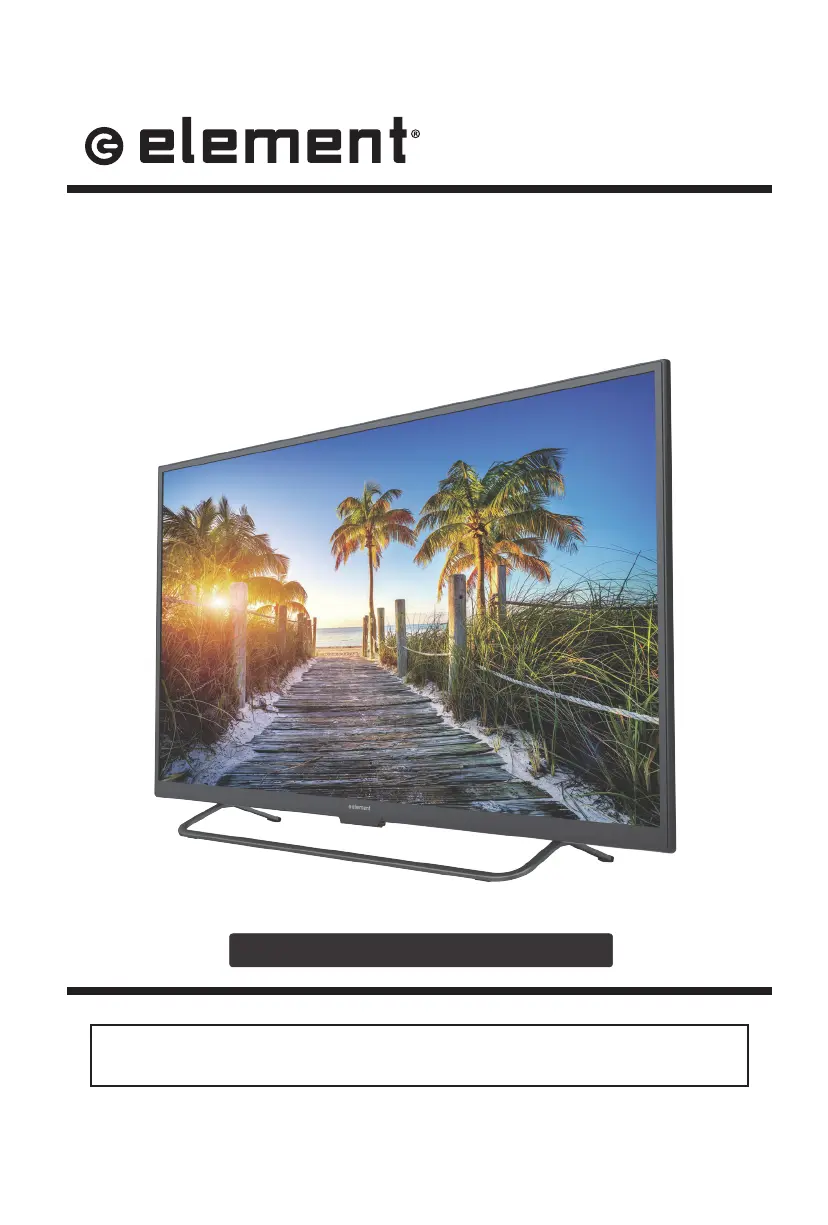
Element ELST3216H - User Manual

Element ELST3216H
32 pages
Print Icon
To Next Page IconTo Next Page
Loading...
ELST3216H
INSTRUCTION MANUAL
Please read all the instructions carefully before using this TV,
and keep the manual for future reference.
32" HD Digital LED TV

Other manuals for Element ELST3216H

Questions and Answers

  • W
    William LoweryAug 27, 2025
    Why does my Element LED TV power suddenly turn off?
    • T
      Timothy GomezAug 27, 2025
      If your Element LED TV is suddenly turning off, check if the sleep timer is set. Also, verify the power connection to ensure power isn't interrupted. It may also be due to no broadcast on the tuned station.
  • B
    barbara01Aug 27, 2025
    Why is my Element ELST3216H LED TV picture quality poor?
    • C
      cheryl62Aug 27, 2025
      If you are experiencing poor color or picture quality on your Element LED TV, try adjusting the color in the Menu option. Also, keep a distance between the TV and any VCRs. Try another channel, as the problem may be with the broadcast. Check that the VIDEO cables are installed properly and activate any function to restore the brightness of the picture.
  • R
    Rachel SmithAug 28, 2025
    What causes a blue screen on Element LED TV?
    • G
      gomezlaceyAug 28, 2025
      A blue screen on your Element LED TV usually indicates no signal. Press the SOURCE button to select the correct source.
  • K
    Kevin DaviesAug 28, 2025
    What to do if my Element ELST3216H has horizontal or vertical bars?
    • C
      clarkelizabethAug 28, 2025
      If your Element LED TV displays horizontal or vertical bars, check for local interference from electrical appliances or power tools.
  • V
    vcunninghamAug 29, 2025
    How to fix noisy picture on Element LED TV?
    • D
      Daniel MooreAug 29, 2025
      If your Element LED TV picture is noisy, snowy, or ghosting, and you're using an indoor antenna, try adjusting the antenna position. Also, check the antenna connections.
  • R
    robbinspatriciaAug 30, 2025
    How to fix lines or streaks in pictures on Element ELST3216H LED TV?
    • D
      Dan DavisAug 30, 2025
      To fix lines or streaks in pictures on your Element LED TV, check the antenna and try changing its direction.
  • J
    Joshua PrattAug 30, 2025
    How to fix vertical bar on Element ELST3216H LED TV?
    • J
      Joseph WalkerAug 30, 2025
      To fix a vertical bar or strip on the background, horizontal noise, and an incorrect position on your Element LED TV, set the auto or adjust clock, phase, or H/V position.
  • W
    wendy14Aug 31, 2025
    How to fix unstable screen color on Element ELST3216H LED TV?
    • M
      Melanie SantiagoAug 31, 2025
      If the screen color on your Element LED TV is unstable or a single color, check the signal cable and reinstall the PC video card.
  • B
    Brandon WhiteAug 25, 2025
    What to do if my Element ELST3216H LED TV remote control does not work?
    • M
      michelehurleyAug 25, 2025
      If the remote control for your Element LED TV isn't working, first check for any obstructions between the remote and the TV. Then, ensure the batteries are installed with the correct polarity (+/-). Also, verify that the correct remote operating mode is set (TV, VCR, etc.). If none of these steps work, try installing new batteries.
  • A
    Alexandra OlsonSep 1, 2025
    Why is my Element TV dead with no LED light?
    • S
      Stephen FisherSep 1, 2025
      If your Element TV is dead and has no LED light, the cause may be that there is no power to the TV. Check all connections to the TV's AC socket.

Summary

Important Safety Instructions

Additional Safety Information

Electrical Safety

Detailed electrical safety guidelines for the TV.

Physical Safety

Guidelines for safe handling and placement of the TV.

Preparations

Remote Control

Identifies buttons and functions of the remote.

Connecting External Devices

Customizing TV Settings

TV Settings Menu

Main menu for TV configuration options.

General Settings

General TV settings like language and zoom.

Picture Settings

Adjusting picture quality settings.

Parental Control

Restricting content based on age and ratings.

Rating Systems Explained

Details MPAA and TV Parental Guideline rating systems.

Initial Setup

Step-by-step guide for initial TV configuration.

Network Settings

Configuring network connections.

Troubleshooting

Maintenance and Cleaning

Element ELST3216H Specifications

General IconGeneral
Screen Size32 inches
Display TechnologyLED
Resolution1366 x 768
Aspect Ratio16:9
Refresh Rate60 Hz
HDMI Ports3
USB Ports1
VGA InputYes
Built-in TunerYes
Audio Output10W
Power Consumption45W
Smart TVNo
Weight4.5 kg

Related product manuals